Assistance Page
Assistant Pages within IFS Cloud Web serve as invaluable tools to seamlessly navigate the process of inputting crucial information into the system. It offers expert guidance, aiding you in tasks like record creation, customer registration, registering an item etc. With their intuitive interface and robust features, Assistant Pages empower you to streamline workflows and minimize errors during data entry. They stand as guardians of accuracy, ensuring that every record is meticulously entered into the system with precision and confidence.
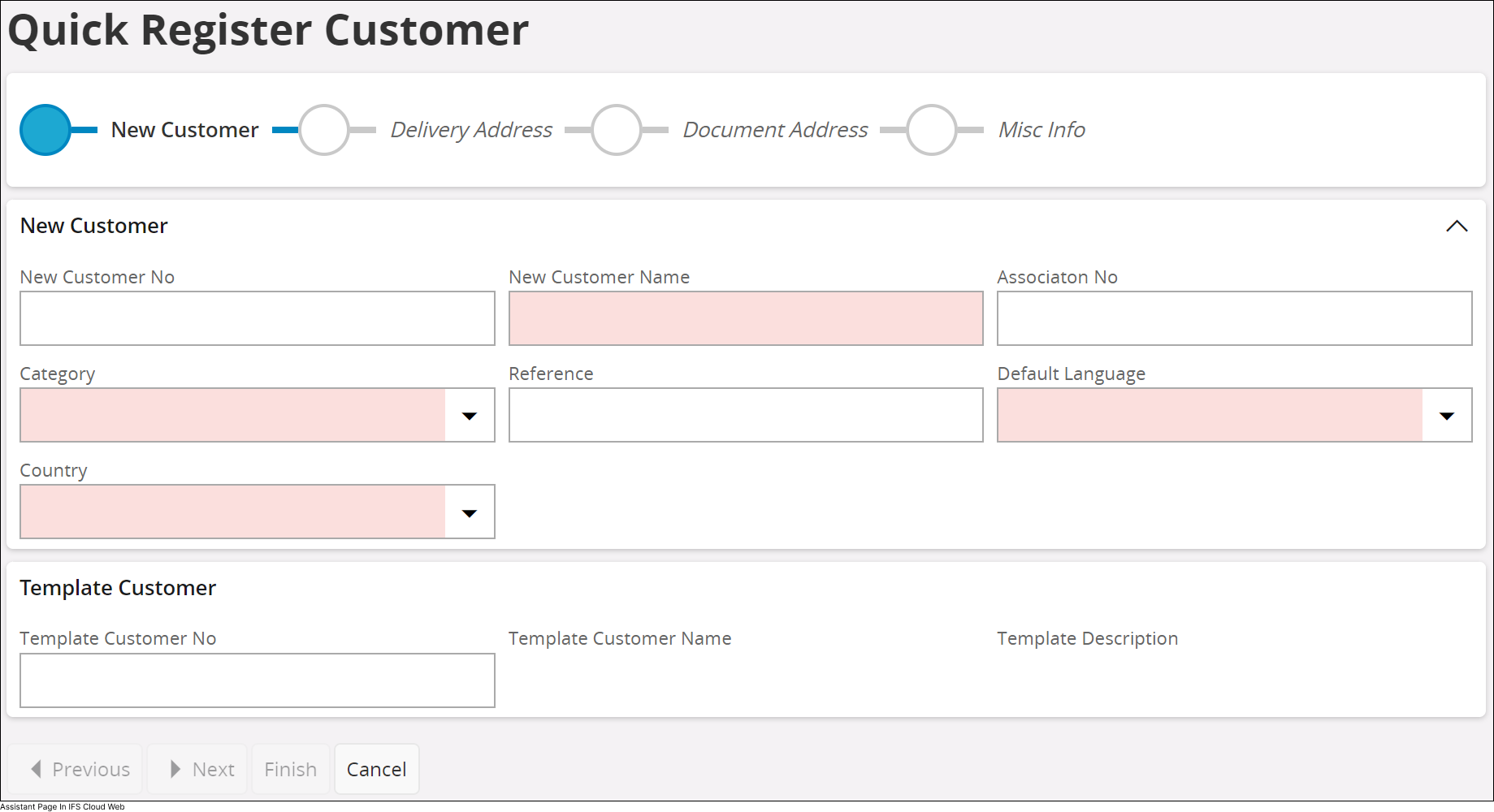
| Label | Name | Description | ||||||||||||||
| A | Assistant Bar |
The assistant bar offers a snapshot view of your current progress within the information-filling process. As you advance in filling out essential information, you may come across the following icons within the assistant bar:
|
||||||||||||||
| B | Previous | This button becomes available
only after completing all mandatory fields on the page. Clicking this
button allows you to navigate back to the previous section of the
assistant page.  |
||||||||||||||
| C | Next | This button becomes available
only after completing all mandatory fields on the page. Clicking this
button allows you to navigate to the next section of the assistant page.
 |
||||||||||||||
| D | Finish | This button becomes available
only after completing all mandatory fields within the assistant.
Clicking this button allows you to mark the completion of the process.
 |
||||||||||||||
| E | Cancel | You can cancel the information entering process
by pressing the Cancel button. |


