Using Address Fields
Addresses are treated as unique data inputs In IFS cloud web, and it can be used by various applications as unique identifiers.
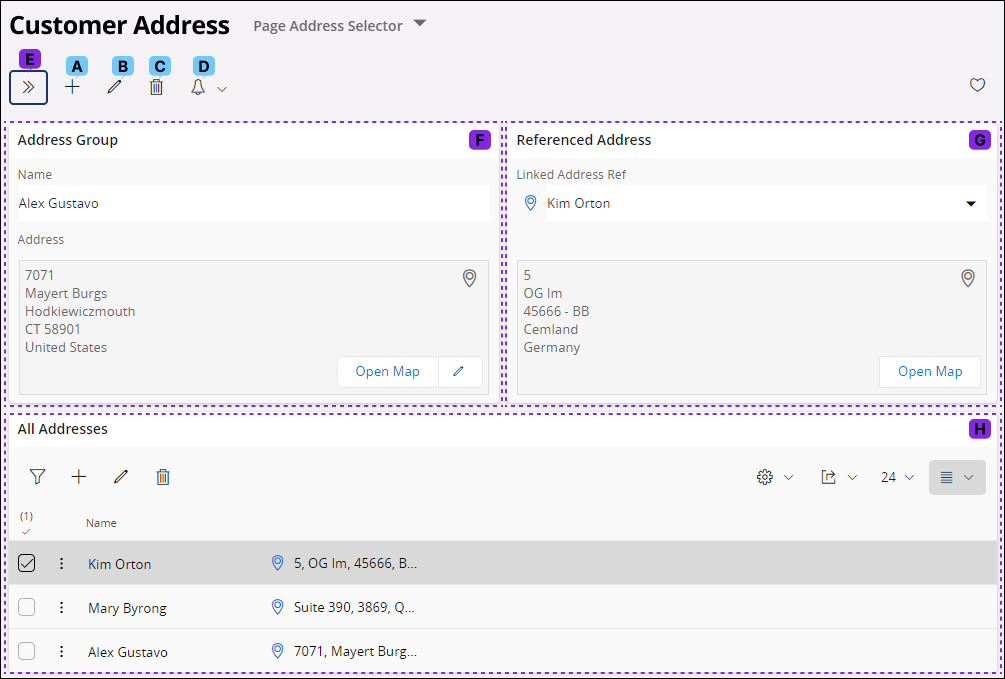
Address fields typically have different sections. The operations you are allowed to perform in these address fields may vary based on the authorized privileges.
| Label | Name | Description |
| A | Add New Address |
 To
add a new entry to the address field, click on the icon. After
initiating this action, follow the steps below to input a new address. To
add a new entry to the address field, click on the icon. After
initiating this action, follow the steps below to input a new address.

|
| B | Edit |
|
| C | Delete |
 Click on the delete button if you wish to remove any of the entries
within the page.
Click on the delete button if you wish to remove any of the entries
within the page. 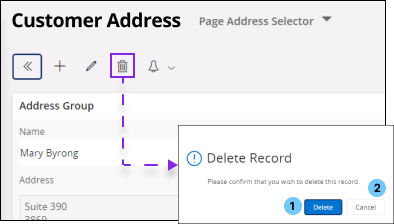 You will receive a message box to confirm your action, click the Delete (1) button to confirm or click the Cancel (2) button to cancel the process. |
| D | Task |
 Click
on the task button if you wish to create a task for your self or assign
a task to another individual. Click
on the task button if you wish to create a task for your self or assign
a task to another individual.  Follow the instructions on Tasks section for additional information on creating a task. |
| E | Record Selector |
 Click this button to access the record selector menu, which allows you
to easily navigate amongst records.
Click this button to access the record selector menu, which allows you
to easily navigate amongst records. 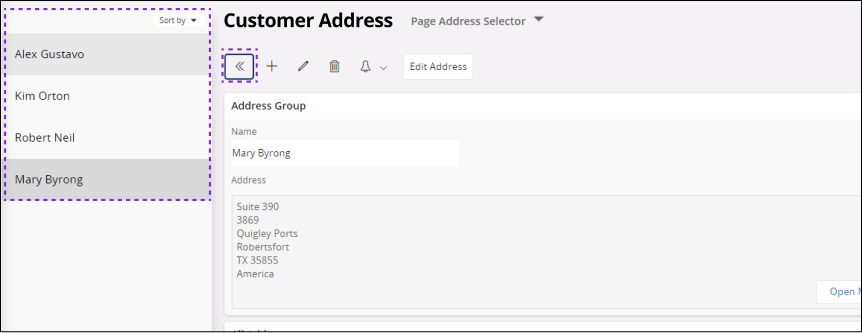 |
| F | Address Group Section |
This section consists of all the information related to the primary
address record you have created.
|
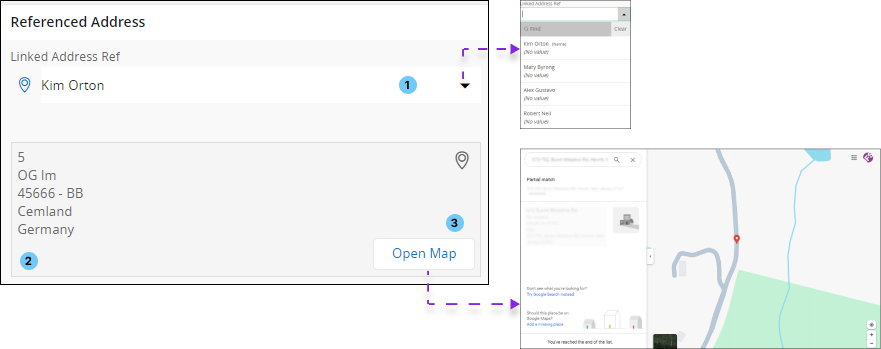
| G | Referenced Address Section |
This section can be used to link a secondary address with the primary
address.
|
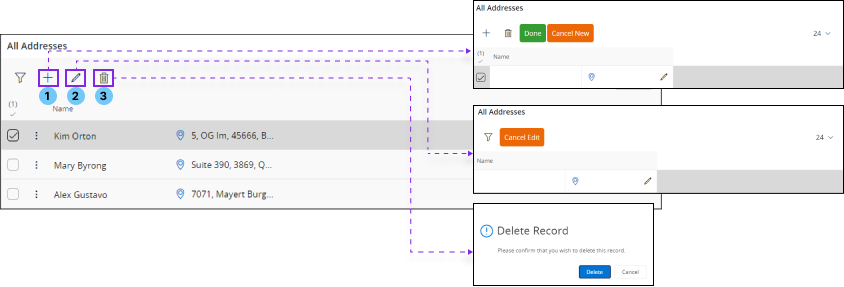
| H | All Address Section | This is another type of address input field
which provides a holistic view of all the addresses you have in a page.
 You can perform all the operations such as Add New Address (1), Modify(2) or Delete(3) addresses using the controls on command menu. |
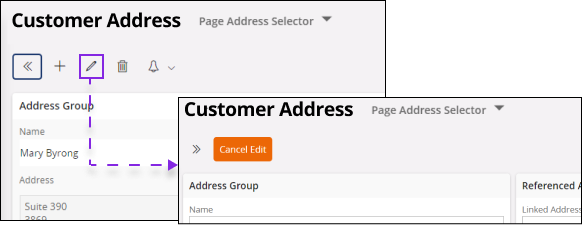
 Click
on the Edit button if you wish to modify any of the entries within the
page.
Click
on the Edit button if you wish to modify any of the entries within the
page.