Using Text Fields
IFS Cloud Web pages consists of different types of data fields in tables and record pages which should be handled according to the field type.

Field Types |
||
 |
Mandatory Field / Drop down menu -You must select a value from the drop down menu to proceed. |
|
 |
Non-Mandatory Field / Drop down menu- Select a value from the drop down menu. |
|
 |
Data Field- Enter a value in the field. |
|
 |
Mandatory Data Field- You must Enter a value in the field to proceed. |
|
 |
Read only Field |
|
Field Properties |
||
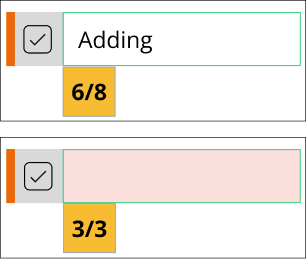
Characters Left To Be Used In A Field |
||
|
The number of characters left to use in a field will be displayed as the user starts to reach the field limitations. |
|
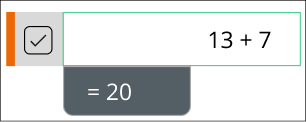
In-Field Calculations |
||
|
In quantity fields a simple calculation can be made directly in the field itself. |
|