Breadcrumbs
Breadcrumbs serves the following purpose within IFS Cloud :
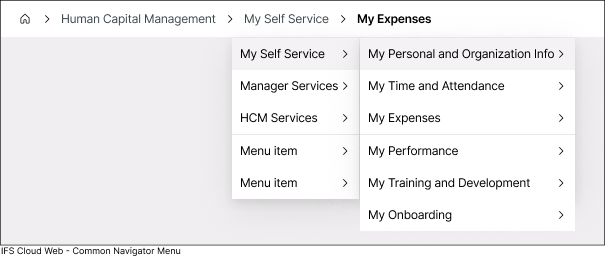
- It displays your current location within the IFS Cloud application by visually outlining the path you followed to arrive at the current page, helping users understand the application’s structure and navigate back if needed. The current page is highlighted in bold in the breadcrumb trail , making it easy to identify your present position within the interface.
- Facilitate swift navigation between functions within the application area you are actively engaged. Each segment of the breadcrumbs features a drop-down list, allowing you to view other navigator nodes under that folder.
 |
||
 |
Clicking the Caret-Right icon next to each breadcrumb enables you to view underlying folders and pages. This includes folders and pages positioned at the same level in the navigator structure. |
|
 |
Click the home icon at the top node of the Breadcrumbs to navigate to Home |
|