Field Descriptions
Field description offers an explanation on what a specific field within an IFS Cloud Page is meant to capture or represent. It helps you understand the purpose of the field and what kind of information is expected, making it easier to enter data accurately and interpret it within the system.
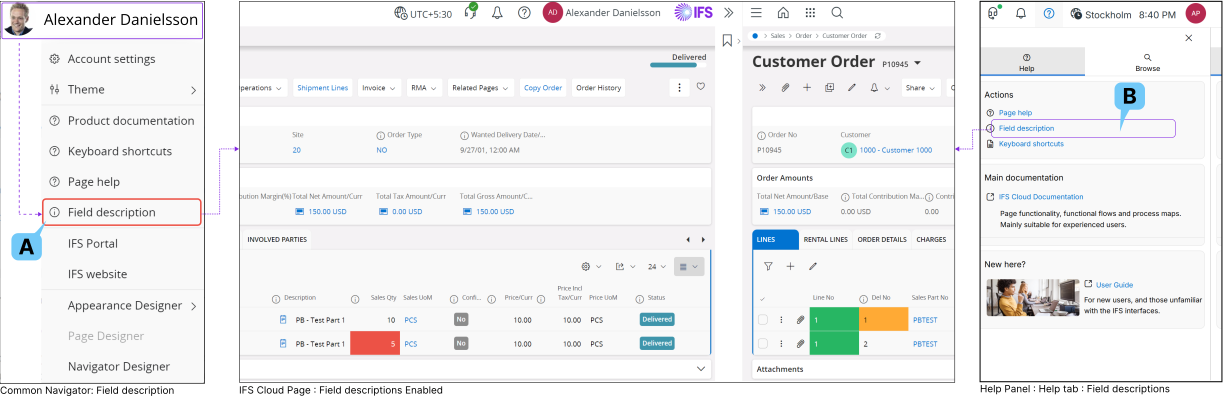
You can activate Field Descriptions for the page you are in right now, through either of the following methods:
1. Using Common Navigator
Click on the Common Navigator drop down menu and click on Field Description (A) button.
2. Using Help Panel

- Click on the Help Panel Icon located on the Navigation Bar.
- After that go to Help tab and navigate to the Actions section.
- From there, click on the Field Description(B) button.
Performing any one of these actions will show you a field descriptions icon next to any field that has field descriptions available for the page you are in. Simply click the icon to view the related field description.
