Working With Notifications
|
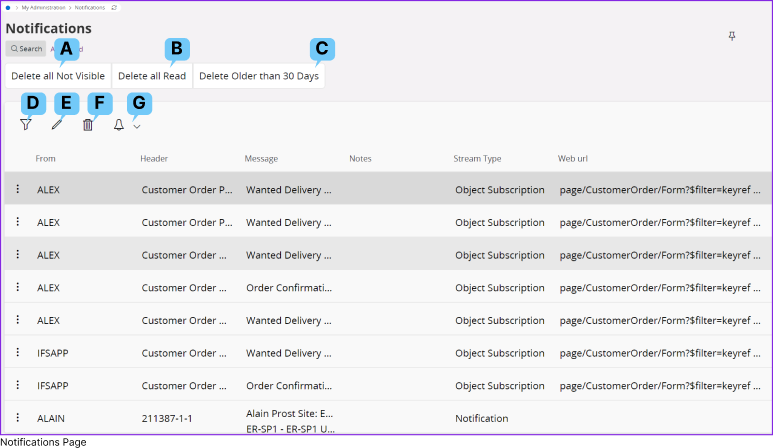
IFS Cloud offers you full capability to view and manage all your notifications through the Notification Page. |
||
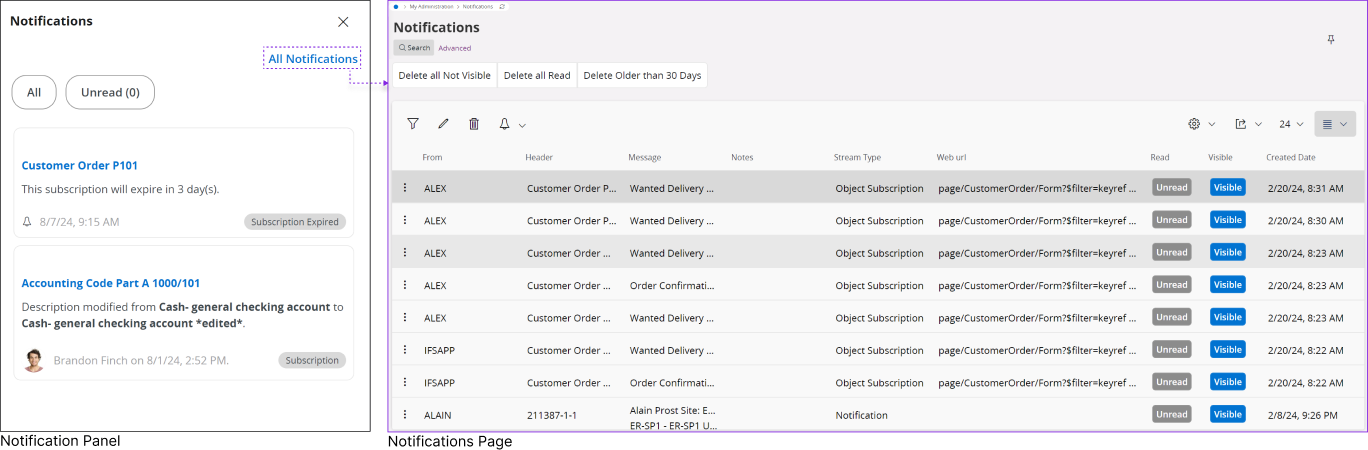 |
You can access the notification page in two ways:
|
|
|
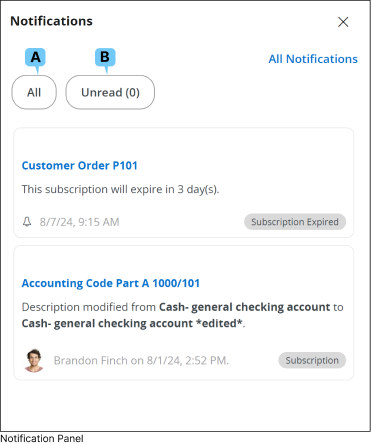
The IFS Cloud Web notification panel showcases only the ten most recent notifications. However, you can access and manage all received notifications via the Notifications page. |
||
|
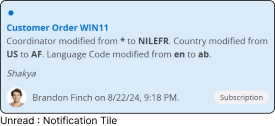
Functions Associated with Notification Tile |
||
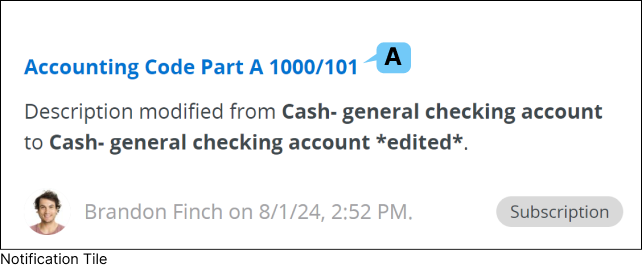 |
A : Navigation Click the title of the notification to navigate to the corresponding IFS Cloud page that triggered the action. Note : Navigation is supported only for notifications of the following types: Task, Subscription, Event, and Background Jobs. To learn more about different notification types in IFS Cloud, go to Notification Types documentation. |
|
|
Functions Associated with Notification Panel |
||||||||||||||||||||
 |
|
|||||||||||||||||||
|
Note: The Notification Panel will display only the 15 most recent notifications based on the common filtering criteria you selected at the top. |
||||||||||||||||||||


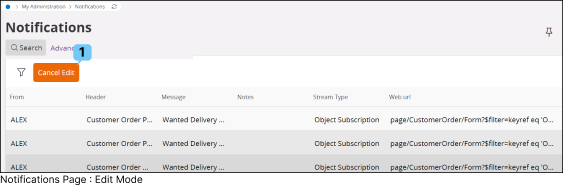
Functions Associated with Notification Page |
|||||||||||||||||||||||||||||||||||||||||||||||||||||
|
|
||||||||||||||||||||||||||||||||||||||||||||||||||||