Validating Data
Data Viewer
The Data Viewer in the Simulation workspace in the PSO Workbench provides a way to verify that datasets are in a correct format and do not contain any foreign keys referencing ids which do not exist (orphaned data).
To validate a dataset, simply click "Select File" and choose the data file to import. The validation will be carried out automatically and a tab will be shown containing the results of the validation. This will include any errors or warnings about the dataset.
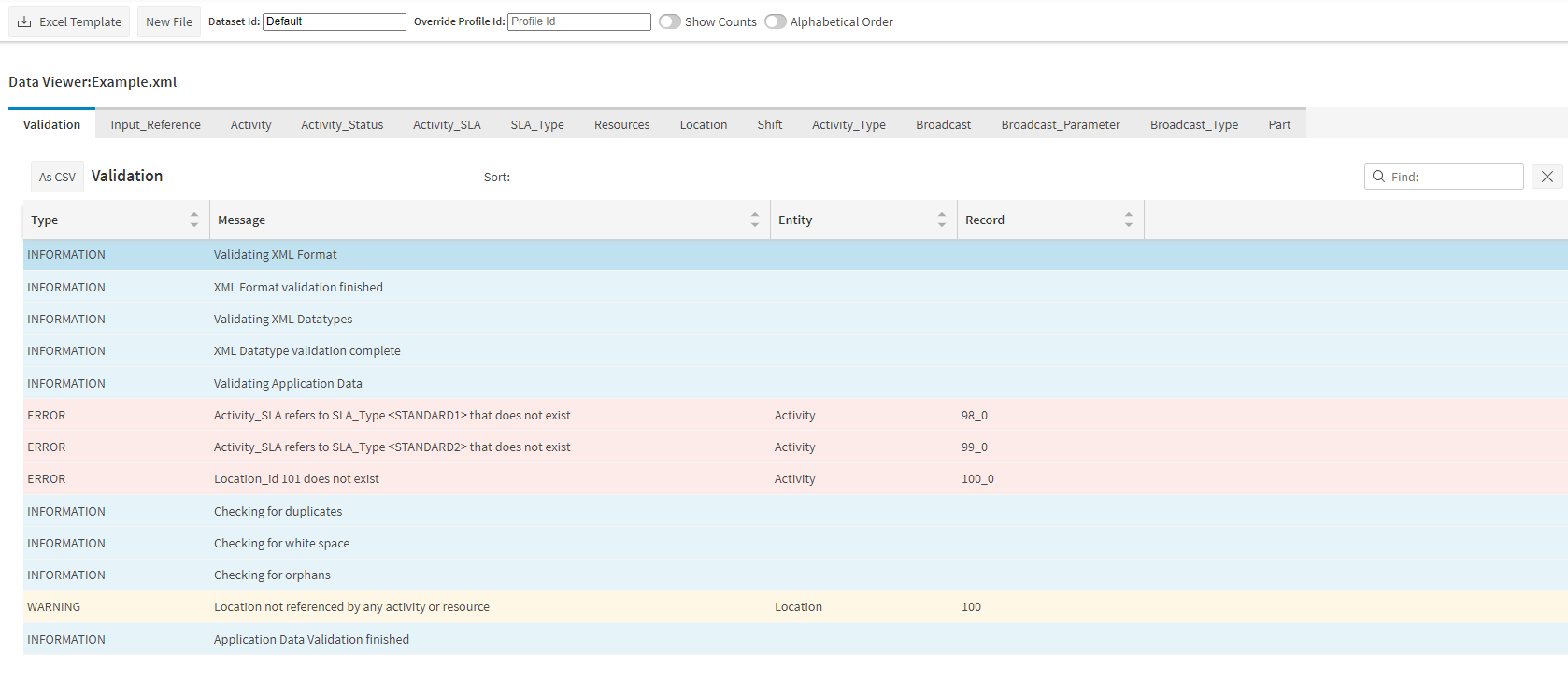
The results of the validation can be exported by clicking on the "As CSV" button in the validation tab.
For more information please refer to the 'Simulation - View and Run Data' section of the PSO Workbench User Guide.
Note
Data files can be either an XML (.xml) or Excel workbook (.xslx) file and must conform to the PSO scheduling schema.
Note
Data files larger than 500MB may not function correctly.