PSO Workbench 6.0
The 6.0 release includes a new version of the Scheduling Workbench. This is a completely new version of the workbench, built using the latest HTML5 and Angular technology.
Below is a brief description of the pages and features contained in the new workbench.

Scheduling Workspace Pages
The following pages are included:
- Resources Page: A new version of the Resources tab in the previous version.
- Activities Page A new version of the Activities tab in the previous version.
- Mapping Page: This is the new page combining the features from the Mapping and Advanced Mapping tabs in the previous version.
- Analysis Page: A new version of the Analysis tab in the previous version.
- Schedule Assistance Page: A new version of the Schedule Assistance tab in the previous version.
Scheduling Workspace Features
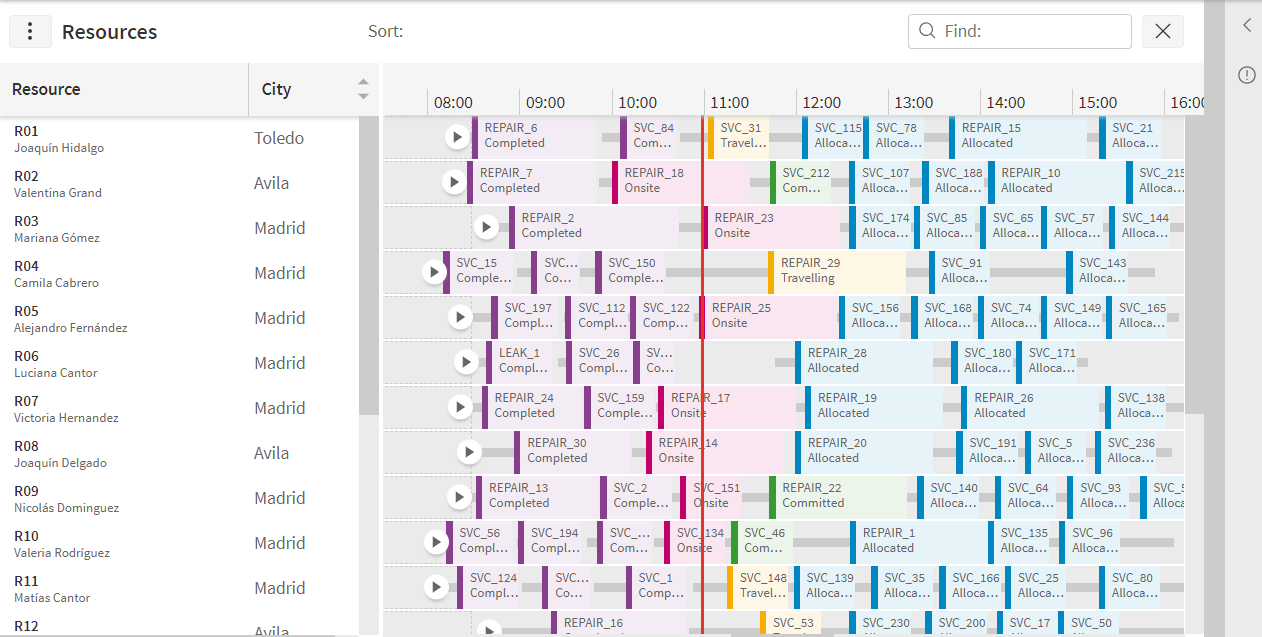
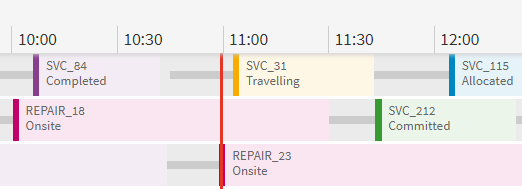
- Gantt Chart: The styling has been updated and modernised to make information more readily available to the user. The individual Gantt items (allocations) support two lines of text, which are configurable, and the colours have been simplified.
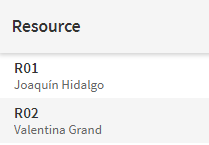
- New Resource Column: A new column supporting multiple items and lines of data has been included on the resource page grid. By default this displays the resource id, first name and surname in a single column. This column can also be configured to display additional or different information to suit the customer data. This allows more data to be seen in the grid without the need for scrolling.
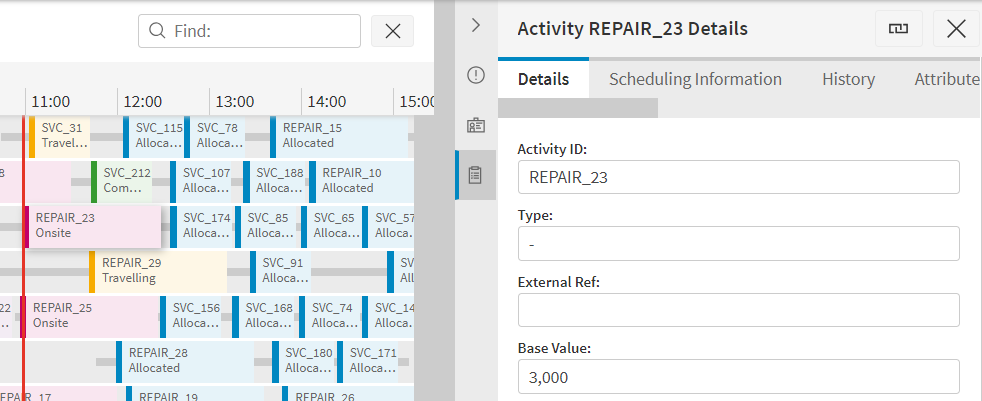
- Right-Hand Panel: A significant design change is that many of the features that appeared as pop-up menus in the previous version now appear in a right hand panel. For example, resource and activity details will appear in this panel and not as a pop-up. This has the advantage that users are able to view the details while still viewing the full schedule on the Gantt. It is also possible to expand the right hand panel to fill the main screen if the user wishes to.
- Exceptions Design: The exceptions panel has been redesigned to make it more user friendly and easier to see the exceptions that the user most needs to know. The acknowledging of exceptions has also been updated to support multiple user feedback.
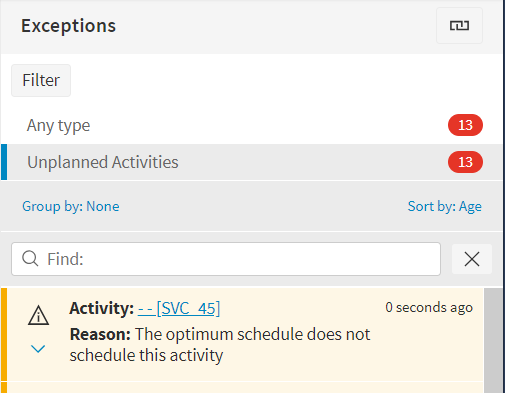
- Notifications: Toast notifications are used to inform the user of any relevant information while using the application.

- Context Menus: The context menus have an updated and more user friendly design.
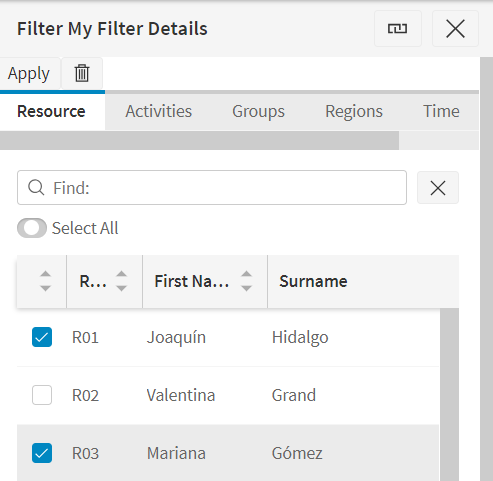
- Filtering: The filtering allows for the selection of individual resources and activities to filter on. In addition filters can be applied either to a single dataset or across datasets, with appropriate options allowed for each.
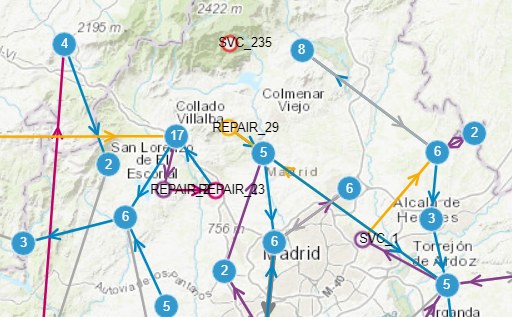
- Map Clustering: The map uses a different clustering method which shows more information on the map even when showing lots of routes. The individual visits and travels will be clustered in a way that still leaves an overview of where the resource is travelling.
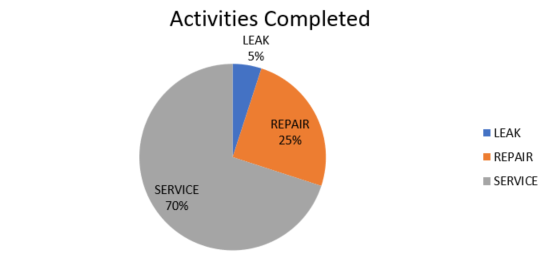
- Analysis: The analysis page now works by generating excel spreadsheets for the requested statistics. Statistics can be grouped by various options such as date, activity type, customer and individual resource.
- Schedule Assistance: The schedule assistance allows regions to be included in the match criteria. In addition, the screen layout has been updated so that the Gantt rows are included in a single Gantt, making this more user friendly. The assist screen can also be used when viewing saved and historic schedules.

Planning Workspace
The majority of data management pages included in the previous version are also included in the new workbench. In addition a new version of the Resource Planner page is included.
Note
Please note that there is currently no support for some of the extended features in the previous version of the Resource Planner. In particular, it is not possible to plan against requirements, or to carry out project planning. As a result the following data management pages are also not included: Requirements, Roles, Positions, Projects, Project Templates and Targets.
Some notable new features are as follows:
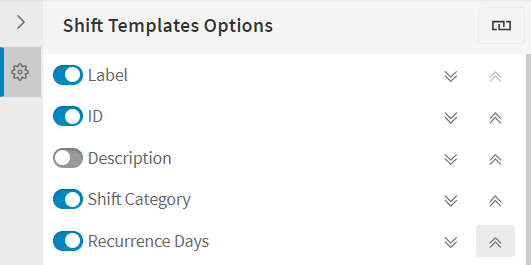
- User Configurable Columns: All columns on the data management pages are fully configurable, both by an administrator and by the users themselves. Administration users can preset the column order and decide if any columns should be removed or set to read-only. Users can then change the column order and hide additional columns themselves, as well as adjusting the column widths.
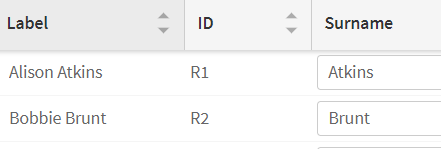
- Label Column: A label column has been included to show how the row will be referenced on other pages. The label format is configurable via database parameters.
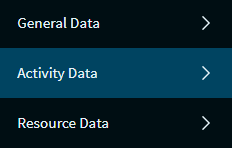
- Improved Page Navigation: The data management pages have been grouped into resource, activity and general data to make it easier to find the page you wish to navigate to.
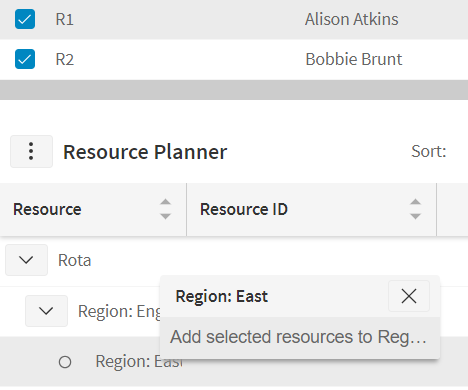
- Multi-Select Resources: On the resource planner you can select multiple resources from the top part of the screen and add them to the planner at the same time. To add to the planner you simply select the division you wish to add them to and select the option, which avoids the need to drag and drop.
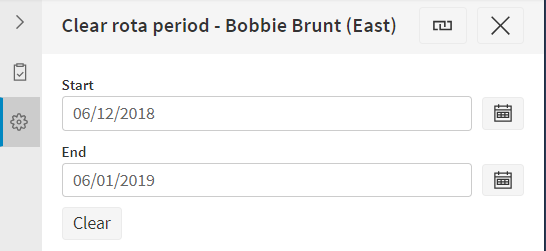
- Right-Hand Panel: As with the scheduling workspace, the use of pop-ups has been avoided on the resource planner. Actions such as generating shifts are displayed in the right hand panel instead, meaning the user can still see the main screen while performing the action.
Administration Workspace
The only included administration page in the initial release of PSO 6.0 is the Events screen.
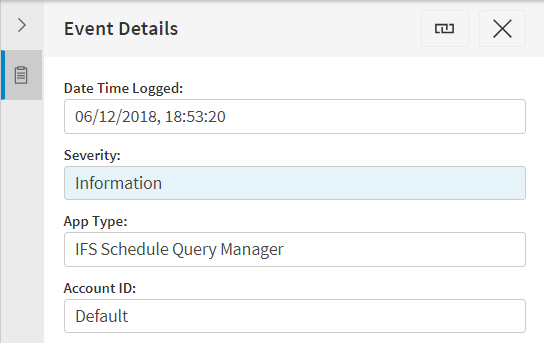
This screen shows both server side events (for users with permissions to view these) and client generated events in a single view. A panel will show the details of each event and there are also various options to filter the data.
Installation, Documentation and Support
The new workbench is included in the standard release software, and can be installed using the IFS Scheduling Installer.
The PSO Workbench User Guide includes details of all functionality, and these details are also available from within the workbench itself, via the context specific help.