Schedule Explainability
There is a new Schedule Explainability Service (SES) which allows explanation requests to be processed against the current schedule, to help with understanding why the DSE has allocated an activity where it has, or why it has not allocated the activity at all.
The user can make an explanation request for an activity from the Explanations page in the Scheduling Workspace in the PSO Workbench. The results can then be viewed from here.
The service will attempt to allocate the requested activity to every possible position in the schedule. The results from this can be used to see why an activity could not possibly be scheduled in a certain position, or to see if the overall plan value of the schedule was impacted by scheduling the activity in this position.
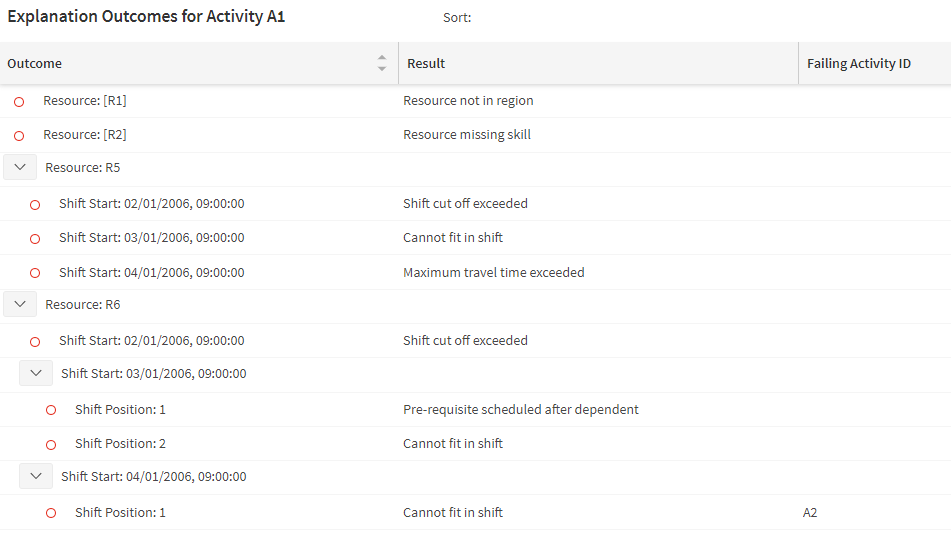
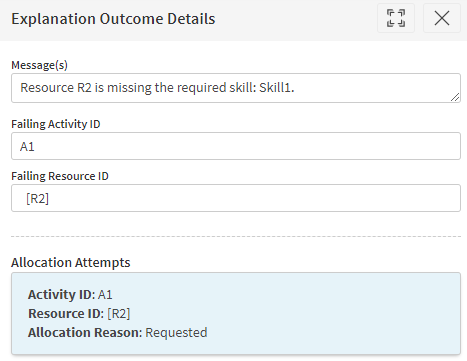
The results screen shows an overview of all of the positions with a quick indication of why a position failed. Each row can be clicked on to open a details panel which will give further details about the specific attempt.
See Scheduling Concepts - Constraints and Preferences for further details.