Workbench Enhancements
For full details of these enhancements see the PSO Workbench User Guide.
Manual Change Validation
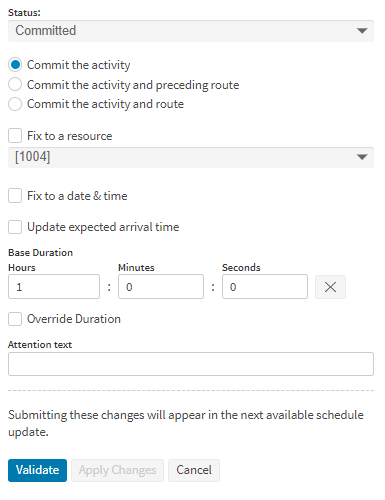
On the manual change panels in the scheduling workspace, a validate button has been added. This button will send a request to the explainability service to check the validity of the manual change. Two new permissions have been added to coincide with the validation, these are 'ManChaNoValidation' and 'ManChaValidationOverride'. 'ManChaNoValidation' determines whether the user needs to validate before making a change, if set to true the user can apply changes without validating. 'ManChaValidationOverride' determines whether the user can ignore the results of the validation, if set to true the user can apply changes if the validation returns invalid.
Shift Data Import
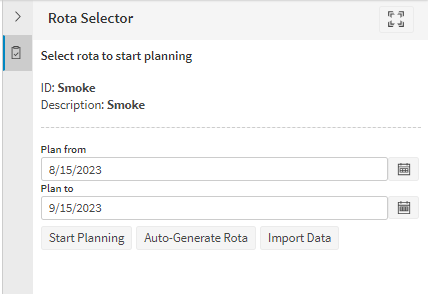
On the Resource Planner page in the planning workspace, the user is now able to import shift data directly into a provisional rota. Data validation is performed on the shift data on importing the file. This is intended to provide a way of validating shift data before merging into the parent rota of a dataset.
Modelling Data Validation
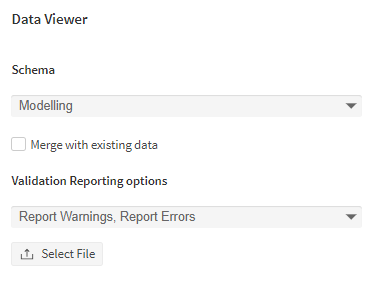
On the Data Viewer page in the simulation workspace, the user is now able to validate modelling data. By selecting the modelling schema from the dropdown the user will be able to select files of type .ARP for the page to validate. The user can also choose to validate the file against existing data by setting the checkbox to true, this will merge the uploaded file and existing data for the modelling dataset before validating.
OSV in Separate Window
The Operational Scenario Visualiser (OSV) now opens in a separate window. The visualisation can be configured and controlled in the OSV Window, leaving the main user interface free to switch to the scheduling pages and show what an actual user would see in the simulated situation.
Minor Enhancements
- Added a Resource Pools screen to the planning workspace to simplify setting up resource pools and allow them to be added to multiple resource pool sets.
- Added a new option in OSV 'Start a New Scenario' screen to set 'Scheduling Window Length'. A schedule is created for this configured period when creating a scenario. When creating an appointment, slots are created for the scheduling period only.
- Added 'Delete' button to OSV activity and resource context menus. If a scenario is running or completed this option is not available in activity/resource context menus.
- Included a new section 'Custom Columns' to Scheduling Resource and Activity screens data grid options panel allowing to add/delete new columns for the data grids.
- When collapsible region nodes are included on the resources Gantt, these will now display the region description if there is one instead of the region ID. If there is no description then the ID will be displayed instead.