Workbench Enhancements
For full details of these enhancements see the PSO Workbench User Guide.
Previewing Manual Changes
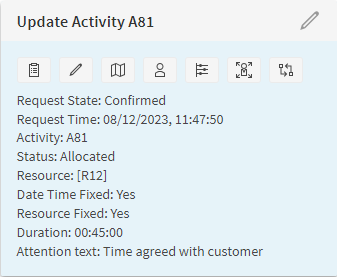
It is now possible to view a preview mode when manually updating activities. This shows a more accurate reflection of the impact the change will have on the schedule while the change is still pending. Updated activities will be shown where they are expected to be scheduled as a result of the change, and the visit times for other activities are adjusted accordingly.

In addition, a history of all manual changes made by the user can be viewed in a side panel. This includes the current state of the request, so the user can easily return to check on an updated activity once the DSE plan has updated.
Skill Filtering
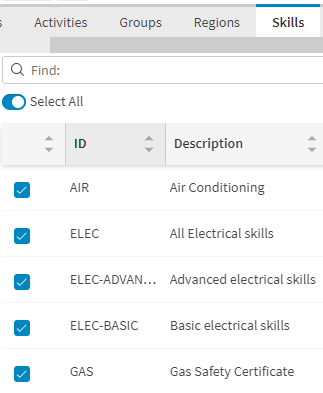
In the schedule filter panel, it is now possible to filter by skills. By selecting a skill the workbench will return data for resources which have the selected skill and activities which require the selected skill.
Data Type Support for Additional Attributes
Support has been added to the scheduling workspace for additional attributes of data types datetime, timespan and URL. This allows the user to filter on additional attributes and have them displayed in the correct format on labels.
Explainability Navigation
Now users can navigate from any activity in the workbench to the explanations page through the context menu for the relevant activity. This navigation is also possible from activity exceptions.
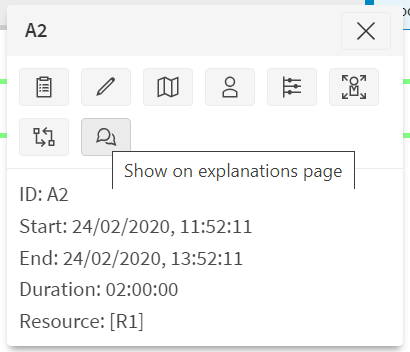
In the explanation outcome details panel, activity and resource values are now clickable, allowing users to view relevant activity or resource details.
Minor Enhancements
- There are new options to streamline the manual change validation process. This allows the user to validate and apply changes in a single click, and/or immediately after a drag-drop action.
- Improved the responsiveness of the query manager by altering how plan changes are processed.
- Internal DSE datasets will now be displayed prefixed with the parent dataset in the performance, applications and system status screens.
- New keyboard navigation options have been added to the main navigator panel and to tabs to support the use of arrow keys.