Simulation Enhancements
WISE User Flow
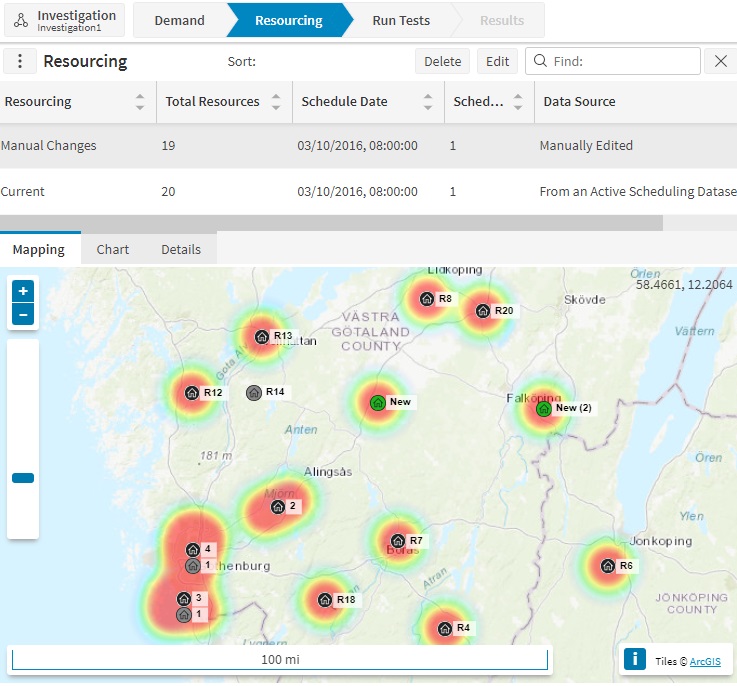
The WISE UI has been updated to create separate screens for each area of use. This is intended to improve the user flow and give a more intuitive experience.
The new WISE UI consists of 5 screens:
- Investigations: here the user can start a new investigation or continue an existing one.
- Demand: here the user can load demand data and view the details of each demand they have loaded.
- Resourcing: here the user can load, view and edit resourcing data.
- Run Tests: here the user can set off test runs using the demand and resourcing they have loaded.
- Results: here the user can view the results of each test run, to see how it performed against business targets.
WISE Baseline Schedules
It is now possible to load a 'baseline' schedule when starting a WISE investigation. This will load demand, resourcing and a baseline test run, based on the current active schedule, or an archive snapshot or saved schedule.
Charts for Demand and Resourcing
When viewing a selected demand or resourcing within the WISE, it is now possible to view charts showing the breakdown of the data by various common groupings. This includes activity or resource type, region and skill.
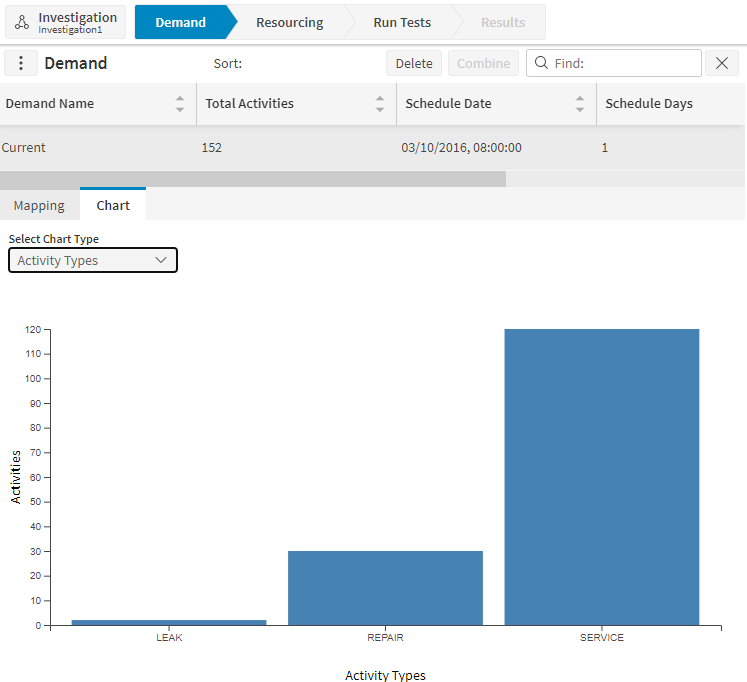
For resourcing, it is also possible to view tabular details of each resource.