Workbench Enhancements
For full details of these enhancements see the PSO Workbench User Guide.
Data Grid Keyboard Navigation
It is now possible to use the keyboard to navigate around the data grids within the workbench. This includes the ability to move between cells in the grid using the arrow keys and other navigation keys. Data can also be edited, and rows can be added and removed using the keyboard.
See the 'Accessibility' section of the workbench guide for full details.

Activity Icons
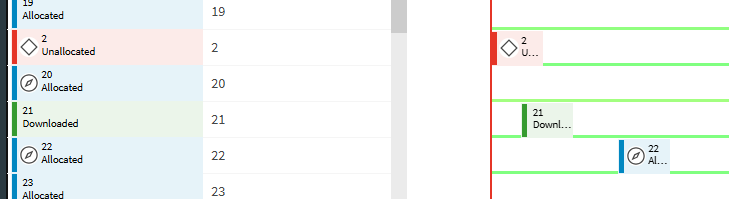
It is now possible to specify an icon for an individual activity, which will be displayed for this activity in the workbench. Previously activity icons could only be set via the activity type. Icons are displayed against the Gantt icon, on the activity Gantt row, and in the Activity details.
Schedule Exception Icons
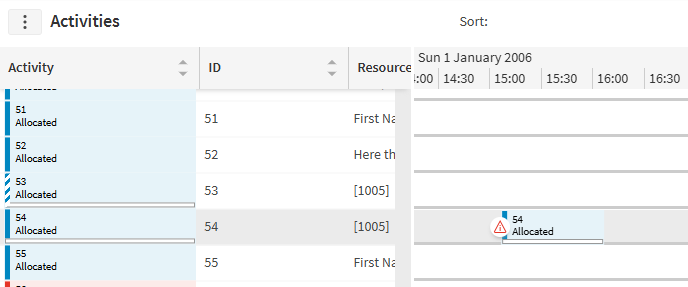
It is now possible to specify an icon for any valid schedule exception. These can be selected in the Schedule Exceptions page in the Administration workspace. Once an icon is defined for an exception, the icon will appear at the beginning of any Gantt item with the associated exception.
Minor Enhancements
- Application instance and server ids are now shown as the VM name on Azure and the pod name in Kubernetes.
- In Azure the region, zone and node VM information is now shown against the application instances.
- The Schedule Data Usage option on the Administration Performance screen is now split into Organisation Usage and Dataset Usage.
- External pending change update times are now reduced.