Scheduling Enhancements
Availability Windows
Availability sets can be defined against multiple activities. This allows a way of easily setting shared availabilities against lots of activities, and can also be configured to restrict the number of resources that are used within each availability in the set. This can allow maintenance windows to be defined, for example, so that maintenance is carried out by the same resource within the window, but allowing more maintenance to be carried out in a future window by a different resource.
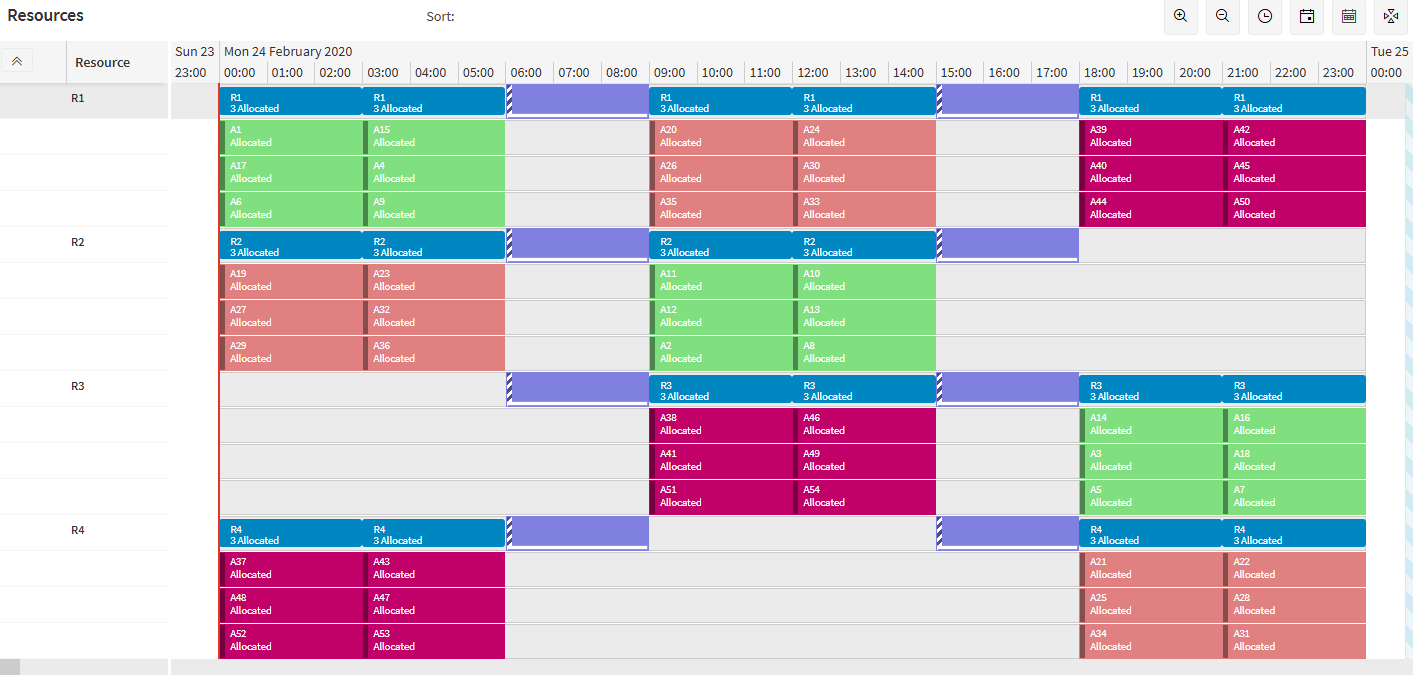
See the Resource Capacity Management Guide for further details.
Categories
Categories can be assigned to activities as a way of defining activities that have meaningful similarities to each other. Collections of categories are grouped under a categorisation, and each activity can only belong to one category within each categorisation.
Categories can be used to apply limits to the number of categories scheduled concurrently for a parallel resource, via either a rule against the number of categories, or by limiting custom metrics linked to each category value. They can also be used for filtering and display purposes in the Scheduling Workbench (see the Workbench Enhancements section below for more details).
For example, if activities represent items that need to be painted in a machine in a factory, a categorisation called 'Colour' could be created and activities for painting items in red can be given a category of 'Red' within this categorisation, and so on. A rule could prevent multiple colours from being processed at once.
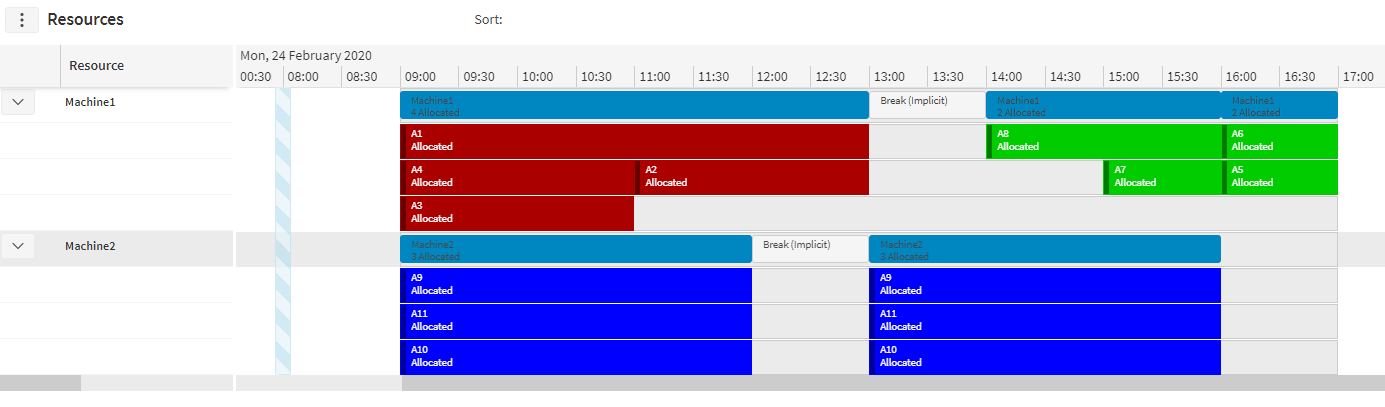
See the Resource Capacity Management Guide for further details.
Note
This functionality replaces the use of the exclusive flag on separation groups. Uses of the exclusive flag should be replaced with the new category functionality, as the functionality for the exclusive flag will be removed in future.
Rule Parameter Overrides
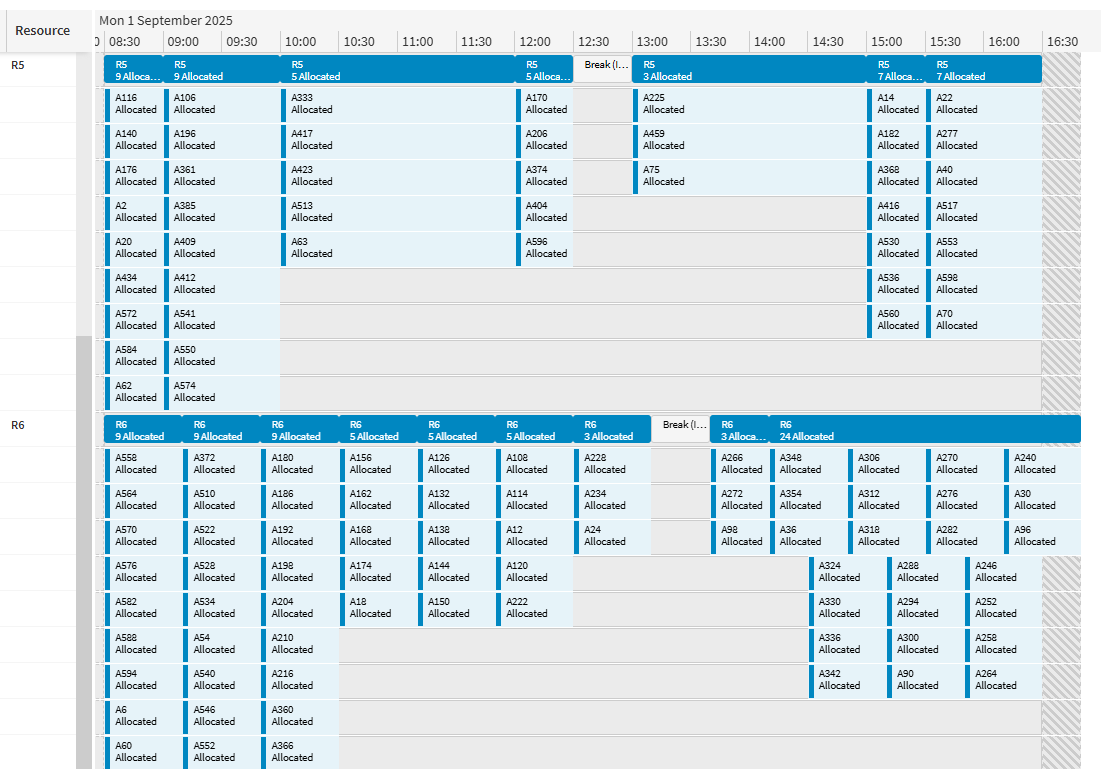
Rule parameter overrides are now available for parallel rule sets. This feature allows maximum capacities for parallel rules to change over time, either by setting an absolute limit for a given period of time, or by making a relative change (i.e. providing how much the limit should increase by for a period of time).
For example, if a parallel resource is representing a team of workers, this could be used to model how the capacity of the workforce fluctuates over time, with the limit changing to represent absences in the team.
See the Resource Capacity Management Guide for further details.
Minor Enhancements
- When using an appointment booking fallback profile and a fallback calculation is used the HTM travel calculation will now be processed in the background making it available for subsequent requests.
- Added a UseFallbackProfileForAppointmentSummary parameter which allows controlling whether the appointment fallback profile is used for the appointment summary calculation. This defaults to false ensuring the appointment summary considers the correct travel calculation when validating an appointment offer response.
- The Appointment Booking Engine will now determine the optimal number of parallel threads to use to process non-blocking appointment requests. This is enabled with the new default value of the parameter 'MinimumAppointmentSlotsPerThread'. The value can still be set manually if desired.
- The Scheduling Dispatch Service now supports activities split across multiple resources.