Workbench Enhancements
For full details of these enhancements see the PSO Workbench User Guide.
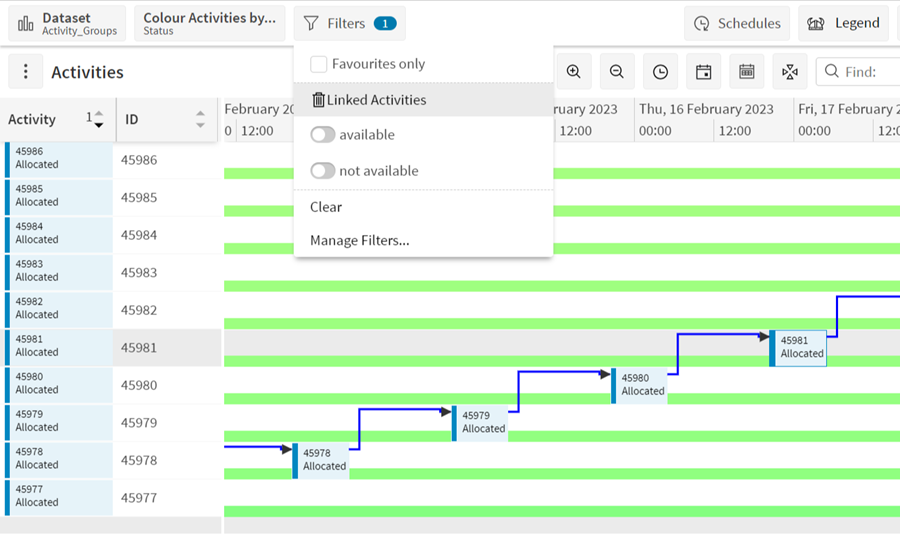
Filtering Linked Activities
If an activity has one or more linked activities, it is now possible to filter them using a button in the activity context menu. When the 'Linked Activities' button is clicked a new filter is created and applied based on the chain of linked activities.
Unlinking Gantts in Resource and Activity Views
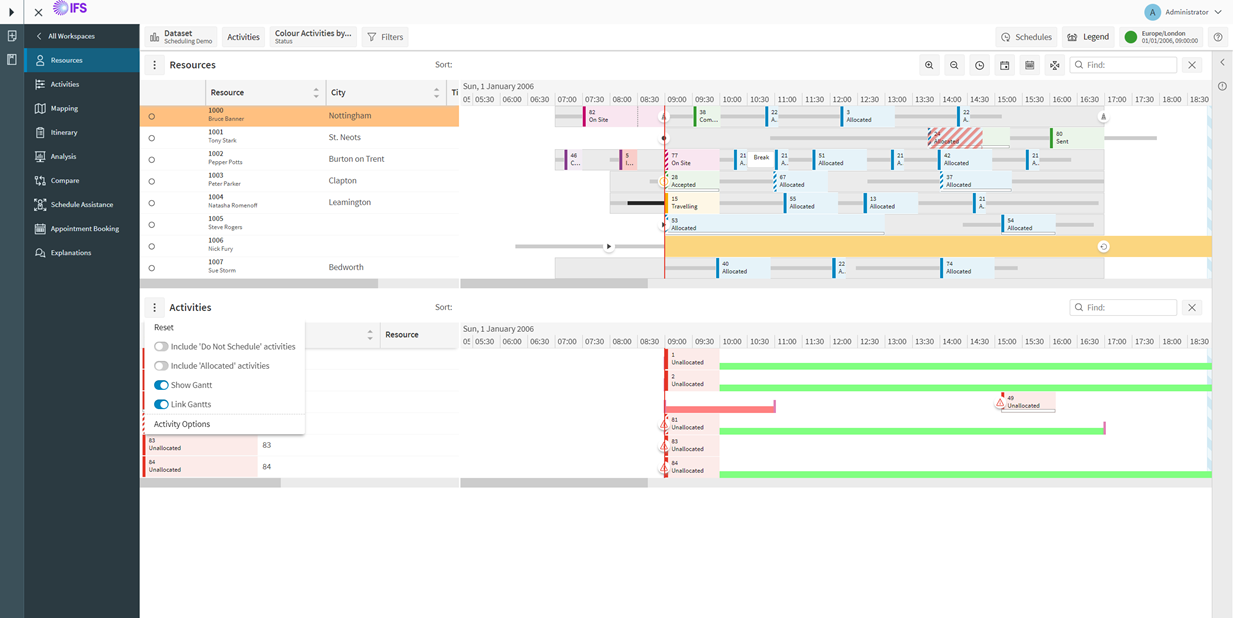
It is possible to display or hide the Gantts in the Resources and Activities views separately using the 'Show Gantt' toggle in the resource and activity options popup.
By default the Resources and Activities views are synchronised. With the new 'Link Gantts' toggle, it is possible to link or unlink the views. When unlinked, it will allow independent adjustment of the grid and Gantt areas in each view without affecting the other.
Categories
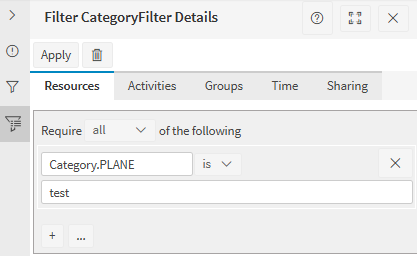
In the Scheduling workspace, it is now possible to filter activities, activity types, resources and resource types by their category values. In the advanced resource and activity filtering, the option 'Category' should be available. By selecting this option, the dataset's list of categorisations will be displayed. By selecting one of these options, the workbench will allow filtering based on the object category value of the selected categorisation.
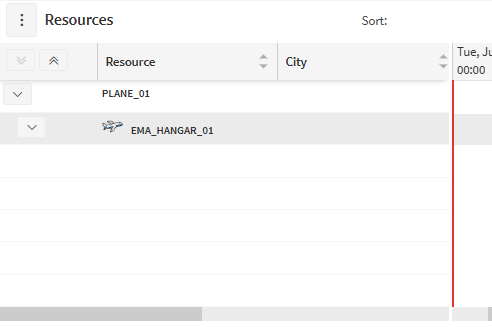
In the Resources page, it is now possible to display the data in a category view. By opening the resource grid options, there is a dropdown option to select the categorisation tree view. By selecting a categorisation defined in the dataset, the resources view will be displayed as a tree grouped by the resource's category value in the selected categorisation.
The categorisations and categories can be defined in the Planning workspace. Custom metrics can be defined against a category here too. It is also possible to assign a category to an activity type, bucket, resource, resource type and team in their respective planning pages.
Minor Enhancements
- The resource planner option to transfer resources between datasets now supports transferring multiple resources at once.
- The SLA items in the activities Gantt will now display a context menu showing SLA type, start time, end time and duration.
- The SLA items in the activities Gantt have been increased in height and have been given a start and end indicator.
- In the activity options, there is now an option to show or hide the activity connections.
- Categories and custom metrics have been added to the activity details.
- Categories and rules have been added to the resource details.
- HERE has been added as a provider for mapping and turn by turn directions in the workbench.
- The Resources page in the Scheduling workspace now includes a horizontal splitter.
- Buttons have been added to expand or collapse all nodes in a tree view - e.g. in the Resources page in the Scheduling workspace, in the Divisions page in the Planning workspace.