Scheduling Enhancements
Wrapper Activities
Wrapper activities can be used to define work to be carried out before or after a group of related tasks (for example, to do some initial setup). A wrapper activity can be scheduled multiple times if required, if the related work is scheduled in multiple batches.
The timeframe over which the wrapper activities need to be scheduled can be changed allowing the wrappers to be scheduled within either the same shift or the same availability window as the related activities.


In an aviation context, wrapper activities could be used to represent moving a plane into a hangar to carry out maintenance, where the number of required maintenance periods is not known (and so the requirement cannot be represented using pre-requisite activities, as they can only be scheduled once).
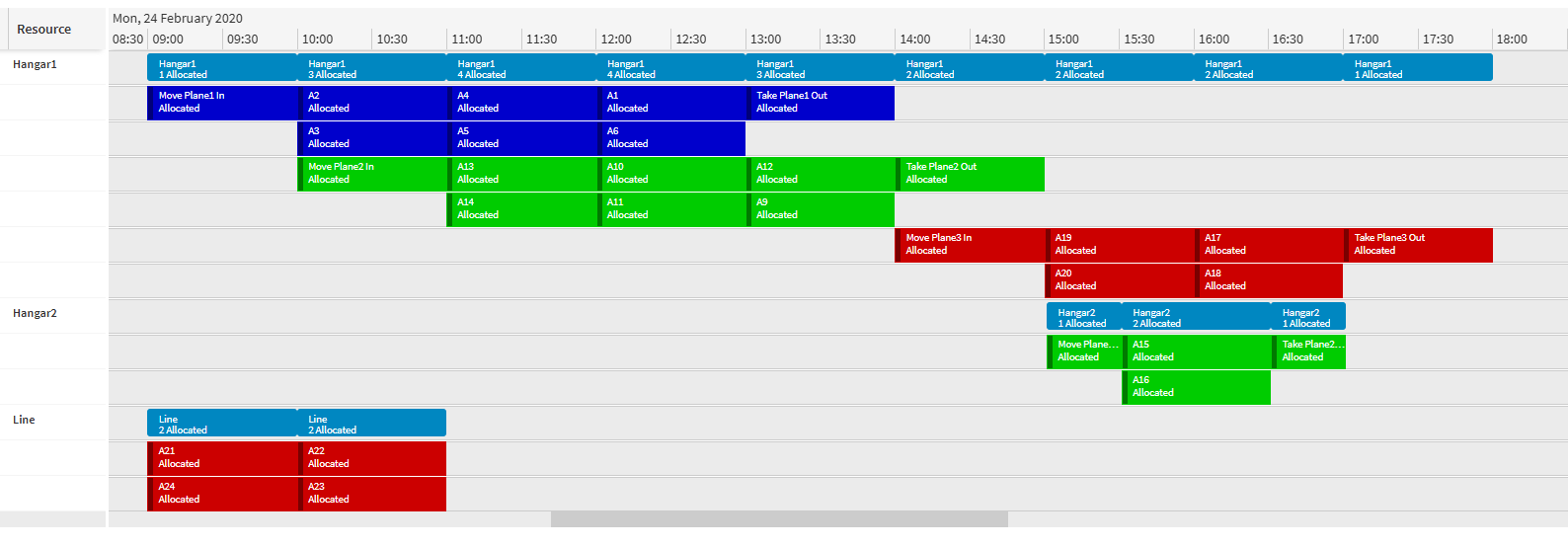
See the Scheduling Concepts - Linking Activities guide for more details.
Availability Window Costs
Costs can be defined against availability windows. This can either be set up to be a cost that applies for each activity scheduled within the window, or it can be set up so that the cost applies once if the window is used, regardless of the number of activities scheduled within it.
This is useful for ensuring that work is grouped together in the same window if possible. For example, in an aviation context where availability windows represent a period of maintenance on a plane, availability costs can provide an incentive to the DSE to schedule as much maintenance as possible at once, rather than needing to bring the plane into a hangar on multiple occasions to carry out the same amount of maintenance.
See the Scheduling Concepts - Resource Capacity Management and Scheduling Concepts - Costs and Values user guides for more details.
Commit To Availability Window
Activities that are scheduled with availability windows can be committed into the availability window from the Scheduling Workbench, rather than bringing the committed activity forwards within the shift to an earlier window. This functionality can be enabled via the parameter CommitToAvailabilityWindow.
Suggested dispatches generated by the Schedule Dispatch Service will also take the parameter into consideration and set the earliest time for the commit suggestion accordingly to account for the availability windows.
See the PSO Workbench User Guide and Scheduling Concepts - Status Changes user guide for more details.
Displaying Parallel Resources by Category
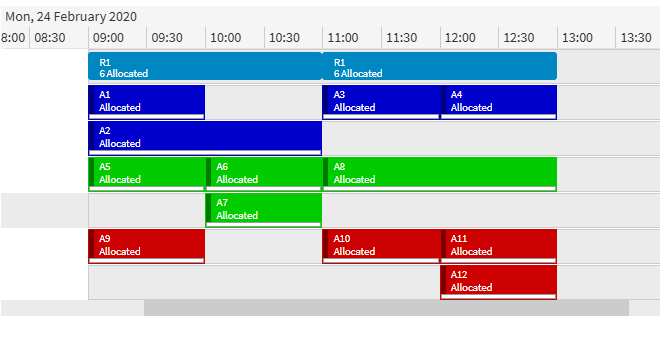
Activities belonging to the same category can be displayed on the same rows as each other when viewing a parallel resource in the Scheduling Workbench. The categorisation used to control this display can be defined against the resource in the input data.
SLA Templates
SLA templates can now be defined directly in the scheduling input data. This matches how SLA templates can already be defined in the modelling schema, and any resource planning data using SLA templates will now be mapped into the new SLA template tables. This reduces the amount of data required and simplifies integrations. The existing ways for defining SLAs still work as normal.
Minor Enhancements
- The default for the CommittedActivitiesProfileThreshold parameter has been changed to 1 hour (previously 12 hours).