WISE Enhancements
A number of usability improvements have been made to the WISE. These are intended to make it significantly easier to adjust demand and resourcing in order to try out different scenarios, based on an initial dataset. There are also improvements to running automatic tests, and improvements to the results view to enable easier comparison of different test runs.
For full details of all WISE functionality, including these enhancements, see the PSO Workbench User Guide.
Demand Scenarios
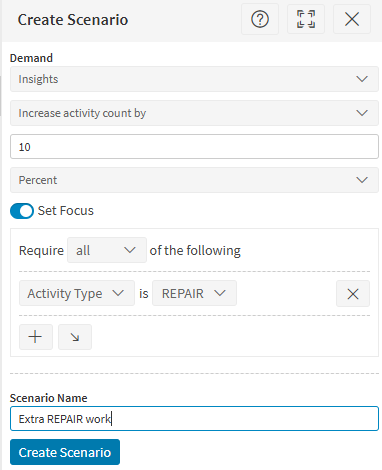
It is now possible to adjust a base demand data in order to create different demand scenarios. For example, it is possible to increase the demand by 10% to see how this affects the schedule. It is also possible to make focused adjustments, for example to increase the demand for a specific customer, or for activities with a specific skill requirement.
Resourcing Edits
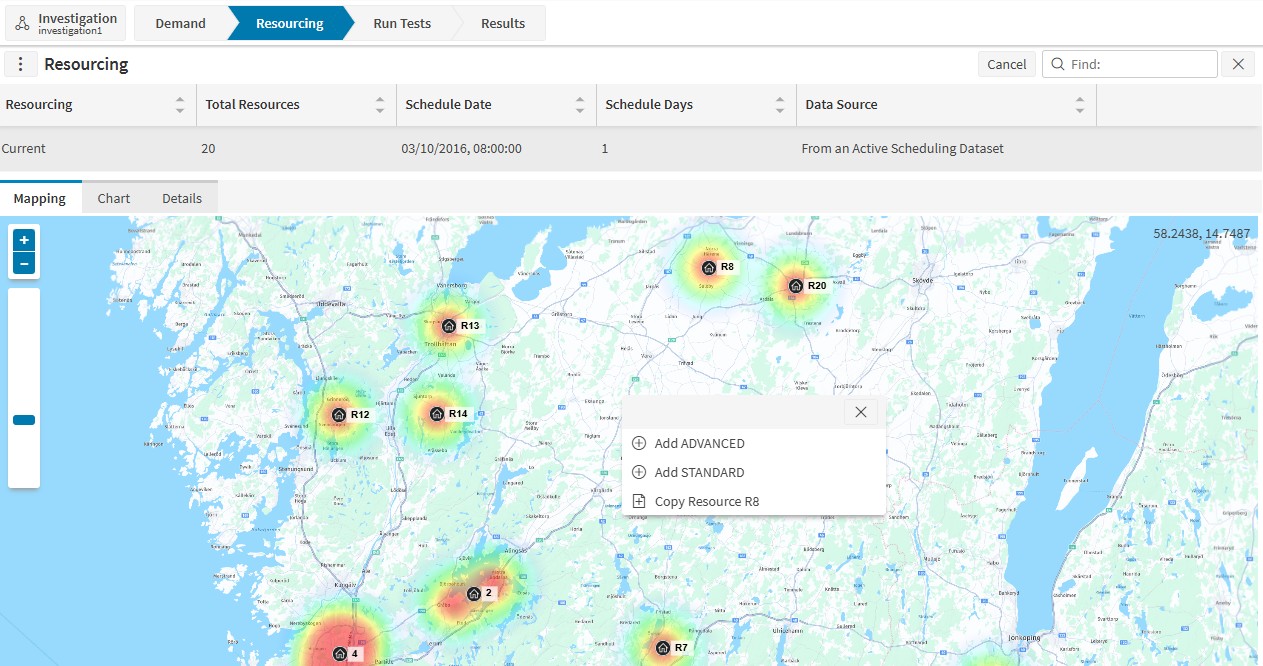
There are now a variety of new options to edit the base resourcing:
- It is possible to clone an existing resource.
- It is possible to create copies of an existing resource in different locations.
- It is possible to edit a resource by adding or removing skills or regions, changing the resource type, changing the resource location (start and/or end), and updating the resource out of region multiplier value.
It is also possible to combine two or more sets of resourcing data into a single new resourcing.
Running Automatic Tests
It is now possible to create templates for the scheduling engine to use when automatically adjusting the resourcing. These templates specify resources in the base data that can be copied to create new resources, and options for up-skilling resources.
It is also possible to create targets with wider variety of focus areas. It was previously possible to focus based on activity type only, but it is now also possible to focus on region, customer, contract, service level and skill, and any combination of these options.
There have also been improvements made to the simulations algorithms within the scheduling engine to improve the results from automatic test runs.
Results Comparisons
A new Results Comparison screen has been added to give the user a simple overview of how different test runs compare.
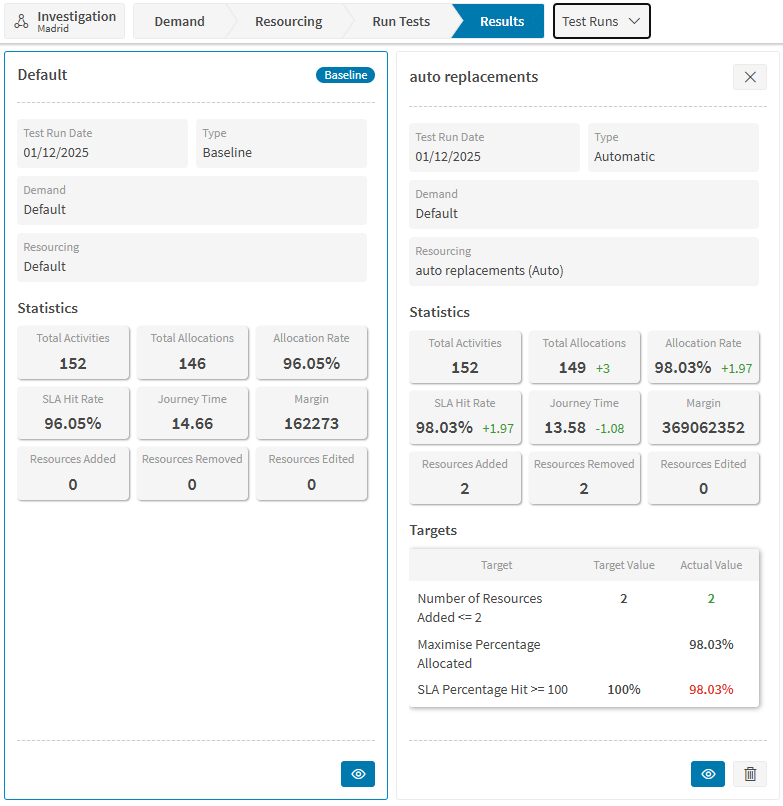
Further details of each test run can then be accessed from the panel. These include a new option to generate an Excel report for the test run.
Simulation API
All WISE functionality is now also available for integrations to use via API calls to the RESTful Gateway.
See the Interface Guide — RESTful Gateway for full details of the API methods available.
Minor Enhancements
- It is possible to quick-start an investigation from either the Analysis screen (for the dataset currently being viewed), or from the Archive\Snapshots screen for a selected snapshot.
- It is also possible to start a new investigation from the results of a previous investigation.
- New investigations will have 2 targets added by default (to maximise percentage allocated and SLA hit rate).
- Change summaries will show how resourcing and demand has been updated from the base data. These are generated automatically but can also be overridden manually.
- It is also possible to download the schedule data for a given test run, provided the appropriate permission for this is granted.