Workbench Enhancements
For full details of these enhancements see the PSO Workbench User Guide.
Fast Filters
Fast filters provide a quick way of filtering the view in the PSO Workbench by activity type, group, region, resource type, skill, SLA type, or time without needing to create or manage a saved filter. They are useful for temporary, ad-hoc filtering while you work.
The fast filter control appears alongside the saved filters accessed via the 'Filters' button in the Scheduling Workspace. From there the filter criteria can be set and the schedule will update as you change your selections.
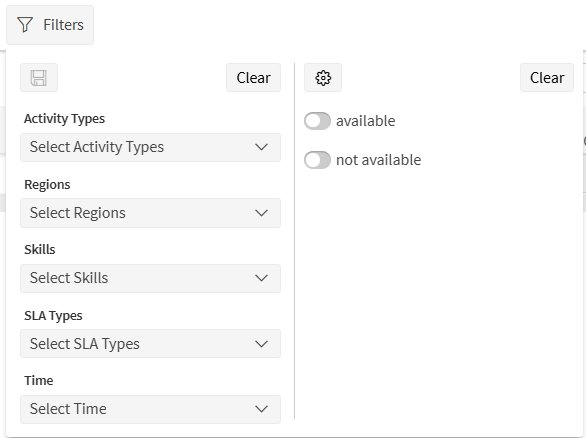
Fast filter settings can be saved as a named filter for later use.
Overview Panel
Note
Please note that this functionality is only available as a preview or beta release in this version. Functionality and behaviour may change in future releases.
An overview panel has been added to the Scheduling Workspace which allows the user to view various statistics for the current schedule data. This is similar to data that can be obtained through the analysis screen, but is available immediately as a summary.
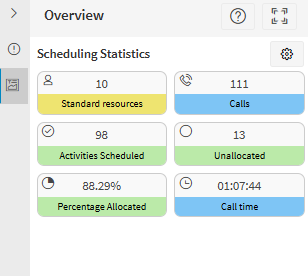
The panel can be configured to display different statistics, how the statistics are presented (i.e. their colour, icon and caption), and different thresholds can be applied to alter how a statistic is displayed above/below critical values.
Quick Commit
It is now possible to commit one or more activities to their current resource allocations without opening the manual changes panel. This is achieved through the 'Quick Commit' button in the activity context menu. Visibility of the button is controlled via the 'ManChaQuickCommit' permission.
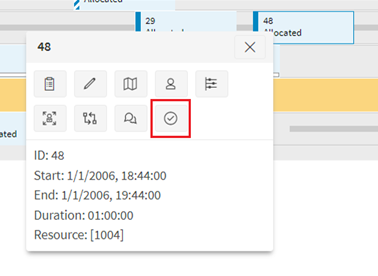
The quick commit option is also available to bulk commit activities.
Colour Breaks by Status
Breaks can now be coloured according to their status (for explicit breaks) or according to their schedule events (i.e. break on and break off for implicit breaks). The colours can be configured using the following new parameters:
- PSWBreakOnColour
- PSWBreakOffColour
- PSWCommittedBreakColour
- PSWBreakDefaultColourImplicit
- PSWBreakDefaultColourExplicit
Note that while the parameters PSWBreakOnColour and PSWBreakOffColour apply for both explicit and implicit breaks, the parameter PSWCommittedBreakColour only applies to explicit breaks.
Minor Enhancements
- A new permission has been added to control access to the 'Clear rota period...' button in the Resource Planner.
- A new toggle has been added to the manage filters panel that allows a user to sort filters alphabetically or in a custom sort.
- For customers using HERE maps in the workbench, the billing tag will now be set to the customer's name.