PSO Workbench Enhancements
In the 6.2 release a number of new screens have been added to the new HTML5 Scheduling Workbench.
Below is a brief description of the pages added in this version.
Note
Please note that the new Scheduling Workbench is now fully functional for standard day-to-day use. This includes the Scheduling, Planning, Administration and Archive workspaces. It is recommended that customers and users switch to using the new version of the Scheduling Workbench as soon as possible.
Some additional special features (such as the WISE) and minor functionality will be added in future releases.
Archive Workspace
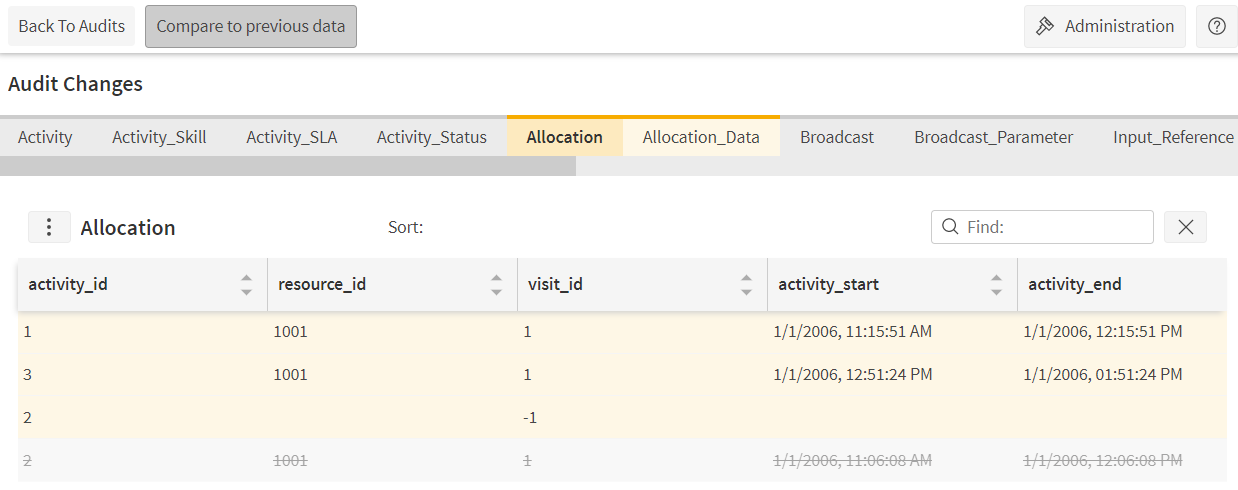
The Archive Workspace contains functionality equivalent to that in the Data Capture -> Archive screen within the Silverlight version. This includes the following screens:
- Audits:View the full audit history of changes made to the system. Includes options to view and download changes, and to create snapshots.
- Snapshots:View complete snapshots of scheduling, modelling and system data.
- Timetables:Set up timetables for automatic capture of snapshots.
- Timetable Usages:Define which timetables to use for different datasets and types of data.
- Attributes:Set up attributes for use with archive reporting.
Note
The 'Clear Personal Data' screen will be included in a future release.
Administration Screens
The following screens have been included in the Administration workspace:
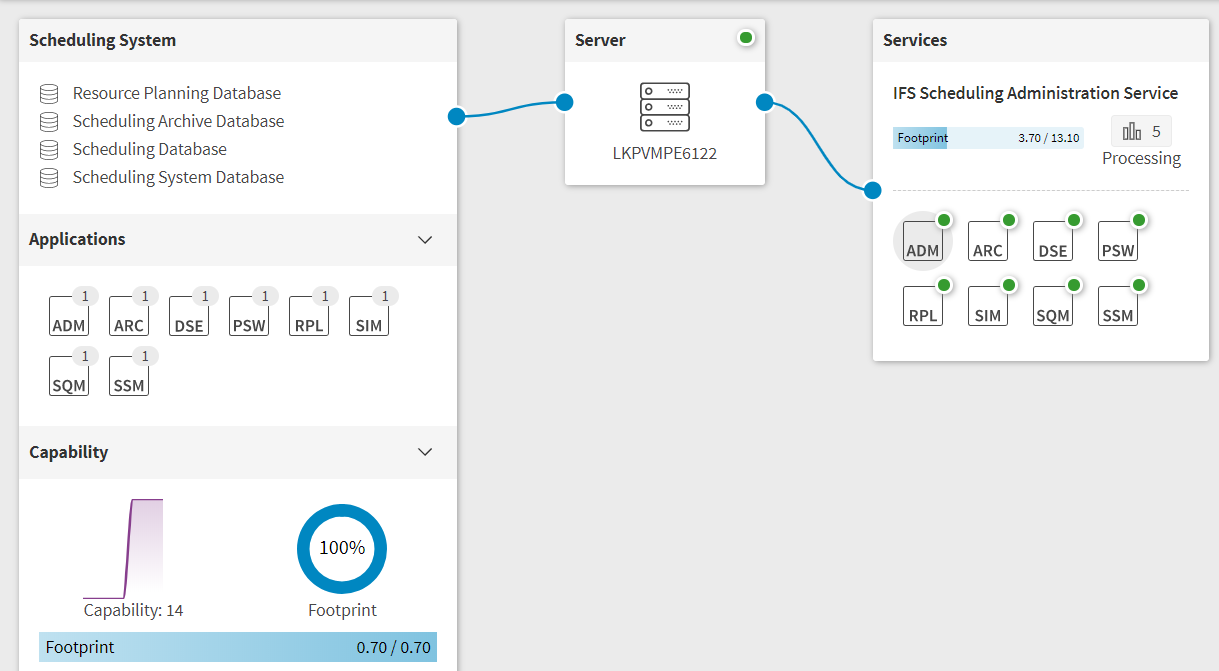
- System Diagram:Shows a diagrammatic view of the complete scheduling system.
- Travel Time Profiles:Create and manage travel time weightings and travel barriers.
- Areas:Create and edit areas for use with travel time weightings.
- Managed Organisations:Create and manage child organisations (e.g. on a managed Azure cloud system).
- Managed Organisation Details:View and edit details of a particular child organisation.
- Licence:View the licence details.
In addition there is an import/export control for downloading and uploading system settings. This includes the option to import and export planning data for modelling datasets. When viewing a managed organisation this allows system and planning data to be imported and exported for the child organisation.
Finally, the Applications page now includes an additional 'capability' column.
Planning Screens
There are some additional features within the planning screens:
- Resource Transfer: This allows resources to be transferred from one dataset to another for a period of time.
- Break Details:In the resource planner when viewing the details of a shift you can also see and edit the break details.
In addition some improvements have been made to the consistency of behaviour on the data management pages.
Scheduling Screens
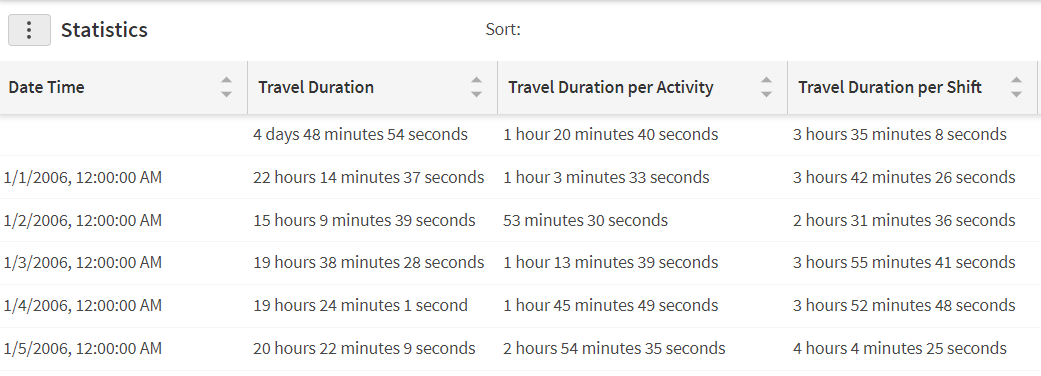
The analysis page now supports the option to view the statistics within the workbench, instead of (or as well as) generating an Excel spreadsheet.
Documentation and Support
The PSO Workbench User Guide includes details of all functionality, and these details are also available from within the workbench itself, via the context specific help.