PSO Workbench Enhancements
The 6.3 release includes several new screens and some additional functionality on the new HTML5 Scheduling Workbench.
Below is a brief description of the enhancements in this version.
Note
Please note that the new Scheduling Workbench is now fully functional for standard day-to-day use. This includes the Scheduling, Planning, Administration and Archive workspaces. It is recommended that customers and users switch to using the new version of the Scheduling Workbench as soon as possible.
Some additional special features (such as the WISE) and minor functionality will be added in future releases.
Appointment Booking Screen
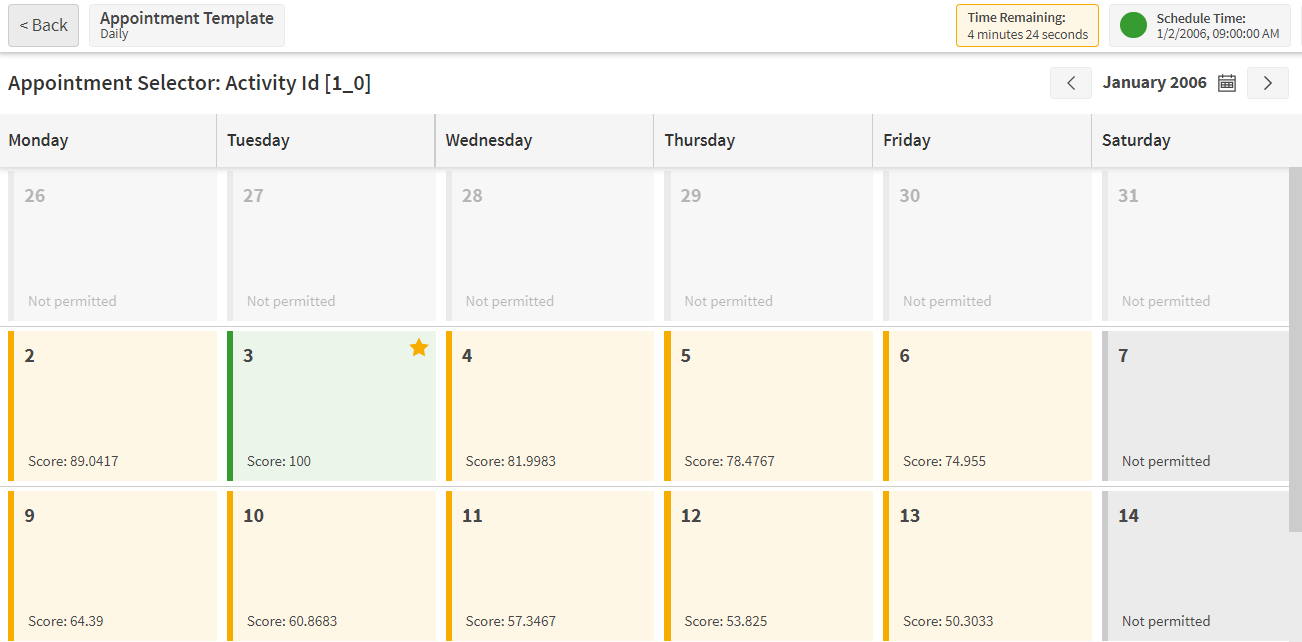
The Scheduling Workspace now includes an 'Appointments' screen which can be used to book appointments against activities included in the current schedule.
The screen consists of two pages. The first shows a list of all the activities in the schedule, and includes their current 'appointed' status (i.e. whether the activity is currently scheduled, an appointment has been made for the activity).
The second page is an appointment selection screen, which can be accessed for a selected activity via the first page. This shows a calendar view of the appointments that are available, with a score representing the value of the offers for each slot. Users can then select a given slot to book the activity to this time.
Warning
Please be aware that this appointment booking process needs to be integrated to an external system, so should only be used where an integration is available.
The screen is not available by default, but can be enabled via a permission if it is required.
Isochrones
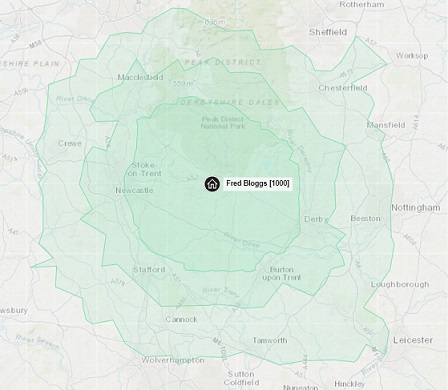
The new workbench now supports the generation of isochrones for resources. This can be accessed via the Mapping screen in the Scheduling Workspace. Each isochrone shows the limits of where the resource can travel to within a specified time threshold. The isochrones are calculated by the Travel Analysis Service using the Hierarchical Travel Matrix.
Planning Screens
The following data management screens have been added:
- Separation Model: This allows separation models to be set up to set minimum and maximum delays between activities being carried out. These can be linked to either resources or resource types.
- Separation Groups: These define the groups to be used within a separation model, and can be linked to activity types.
- Activity Modelling: This allows modelling patterns to be defined for use with Cyclic scheduling.
- Activity Templates: This allows 'REPEATABLE' class activities to be defined. These can also be linked to modelling patterns and used for Cyclic scheduling.
Minimum Separation
The minimum separation between activities (as defined by separation models and separation groups) can now be seen on the Gantt on the Resources Screen in the Scheduling Workspace.
Archive Restore
It is now possible to restore snapshots from the Snapshot screen in the Archive workspace. For example, restoring a Planning snapshot will overwrite the current data for the selected dataset and replace it with the data in the snapshot being restored.
This functionality is hidden by default but can be switched on via a parameter.
Online Documentation
The online documentation has been extended to include the Scheduling Concepts Guides. These can be accessed via hyperlinks from wherever they are referenced within the Scheduling Workbench help pages.
Documentation and Support
The PSO Workbench User Guide includes details of all functionality, and these details are also available from within the workbench itself, via the context specific help.