PSO Workbench Enhancements
The 6.4 release includes the What If Scenario Explorer (WISE) screen, plus several other new screens and additional functionality on the new HTML5 Scheduling Workbench.
Below is a brief description of the enhancements in this version.
Note
Please note that the new Scheduling Workbench is now fully functional for standard day-to-day use. This includes the Scheduling, Planning, Administration, Archive and Simulation workspaces. It is recommended that customers and users switch to using the new version of the Scheduling Workbench as soon as possible.
Some additional special features and minor functionality will be added in future releases.
Simulation Workspace and WISE
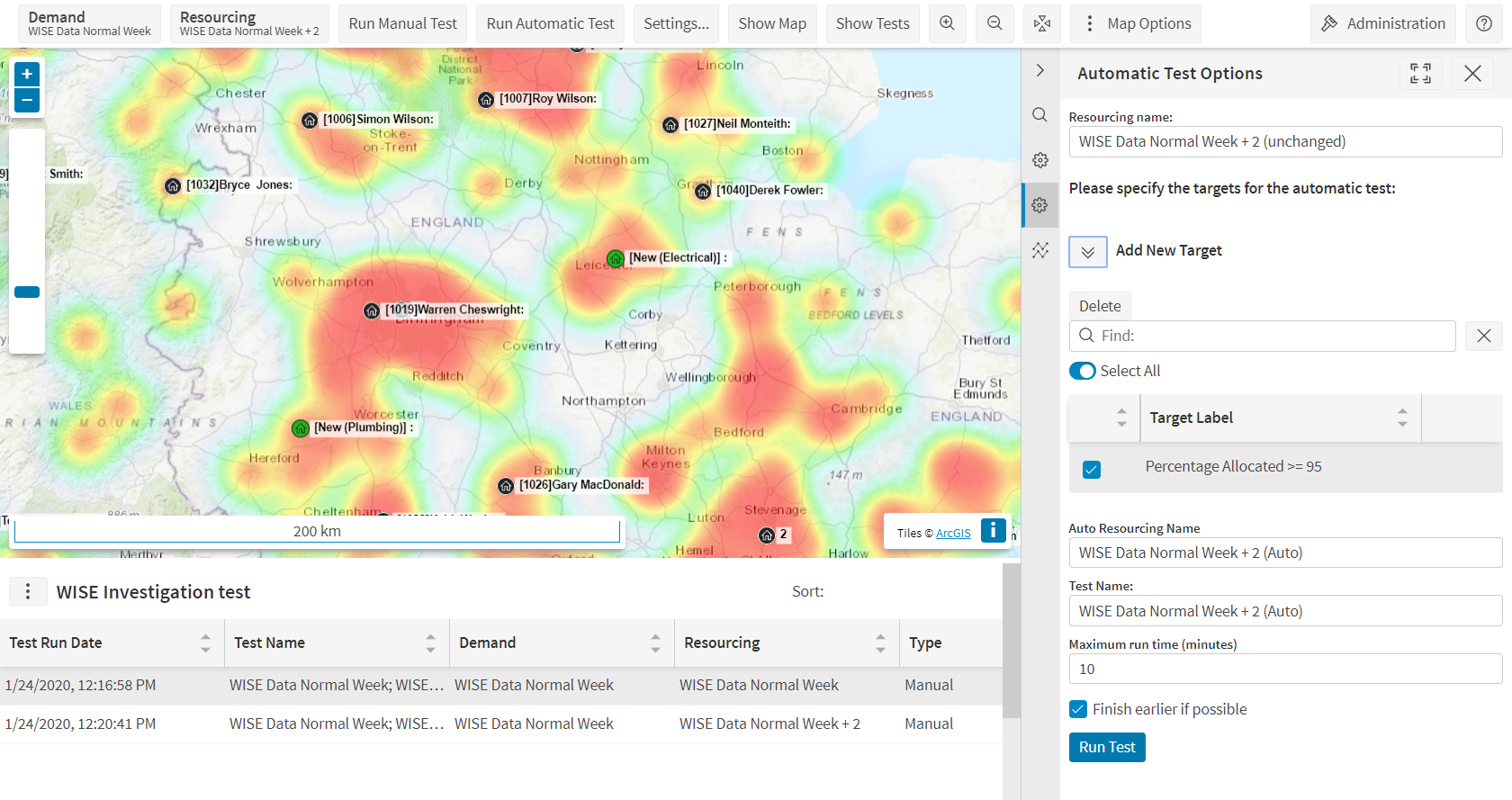
A new 'Simulation' workspace has been added which includes the What If Scenario Explorer, or WISE. The functionality included is equivalent to the WISE screen in the Silverlight version, with a few minor exceptions.
In brief, the functionality included is as follows:
- Create and delete WISE investigations, and select and investigation to view.
- Create new demand and resourcing from multiple sources (live schedule, archive, file etc.).
- Manually edit the resourcing by adding new resources or removing existing ones.
- Request test runs to be carried out against selected demand and resourcing.
- Set targets and request automatic test runs which will adjust the resourcing to try to meet the targets.
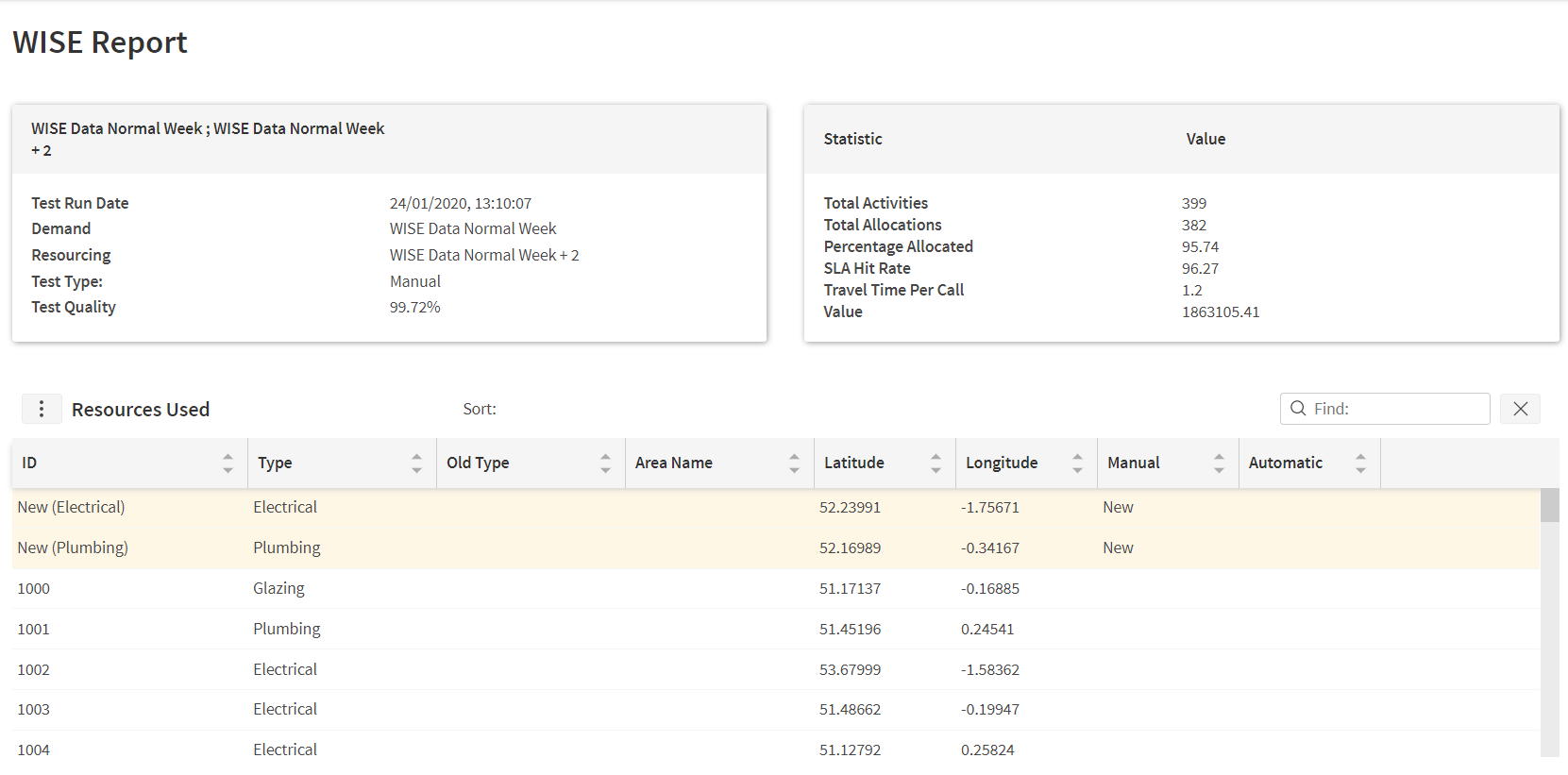
- View the results of any test runs, either on the map, or as a report, or by viewing the resulting schedule.
Note
Please note that the HTML5 version of the WISE uses a new data structure with new tables residing in a 'Simulation' schema. This means the same investigation cannot be viewed simultaneously in both the old and new workbenches. However, investigations from the old Silverlight workbench can be exported and then imported into the new version.
Note also that in the Silverlight version a WISE investigation was linked to a Modelling dataset, but in the new version this is no longer the case.
Warning
There is no territory balancing option included in the new version of the WISE. There is also no option to generate demand data via user interaction on the map. Finally, importing from .csv currently only supports a fixed preset format.
Advanced Filtering
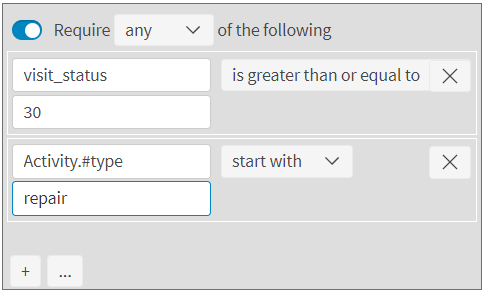
The filtering options on the scheduling pages now include more advanced options to filter activities and resources by related attributes. For example, filters can be applied based on activity type, location or additional attributes. Filters can also include relative clauses and partial matches, e.g. activities with status >= 30 or activities whose type starts with 'repair'. An auto complete feature helps the user to select appropriate values.
Schedule Assist Map
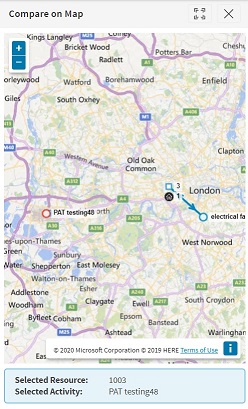
The schedule assist screen now includes the option to view the suggestion on a map.
Exception Grouping
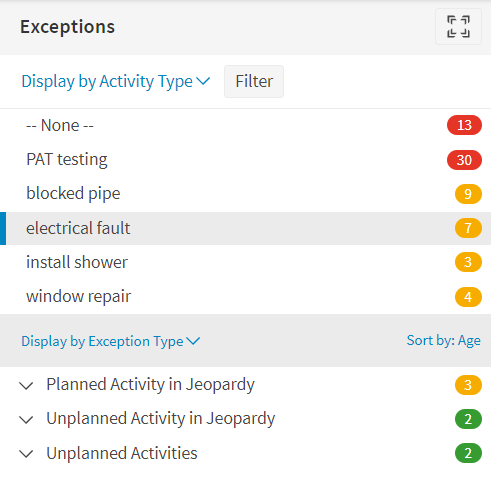
Additional exception grouping options have now been included in the exceptions panel. This allows exceptions to be grouped by activity type, resource, and other options, as well as the default grouping by exception type. Both a primary and a secondary grouping level can be set.
Archive Clear Personal Data
The archive workspace now includes a 'clear personal data' screen so that the personal data of resources and/or users can be removed from the archive database once they have left an organisation.
Additional Functionality
- Multi-Select: Gantt items on the resource and activity screens can now be multi-selected and then loaded into the compare view at the same time.
- Parameter Based Colours: The status-based colours used on the Gantt are now loaded from parameter values and so can be updated by the customer.
- Map View Labels: The labels on the map are now configurable via the map options.
- Hyperlinks: URL type additional attributes are now supported.
- Page Persistence: The workbench will now return to the page that had last been viewed after login.
- Unavailability Date Filter: The unavailabilities page in the planning workspace now includes a date filter.
- Audit Download Selector: The audits page in the Archive workspace now allows the user to select files to be downloaded.
Documentation and Support
The PSO Workbench User Guide includes details of all functionality, and these details are also available from within the workbench itself, via the context specific help.