Travel Calculations
When using a V3 HTM routing is now used for short travels to improve accuracy.
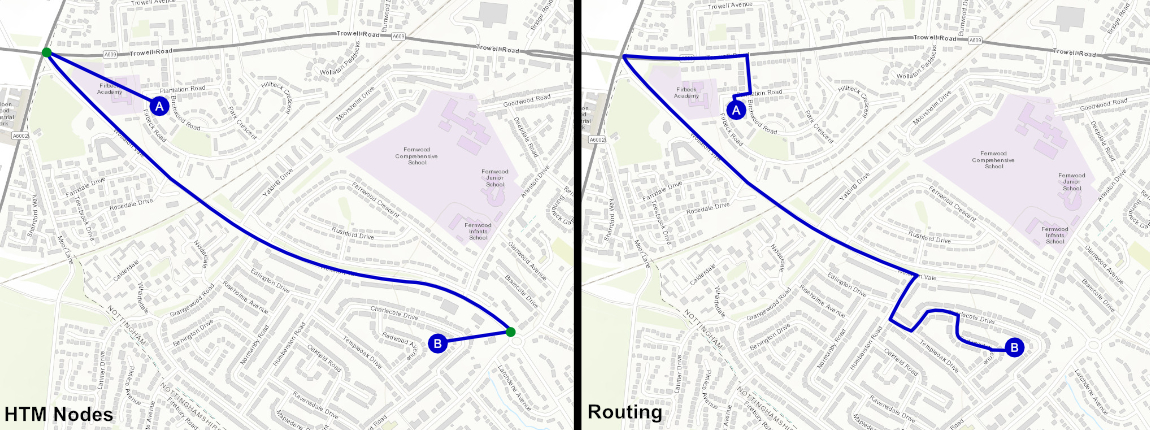
The below image shows an example of a travel. The image on the left is a travel that snaps to the nodes in the HTM (shown as green dots) and uses a pre-calculated travel. The image on the right shows a route calculated with routing enabled. The calculation makes use of the road network giving a more accurate distance.
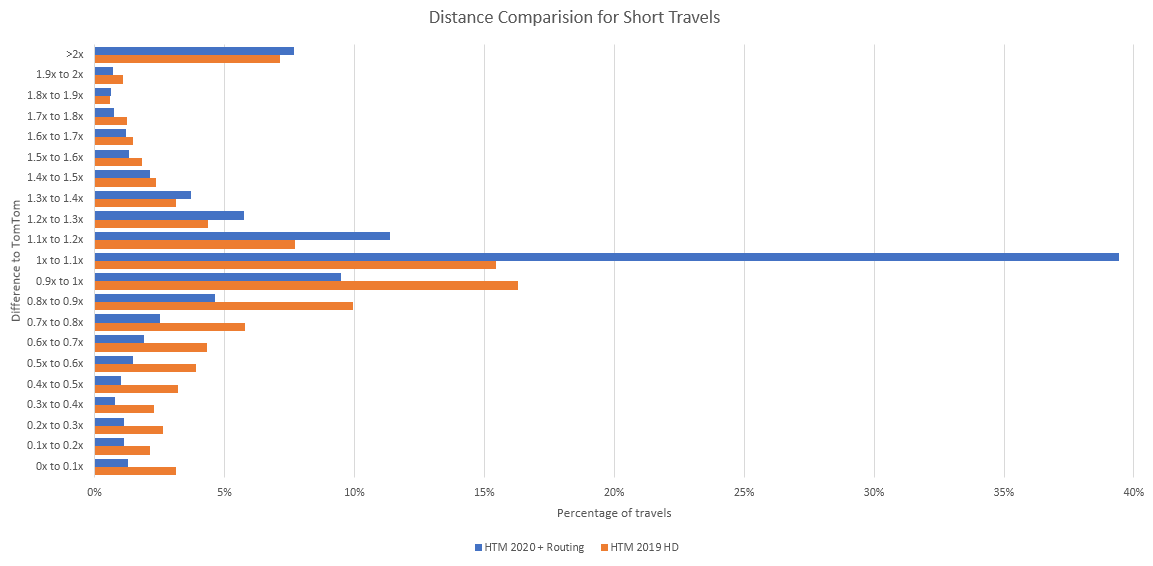
See the graph below for a comparison of the V2 GB HD 2019 HTM to the V3 2020 HTM + Routing. This graph compares the distance of around 4000 travels calculated by the HTMs to the distance calculated by TomTom. For example if TomTom calculates a travel as 1000m and the HTM calculated the travel as 850m it would be placed in the 0.8x to 0.9x bucket.
Comparing the buckets from 0.8x to 1.2x: With the V2 HD HTM this contained 49% of travels but with the V3 HTM with routing this has improved to 65% of travels with the majority of these being in the 1x to 1.1x bucket.
The number of travels in the lower half of the graph has greatly reduced. This shows that the number of travels that are underestimated has been reduced leading to more accurate schedules.
For full details see the chapter on routing in the Scheduling Concepts - Travel Guide.
Warning
Please note that by default direct routing calculations will only be used for journeys of up to 4 kilometres (2.5 miles), and this setting should not be changed unless advised to do so by IFS product development. For performance reasons, the use of routing is only supported for calculating short journeys.