PSO Workbench Enhancements
Below is a brief description of the enhancements in this version.
Operational Scenario Visualizer
The Operational Scenario Visualizer (OSV) is a tool designed to show the basic functionality of PSO in an easy to understand manner, allowing for demonstration of PSO's capabilities. The OSV provides a means of visualizing the basic concepts and features of PSO.
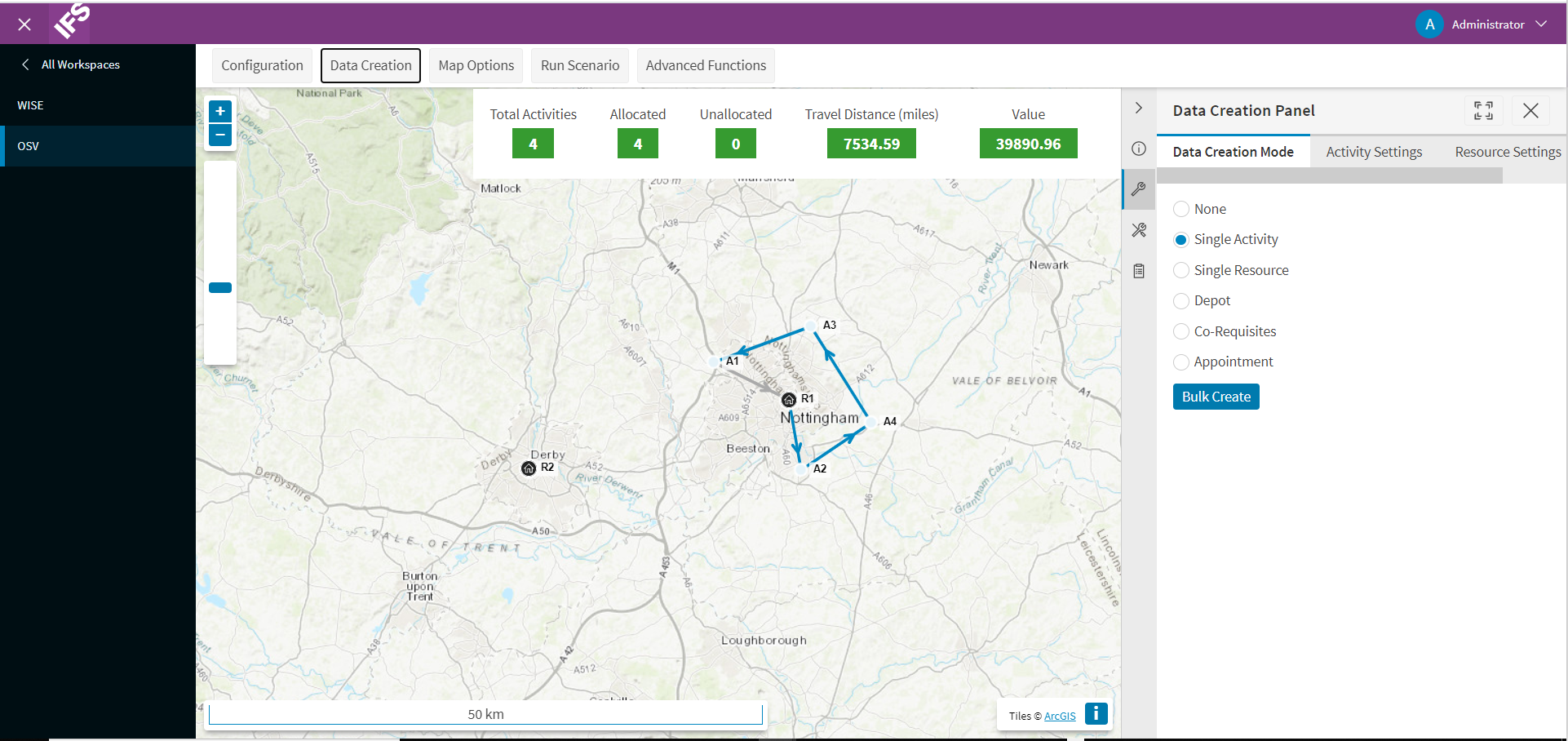
The OSV is found within the Simulation Workspace in the PSO Workbench.
The tool allows the user to generate scenarios where they can add activities, resources and constraints on the fly and run the scenario through at an accelerated rate, as a simulation of how the scenario might play out.
Themes
The PSO Workbench now includes functionality for allowing the user to modify the colour scheme of the UI, and to control various display features such as the browser tab. The display settings are controlled via parameters, which can be set against a theme profile. Multiple theme profiles can be created to save different themes.
Minor Features
- The workbench will now only show historical modelling data for the last 30 days by default. This time range can be adjusted using the parameter 'HistoricalPlanningDataThreshold'.
- Shift colours defined in the Planning Workspace will now be used in the Scheduling Workspace.
- A help button has been added to the filters options in the Scheduling Workspace.
Documentation and Support
The PSO Workbench User Guide includes details of all functionality, and these details are also available from within the workbench itself, via the context specific help.