Scheduling Enhancements
Shift Capacity Rules
Shift capacity rules allow the number of activities scheduled to a resource to be limited for each shift, or over a reference period. The limit may be measured against: the count of the activities, the duration of the activities, the total of the base values for the activities, or the activities' custom metric values (a metric value assigned in the data to each activity for any measure the user wants to configure).
For example, a resource could have shift capacity rules set up to limit it to only be permitted to carry out 5 hours of work per shift at the most, and to be limited to being scheduled 20 jobs per week.
For more information about shift capacity rules, please see Scheduling Concepts - Resource Capacity Management.
Bucket Resources
Resource buckets represent a collection of resources where the number of, and the details of, the resources are not known, such as with an external contractor. Activities may be scheduled to resource buckets, but the precise timing of each allocation is unknown.
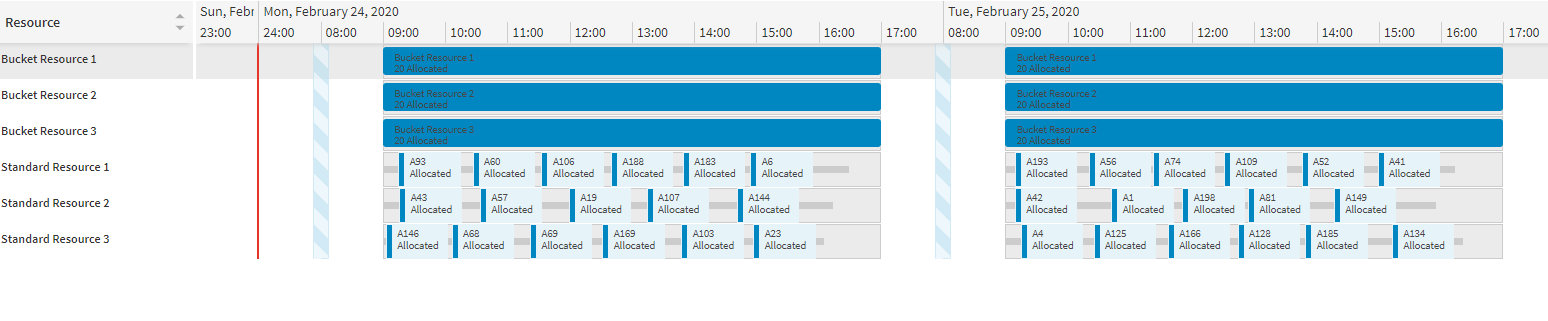
Resource buckets are treated by the DSE as resources that do not have routes - i.e. there is no set ordering to the activities within a shift or any expected start times. All activities that are scheduled to a resource bucket shift can be carried out by the external contractor in whatever order they choose and by whichever of their own resources they choose.
For example, a resource bucket could represent an external contractor with the capacity to carry out twenty activities per day, with the jobs spread out amongst their own workers. The DSE can then schedule twenty activities to each bucket shift, without working out at what time of day the jobs will be carried out or which specific contractor resource is going to complete them.
For more information about resource buckets, please see Scheduling Concepts - Resource Capacity Management.
Crew Management
The crew management enhancement allows the user to view members of a team on the resources page of the workbench. It does this by displaying a new column on the page when a datasets contains a team which allows for the team to be 'expanded'. The viewing of teams is now similar to how they are viewed in the resource planner.
On the resources page a team member will only display shifts, overtime and snap time, all other items such as activities will be shown in the 'parent' team row. No changes have been made to the activities page for this.
If the user wishes to extract what resources are in each team at a given point they can refer to the newly added 'Team_Resource' database table which provides this information.
Icons
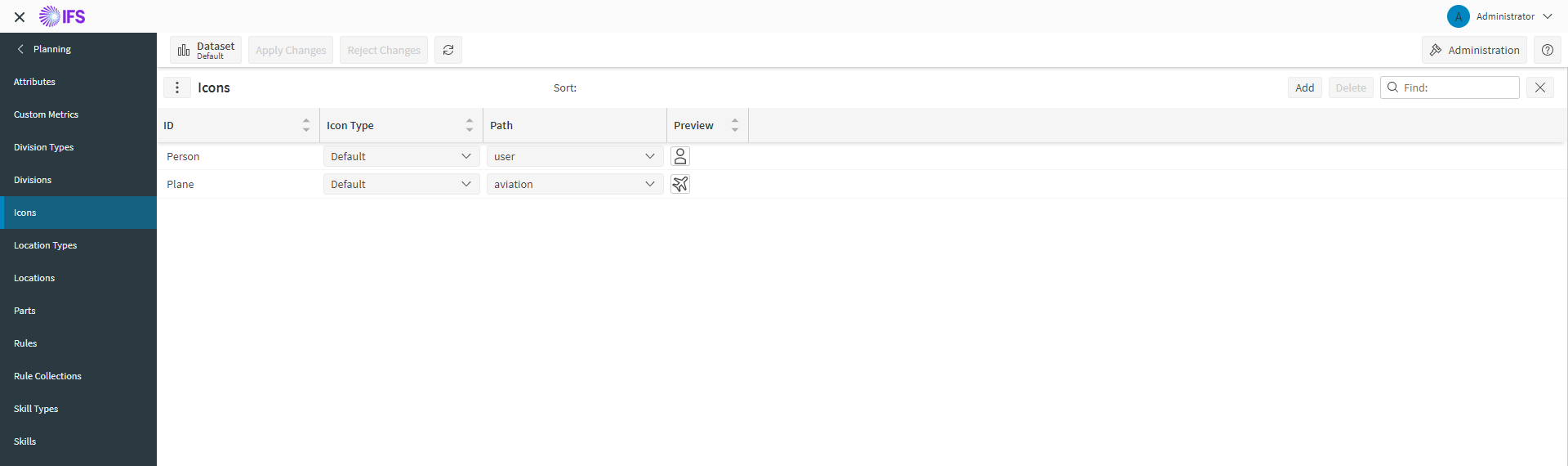
The Icons page allows users to setup icons. Icons can be added from a default library supplied with the application or through an external URL for a custom image. Icons can be linked to Activity Types and Resource Types which are then displayed on the Scheduling Gantt.
Appointment Booking Improvements
The Appointment Booking Engine can be configured to allow overbooking for resources. Overbooking allows more work to be appointed to resources than is capable. This is useful as if work cannot be completed, for example a customer does not show, then the resource can continue to work from the overbooked appointments.
The utilisation check can also be further refined by making use of the optional attributes 'slot_usage_window_start' and 'slot_usage_window_end' in the 'Appointment_Template_Item' schema. If provided, these values will be used as the start and end times for the slot usage utilisation check, regardless of the actual slot start and end times.
Prospective allocation information is returned with the appointment offer, with details on resource id and allocation start.
Minor Features
- Filtering Improvements: If data has been filtered by a column that contains no value then fallback values are used instead if applicable. For example if Resources are filtered by 'cost_ph' the fallback value would be on the Resource Type row instead of the Resources row.
- Quick Search Improvements: Extended Smart Search facility to include single and multi-selection columns, timespans, dates and day of week picker.
- Batch Processing System Data: Allows importing of large system data files through batching.
- Hide Redundant Parameters: Parameters that were used by the old scheduling workbench have been hidden as they are no longer in use.
Performance Comparison
The general scheduling performance of the 6.7 version has been measured and verified against the 6.6 version. Full benchmarking results are included in an appendix to the Architecture and Sizing Guide — Performance Metrics.