Simulation Enhancements
Simulation Data Viewer
The Simulation Data Viewer allows importing of data into PSO so that proof of concepts can be undertaken and simulated on a larger scale using customer data or synthetic data produced by consultants.
Warning
The Simulation Data Viewer is NOT to be used for production data. The recommendation is that it should be run in its own tenant within PSO.
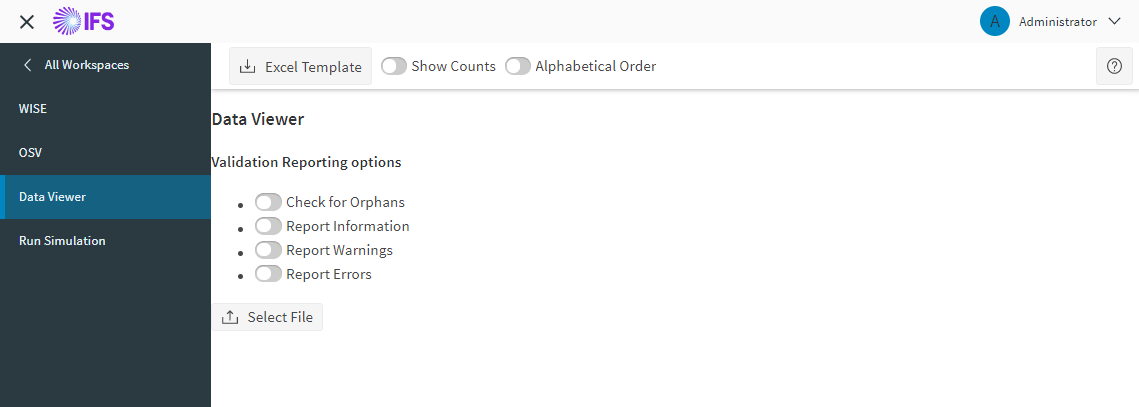
The Simulation Data Viewer can:
- Upload data files.
- Validate data files.
- View the entities in data files.
- Import data files to the DSE.
Data files can be either an XML (.xml) or Excel workbook (.xslx) file. The data must conform to the PSO scheduling schema.
A template Excel spreadsheet template is provided which can be used to generate new data.
Simulation Run
Run Simulation allows the user to run a sequence of updates to the scenario dataset.
Warning
The Simulation Run feature is NOT to be used for production data. Recommendation is that it should be run in its own tenant within PSO.
The simulation run is controlled in a separate browser window. The main UI can be used freely without affecting the simulation run.
The supported file types are .xml, .xlsx and .arp. Any arp files that are selected can be imported before the simulation run starts.
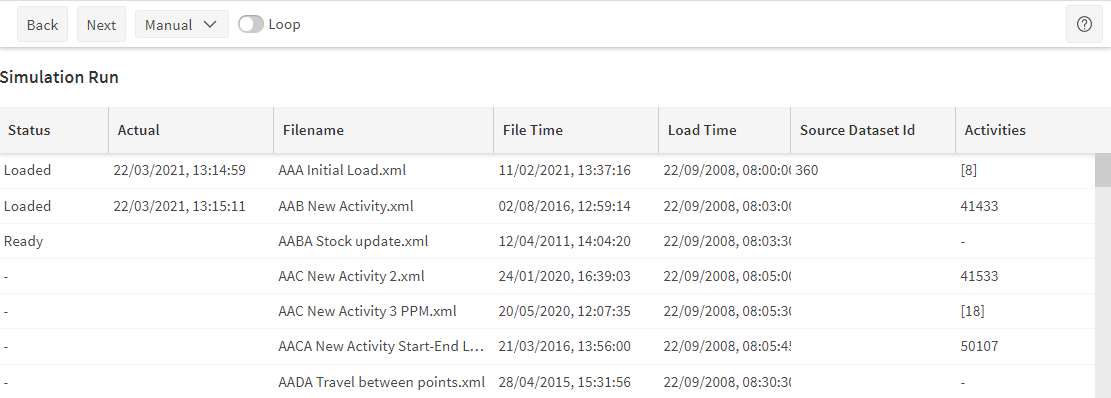
During the simulation, files can be uploaded manually by clicking "Next", or the next file will be loaded after an adjustable interval. If the timing mode is "Actual Time", the next file will be loaded after a delay based on the actual load time in the file.