Workbench Enhancements
Workbench Child Windows and Multi-Screen Features
The PSO workbench can now be used to open child windows, allowing the workbench to be open in multiple browser windows at the same time. PSO child windows opened in this way will communicate and cooperate as a single user application.
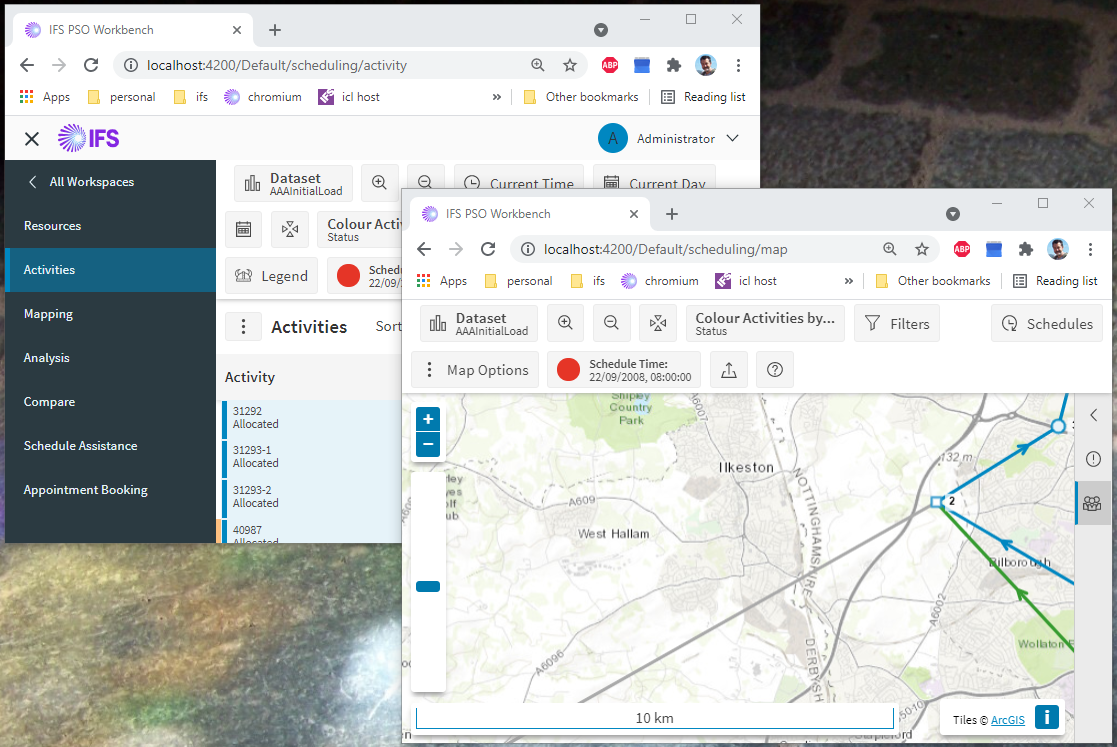
The following Scheduling pages can be opened in multi-screen mode: Map, Resource, Activity, and Assistance.
The child windows can be placed on separate screens but still work together. Changing language or timezone in the host or any PSO child, will update all windows. Selecting a different data set in any window will cause all windows to switch to the specified data set.
For more information about multi-screen features, please see the multi-screen section in the PSO Workbench User Guide.
Navigation
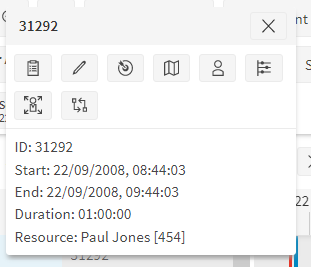
The context menus for resources and activities now include navigation helper features. These allow the user to select to view the activity/resource on the map, resource, activity, or assistance page. This allows for easier navigation to particular activities or resources across the various pages in the Scheduling Workspace.
Single-Click Commits
Activities can now optionally be committed directly when dragging and dropping. This can be controlled via the parameter 'DragAndDropCommitOption'. If the 'Commit To Resource' option is selected, manually moving an activity in the Gantt will commit the activity to the resource chosen. This feature also works with bulk activity changes, allowing the user to commit multiple activities to a resource via a single drag and drop.
Attentions
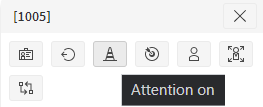
The resource context menu now includes an option to turn resource attention on or off. The parameter 'StandardSendScheduleAttentionChange' can be used to determine if the Workbench should send changes for resource attention directly to PSO even if a WORKBENCH broadcast type is specified. This functionality can be disabled with the 'ManChaResourceAttentionOnOff' permission.
When making manual changes to an activity, the user may specify an 'attention text'. If anything is specified here then an 'Activity Requiring Attention' exception will be raised for the activity, with the attention text as the reason. The exception can be removed by removing the attention text from the activity.
Minor Enhancements
- Resource icons - Icons can now be defined against individual resources. This overrides an icon set against the resource type.
- Shift template start/end locations - In the Planning Workspace, start and end locations can now be defined against shift templates and their shift items.
- Team travel cost model - A travel cost model can now be defined against a team in the Planning Workspace.
- Exceptions - 'Unallocated Activity' and 'Externally Violated Constraint' exception reasons have been clarified. Additional reason information is also available when hovering over the reason.
- Utilisation - Utilisation is now displayed in the context menu for a resource and in the tooltip for a shift.
- Skill labels - Skill labels will now display the skill's description rather than its id (if it exists).
- Resizable panels - The data panels for resources and activities in the Scheduling Workspace can now be resized.