The IFS Scheduling Products
Background Scheduling
The Scheduling Engine is running continually in the background: it has no user interface. In fact, it runs as a Windows Service, which is a type of program which runs in the background and can be configured to start automatically when the computer starts.
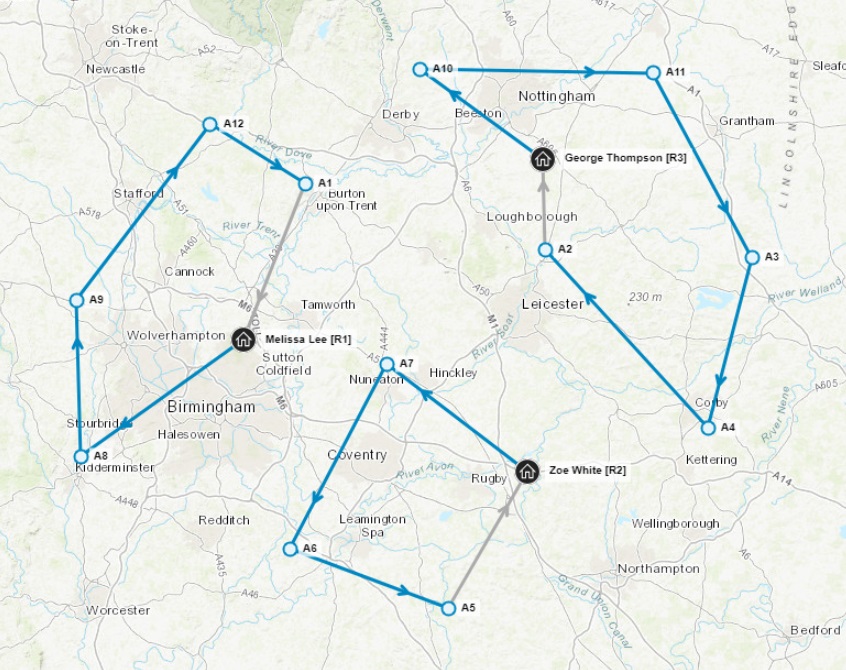
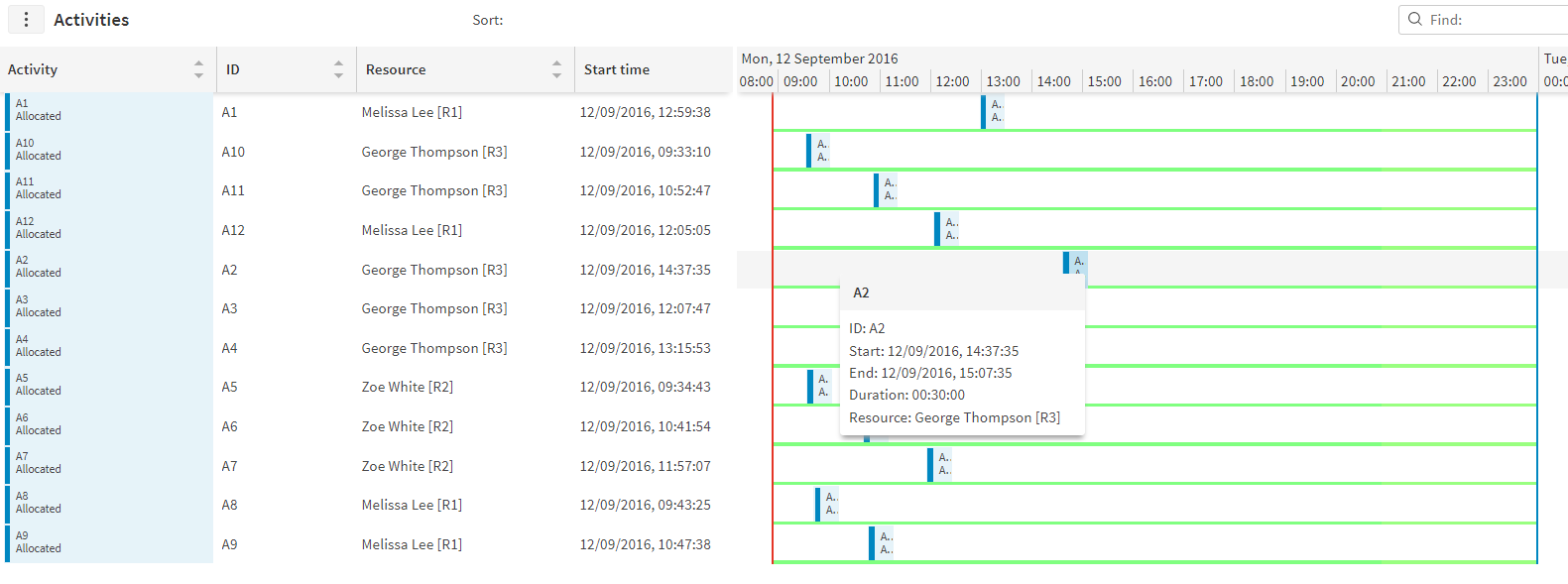
Users interact with the Scheduling Engine via the Scheduling Workbench. This displays the current schedule in a number of different ways, and allows changes to be made. For instance, here are three different views of the schedule that we saw earlier:
 |
|---|
 |
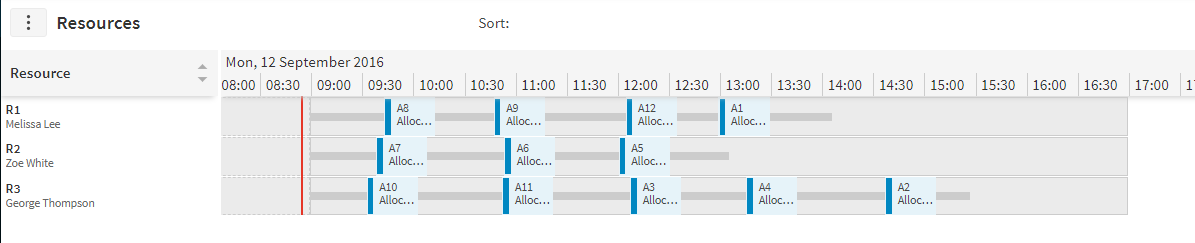 |
Users can make changes to the schedule via the Scheduling Workbench. This might be necessary because the user knows something about an activity or a resource which is not known by the scheduling system, and therefore they need to override it. But generally it is better to let the Scheduling Engine do the scheduling: it is better at this than us humans!
The Dynamic Scheduling Engine will also calculate if there are any Schedule Exceptions and these will be displayed on the Scheduling Workbench. A Schedule Exception is something like an activity that cannot be scheduled, a journey that is taking longer than expected, or a resource who has not started work when they were expected to. Full details are in the Scheduling Workbench User Guide.
Because the Scheduling Engine is running as a background service, when a change is made on the Scheduling Workbench, it will take maybe 30 seconds for the consequences of the change to be updated on the Scheduling Workbench. This is because the Workbench sends the update to the Scheduling Engine, and it then incorporates that change into the schedule, and makes any consequent adjustments that are needed, before returning an updated schedule to the Scheduling Workbench.
Schedule Quality
In order to help systems decide when to look at the schedule (which is continually improving in the background) IFS have a concept called Schedule Quality.
Schedule Quality ranges from 0 to 100: here is a rough idea of what various values mean
| Schedule Quality | Meaning |
|---|---|
| 0 | The schedule is not ready |
| 10 | A quick and very approximate schedule. Not the best it could be. |
| 50 | Still making improvements, but the schedule is quite reasonable. Very large schedules (more than 15,000 activities) should choose this. |
| 80 | Often a good value to choose: it will get better if you wait longer, but you will get diminishing returns. |
| 90 | A sensible choice for small schedules (fewer than 1000 activities). |
| 100 | The Scheduling Engine has tried lots of things and cannot improve the schedule. It will still continue to try, and it may still find improvements in future, but this is unlikely for small schedules. |
Dynamic Scheduling
IFS Scheduling is unique in that it offers true dynamic scheduling. In many businesses new activities will be coming in continually during the day, and various other scheduling data will change, such as resources being ill or traffic jams developing. IFS Scheduling was designed to be updatable, so any of these changes can be made, and the Scheduling Engine will only update those parts of the schedule that are affected by the change. This example shows how one additional activity may be incorporated into the schedule without having to start the whole scheduling process again:
| Before: | New activity added: | After: | ||
|---|---|---|---|---|
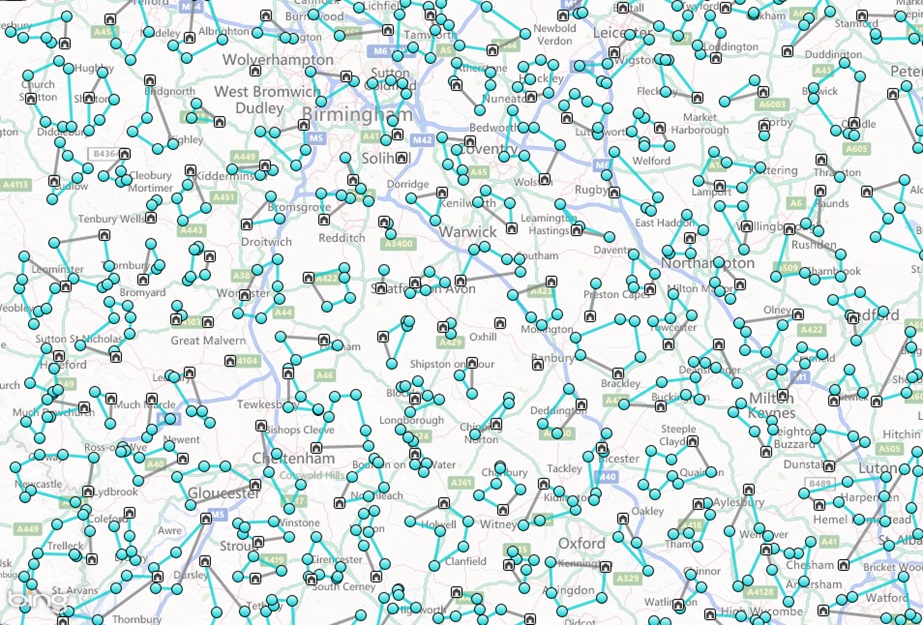 | 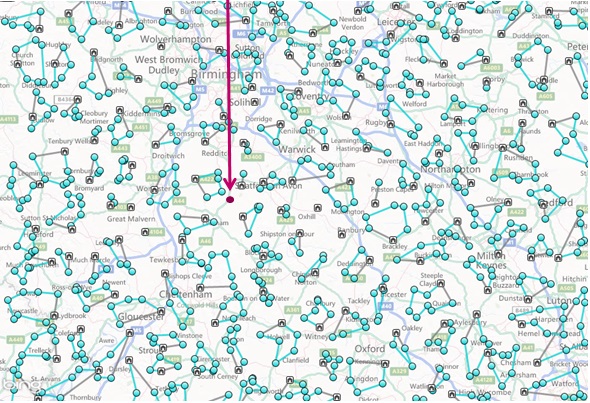 | 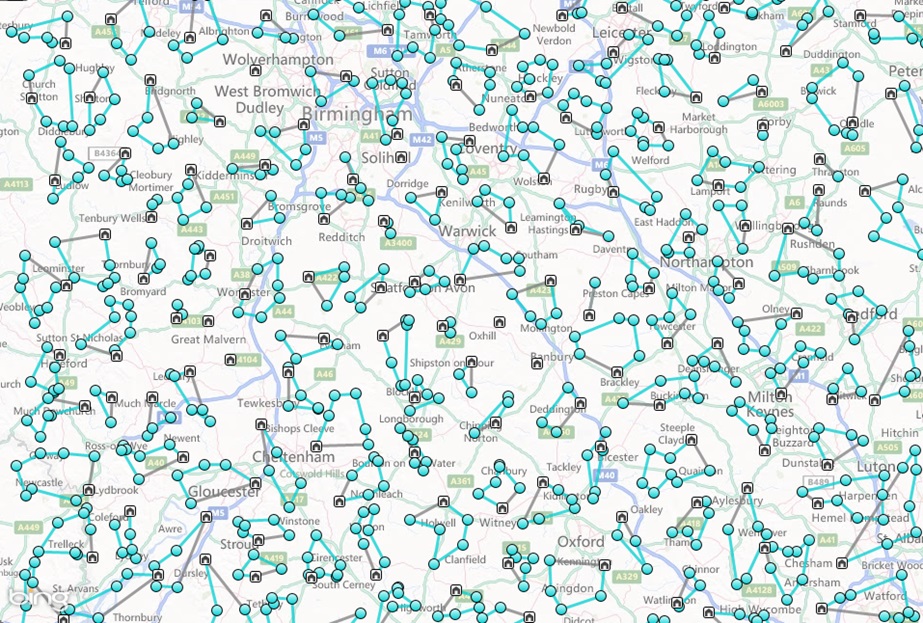 |
If you examined these schedules in detail, you would see that the only resources which have had their schedules changed are the ones close to the new activity. This means that the computing time that has already been spent (producing the original schedule) is not lost, because the Scheduling Engine is not starting from scratch every time a change occurs.
The fact that the schedules are truly dynamic is good, but it presents a problem: what happens if one of the resources starts travelling to an activity, and on the way the schedule changes and this activity is given to a different resource?
To prevent this happening activities may have a number of different statuses. Initially, they are schedulable which means that the Dynamic Scheduling Engine may freely move them around. When a resource is ready to start an activity, the system should change the status to committed which means that it cannot then be allocated to a different resource. Subsequently, the resource may indicate that the activity is travelling, on site and finally completed. (There are other statuses also, but these are the main ones).
If resources do not wish to commit activities manually, then it is possible to use the Schedule Dispatch Service to automatically suggest when activities should be committed, based on pre-defined rules such as "when the previous activity is 15 minutes from completion, commit the next one"
Processing Changes
The Dynamic Scheduling Engine is entirely controlled by an input document specified in XML, which is a standard data format. The input document contains everything that the Dynamic Scheduling Engine needs to know in order to schedule the activities: the activities and their locations, durations and other constraints, and the resources and all the times that they are available, and all the rules about which resources may do which activities. As such, the Dynamic Scheduling Engine only uses the data it is given and does not have its own store of information.
Having been given an XML input document, the Dynamic Scheduling Engine will produce an XML output document, containing a full description of the schedule that it has produced: so for every activity there is a resource that it was allocated to, and a time, and information about what travel was required, and various summary statistics.
Now, when a complete input document is provided, it is called a "LOAD" file, to indicate that it is complete. It is also possible to provide a "CHANGE" file, which is also an XML document, but which contains just the changes from the current schedule that the Dynamic Scheduling Engine is processing. For obvious reasons, a LOAD file must be provided before any CHANGE files can be processed.
The same principle is also used on output XML documents i.e. the schedules produced by the Dynamic Scheduling Engine. It is normal to ask for the first schedule to be sent as a "COMPLETE" schedule, and subsequent schedules as "CHANGE" schedules, which update the complete schedule that was previously produced. Using change files in this way reduces the network traffic and makes the system as a whole perform better.
The XML documents - both input and output - are actually sent to and from the Dynamic Scheduling Engine either by placing files in a particular folder, or using Web Services, which is a way of sending documents between different computer systems.
The Components of IFS Scheduling
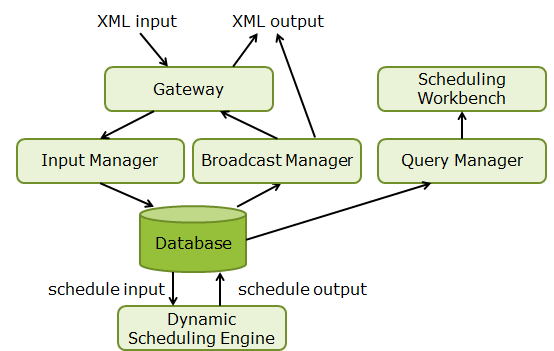
Up until now, we've talked about documents being sent to and from the Dynamic Scheduling Engine, but this is a simplification of what actually happens. In fact, what happens is that another Windows Service called the Schedule Input Manager reads any input files, and stores the information into a database, from where the Dynamic Scheduling Engine reads it, and produces a schedule, which it then writes back to the database. Another service, the Schedule Broadcast Manager, then sends the complete schedule to whoever needs it, either as a file or as a Web Service call.
When Web Services are used, the Scheduling RESTful Gateway receives the input documents and sends them to the Schedule Input Manager.
Additionally, the Scheduling Workbench, which is the user interface for scheduling, connects to the Schedule Query Manager in order to get the schedules, which in turn connects to the database.
The following diagram illustrates this:
These are the basic IFS Scheduling Services. There are many other ones, which are needed in various circumstances. There is a full list in the Architecture and Sizing Guide.