The Planning Workspace
The Planning workspace allows users to create and maintain much of the base data needed to feed the Dynamic Scheduling Engine. Amongst other things this includes setting up resources and shifts, resource and activity types, skills, parts and divisions, and SLA types and templates. Each customer and integration will have different requirements around which of this data needs to be set up.
The workspace consists of a large number of data management screens, and a single 'Resource Planner' screen. The data management screens are all grid style data entry screens, and are divided into three sections, 'General Data', 'Activity Data' and 'Resource Data'.
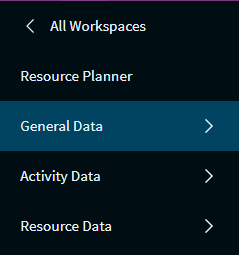
The Resource Planner screen is where shifts can be generated for resources based on the shift templates created in the data management pages.
Note
See the Data Management and Resource Planner sections for full details of the functionality in these screens.
Note
For general details about workspaces and navigation see the Getting Started section.
Datasets
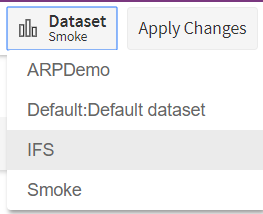
The active dataset is shown in the top left of the screen (on the far left of the toolbar menu). To switch to a different dataset, click on the active dataset to bring up the list of available datasets.
Administration
For administrative users, an additional 'Administration' option will appear in the toolbar on all data management pages.
Clicking this button will open the 'Administration' side panel.
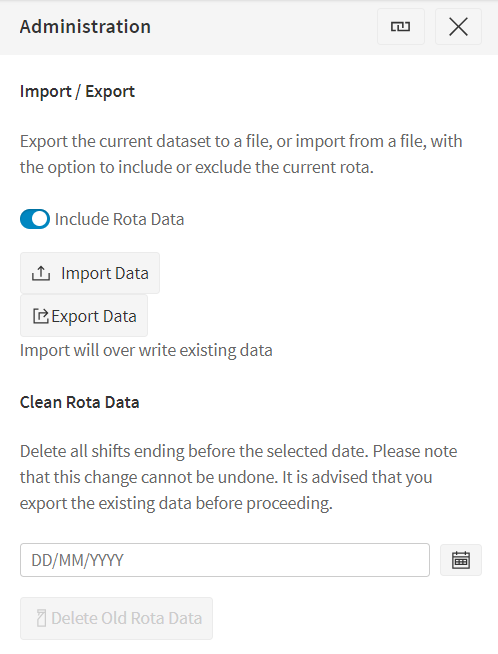
See the Data Management section for details of this panel.