The Simulation Workspace
The Simulation workspace allows users to simulate scheduling scenarios in various different ways.
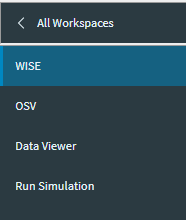
A brief summary of each screen is shown below:
| Screen | Summary |
|---|---|
| WISE | The What-If Scenario Explorer (WISE) allows users to plan the number and type of resources they need, where they should be deployed, and the business performance that they may expect to achieve based on that resourcing. |
| OSV | The Operational Scenario Visualizer (OSV) is a tool designed to visualize the basic concepts and features of PSO, by allowing the user to generate resources and activities. |
| Data Viewer | The Data Viewer allows scheduling and modelling input data to be validated, to ensure that it conforms to the PSO schema and is logically consistent. Scheduling data can also be loaded into the system for test purposes. |
| Run Simulation | The Run Simulation screen allows a full history of scheduling data to be loaded into the scheduling system for test purposes. |