Themes
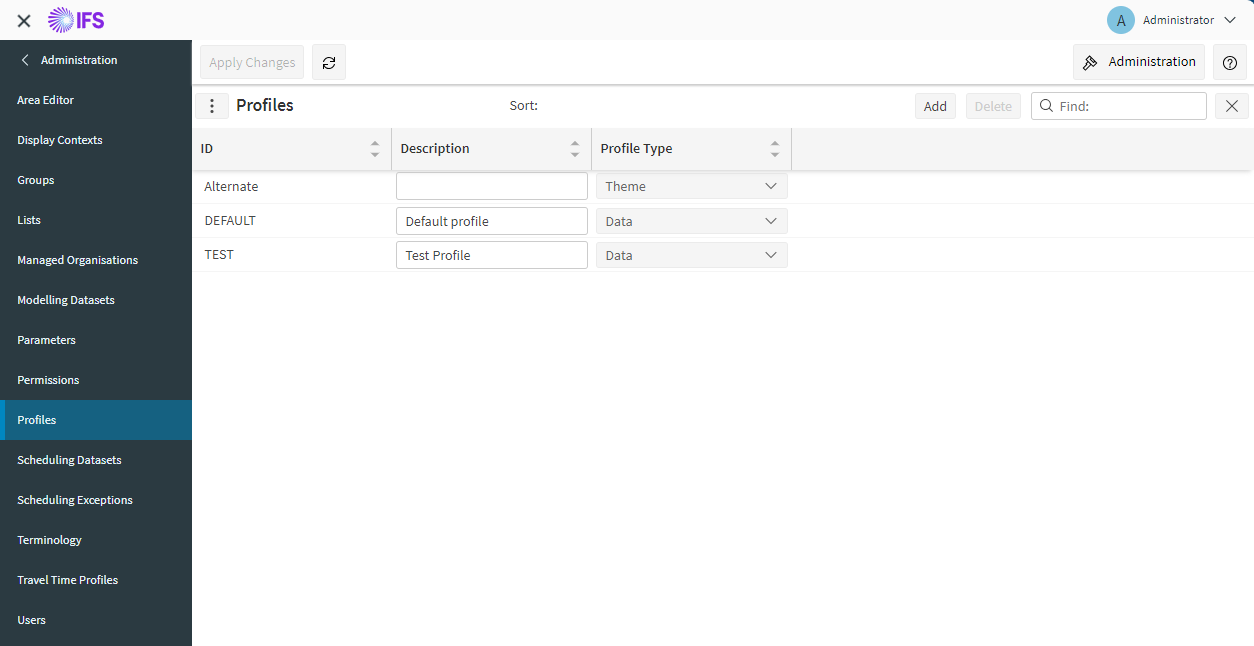
You can customise certain visual components of the workbench by using a combination of theme profiles and parameters. Each user will be able to select a theme from a list of theme profiles which are created on the profiles page. To create a theme, navigate to the profiles page in the administration workspace and add a new profile with the 'Profile Type' set to 'Theme'.
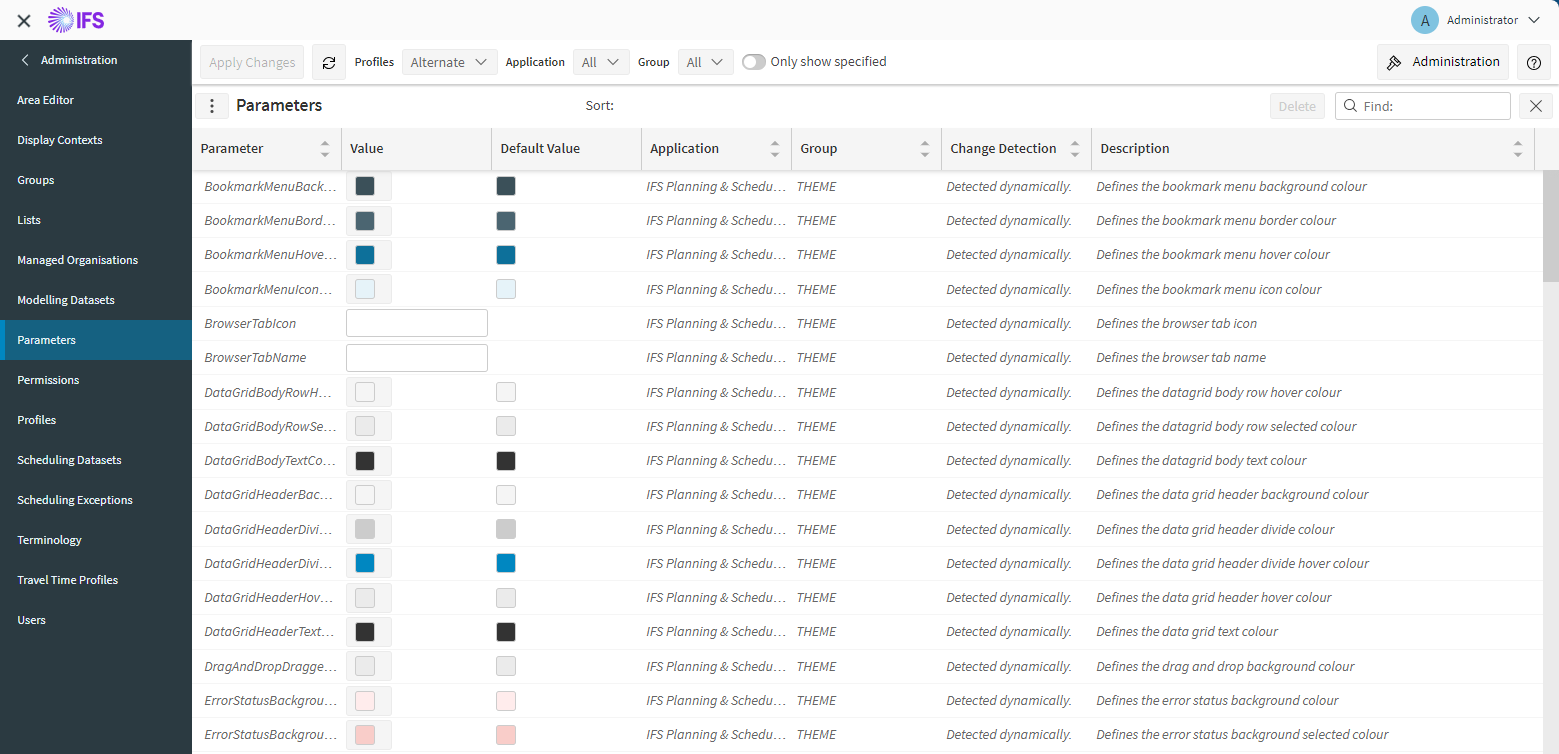
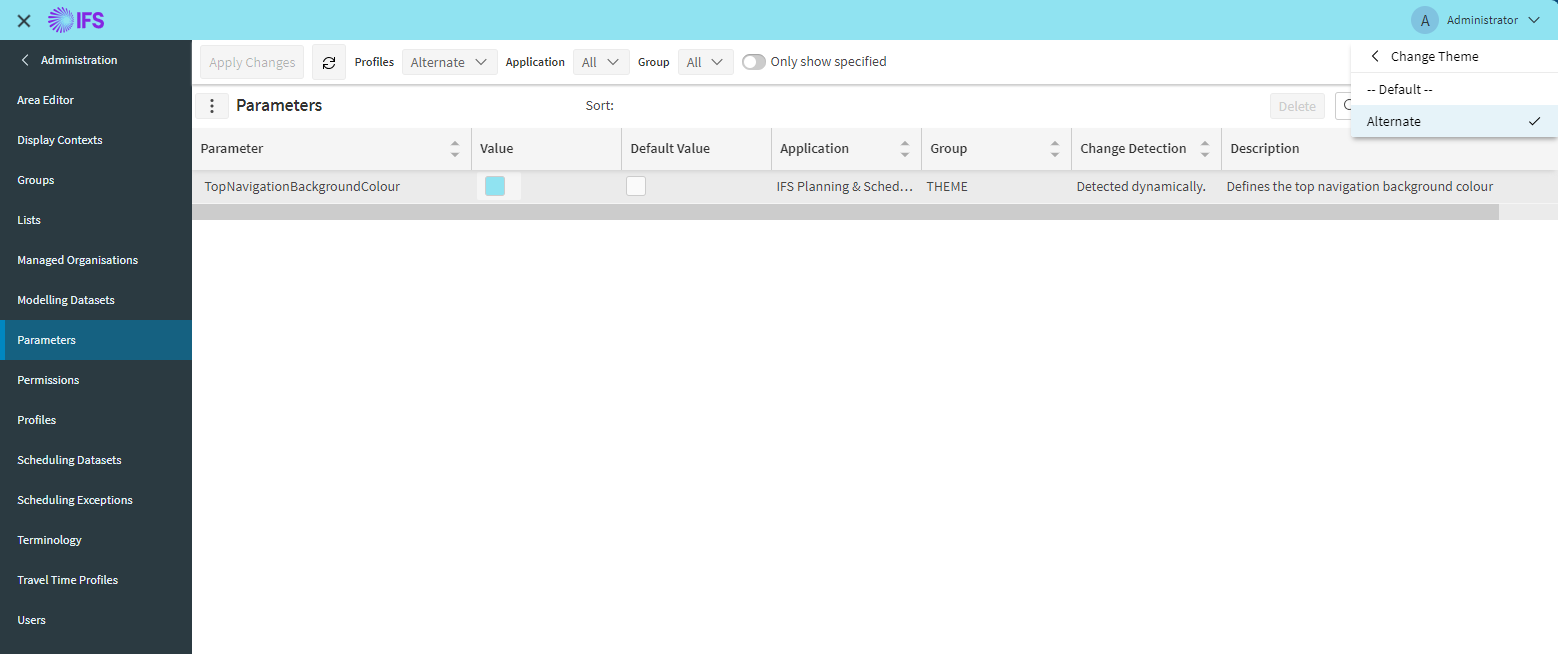
On the parameters page you select the newly created theme profile which should display all parameters in the 'THEME' group. For your chosen theme profile you can change all the parameters required and apply changes.
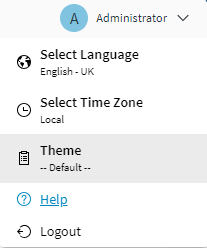
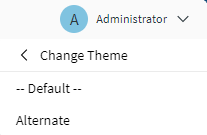
In the top right hand corner of the workbench there is a drop down menu which allows you to select the theme you wish to use. The created theme profile should show in the list as the 'id' of the profile. Selecting this new theme should update the workbench with the specified parameters.
A few points of note:
- If you modify any style parameters on a 'DATA' profile that you are a user on any themes that you select from the theme picker which do not have the same parameter set will use the parameter from the 'DATA' profile as a default.
- If changing any parameters which affect the log in page you will need to change the parameters on the 'DATA' profile you are logging in on. This is due to there not being any user when logging in.
- Any parameters which define an image on the workbench, for example 'TopNavigatorIcon' need to be set to an image url such as 'http://myhost/pso/workbench/favicon.ico'.