Configuration of BR Execution Server for Office OpenXML SDK mode.
Use this page to learn how to configure the IFS Business Reporter Execution
Server (also called BRES in this document) for generation of PDF reports and to
support previewing without Microsoft Excel in programs such as Outlook mail when
using Office OpenXML SDK (OOXML) mode.
Note: The information about Azure is provided as a
guideline only. The screenshots, links and the instructions were acquired during
the time of writing this document. Due to the nature of Azure, this
information may have got changed significantly or may have become obsolete.
Always refer to the latest Azure documentation on registering a Azure Active
Directory App.
Contents
A Microsoft Azure tenant.
A Microsoft OneDrive organization account.
Below steps describes how to make an Azure App registration to be used with
IFS BR Execution Server. BRES requires Read/Write access to the OneDrive of a
user logged in from IFS BR Execution Server.
- Go to the Azure portal using an Account with necessary permissions.
(e.g. https://portal.azure.com/)
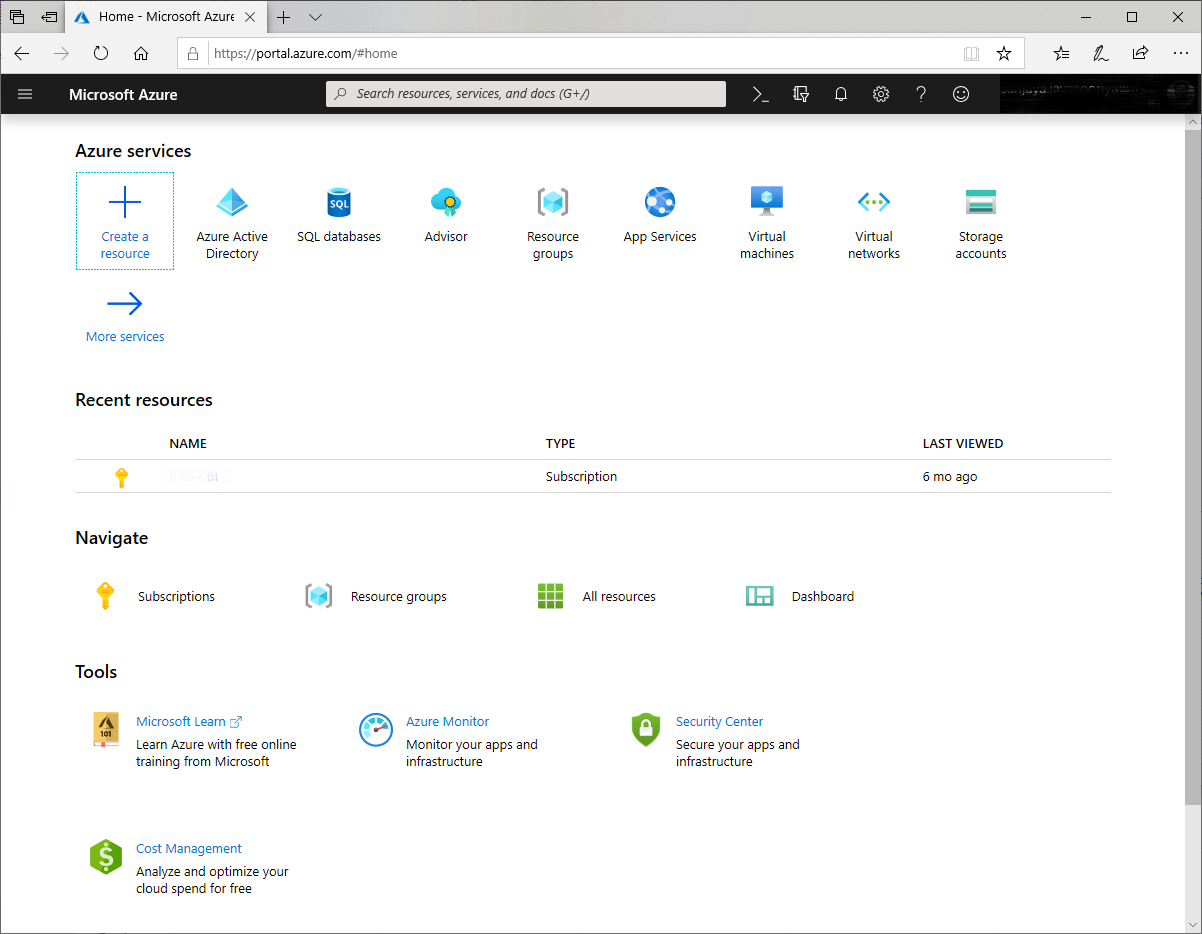
Figure 1-1: Microsoft Azure Portal
- Click on Azure Active Directory
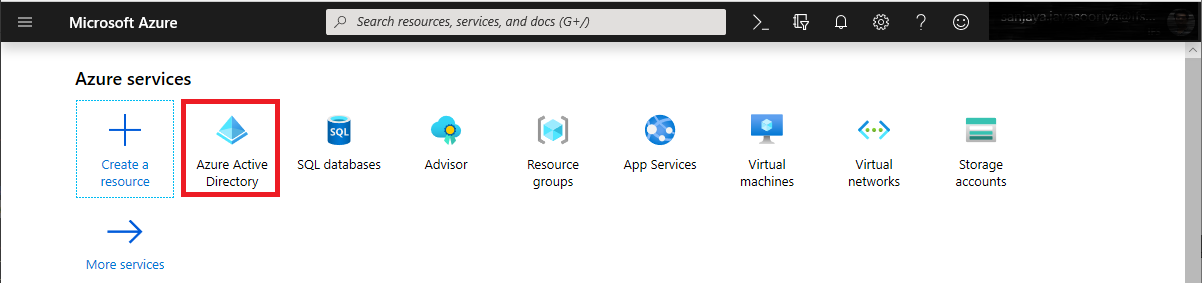
Figure 1-2: Microsoft Azure Portal - Header
- Click on App Registrations
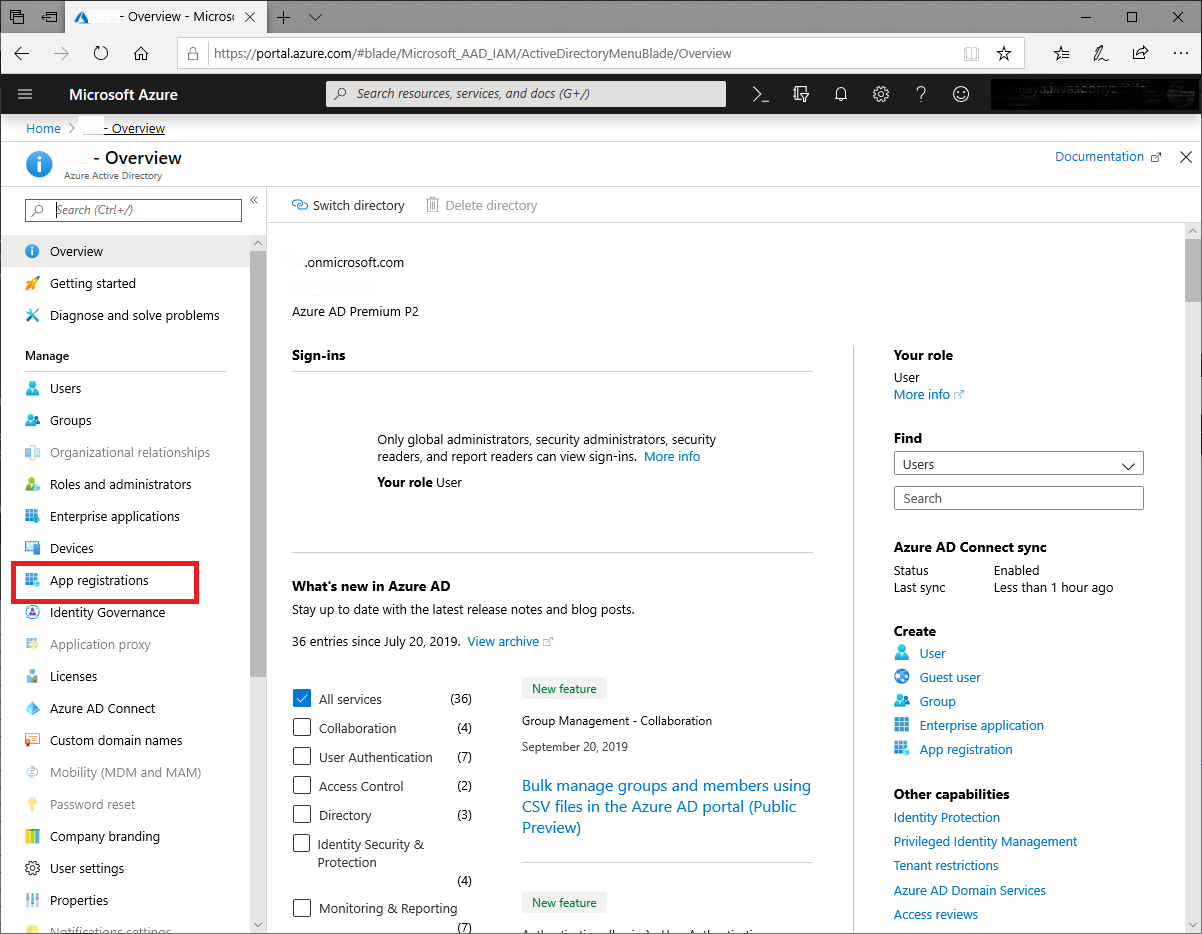
Figure 1-3: Microsoft Azure Portal - App Registrations
- Click on New registration
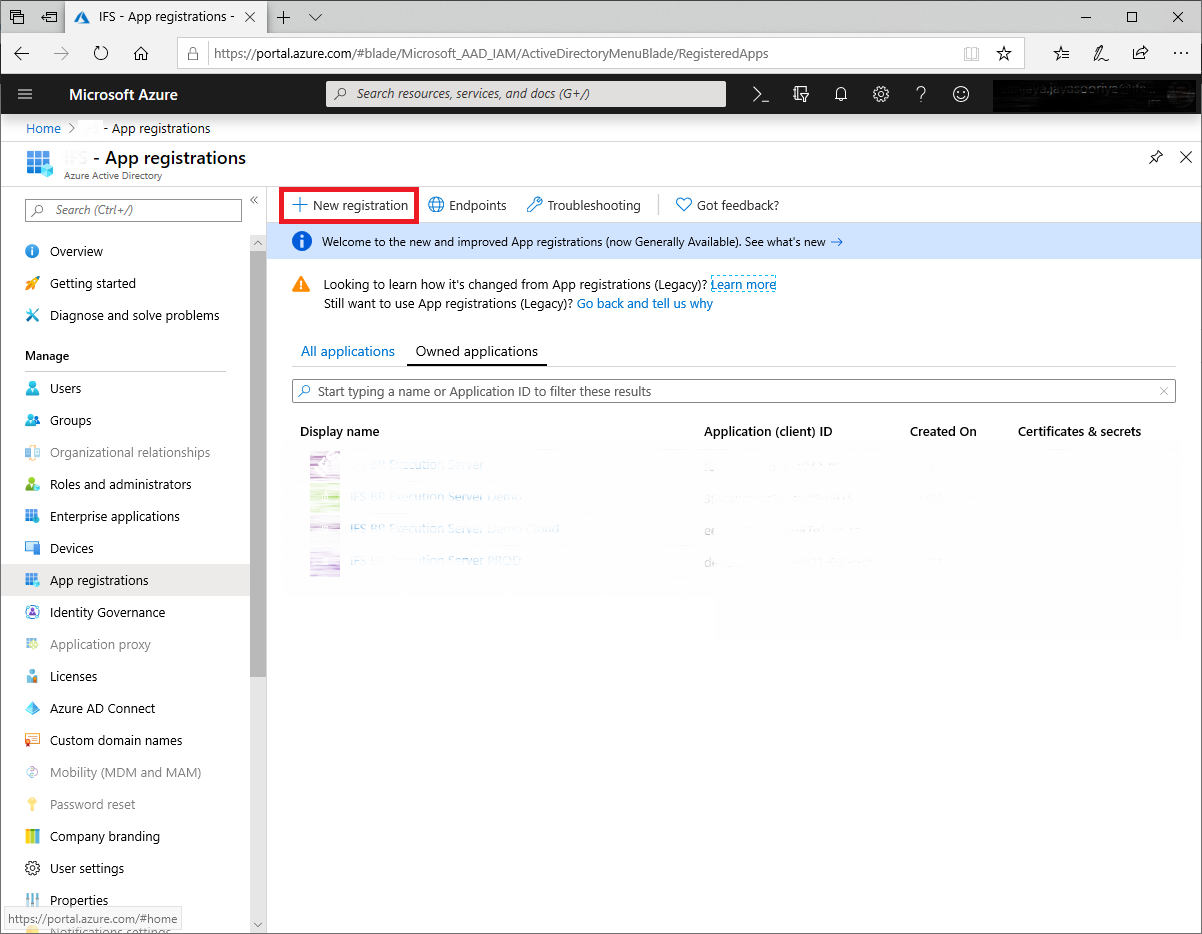
Figure 1-4: Microsoft Azure Portal - New App Registration
- Provide a Name and Click on Register
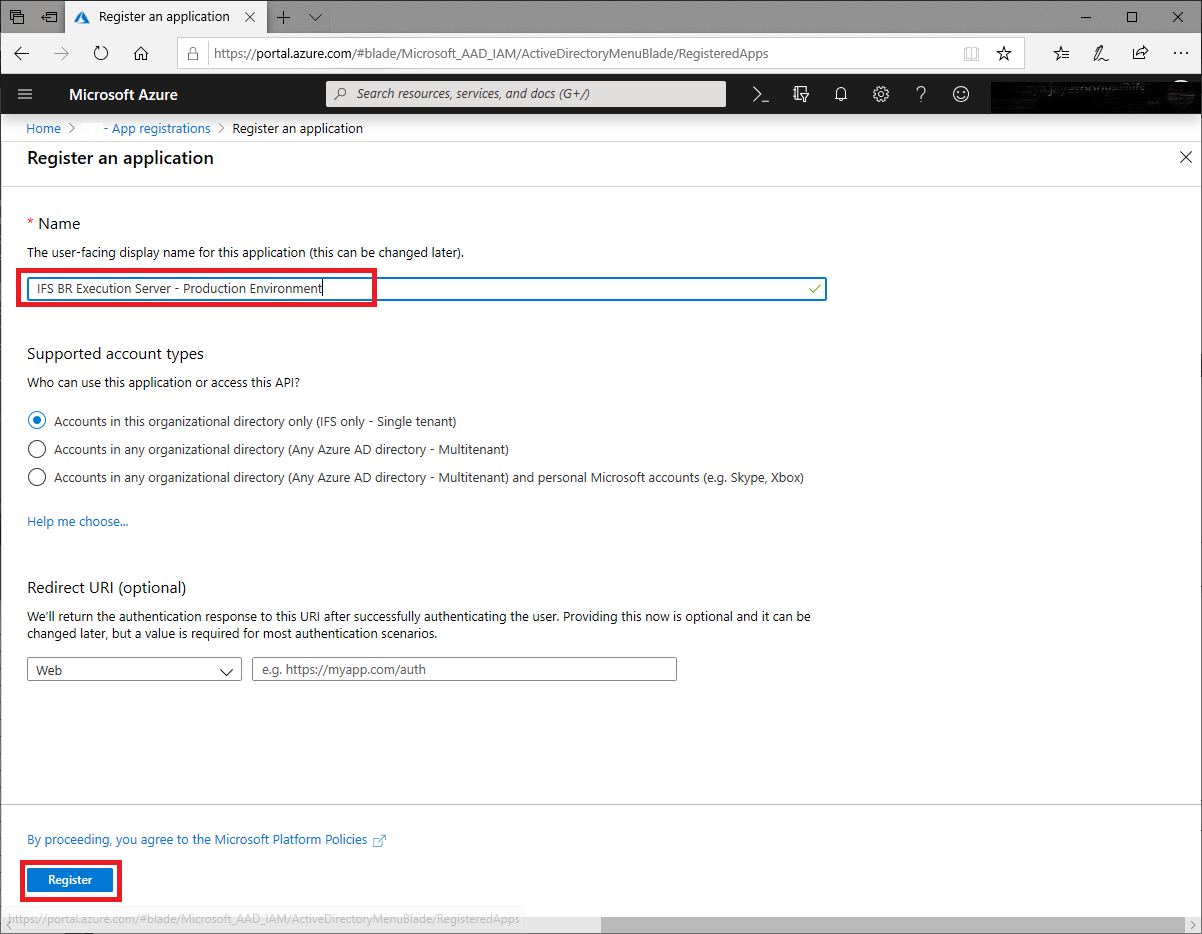
Figure 1-5: Microsoft Azure Portal - New App Registration - Register
- Click on Add a Redirect URI
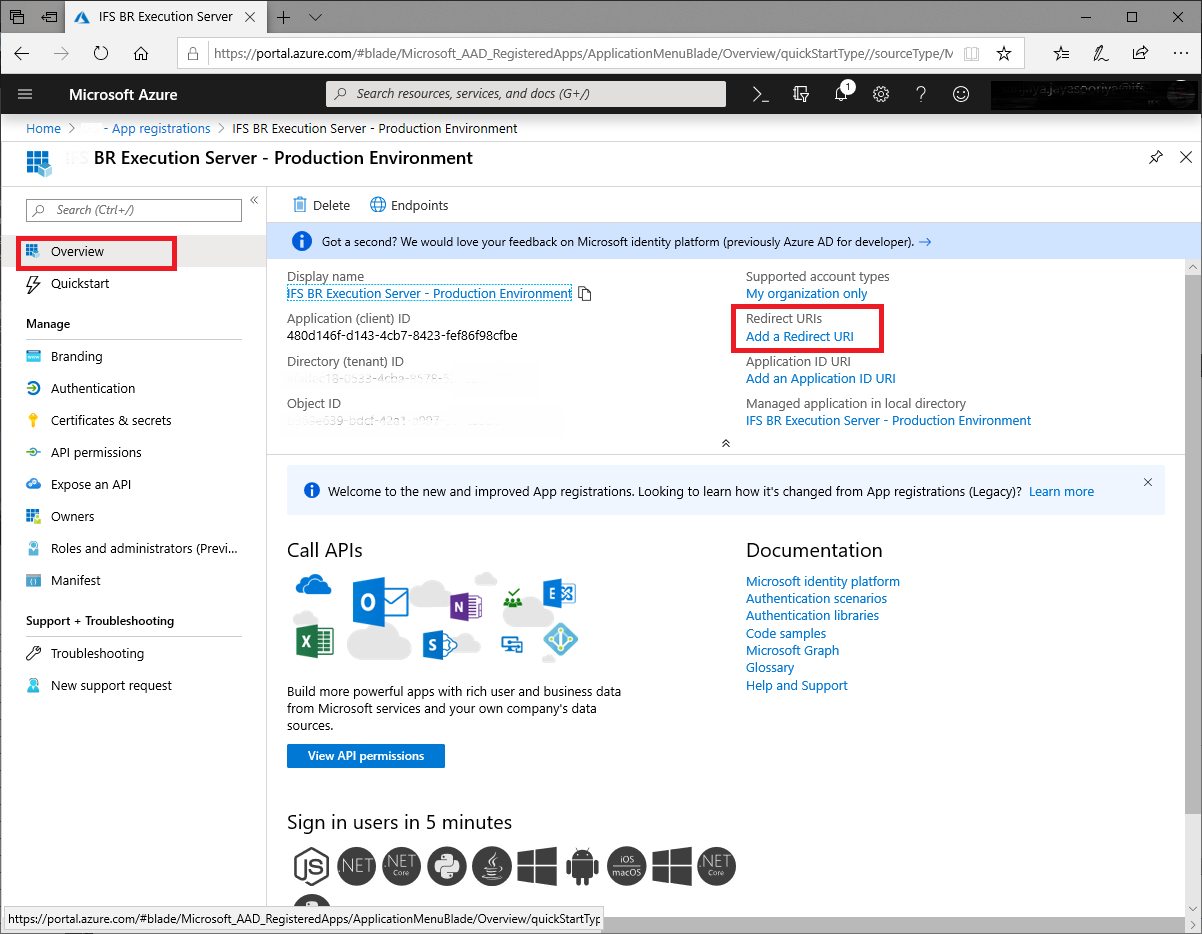
Figure 1-6: Microsoft Azure Portal - App Registration - Redirect URI
- Select the suggested URL and set the Default Client Type to Public and Save
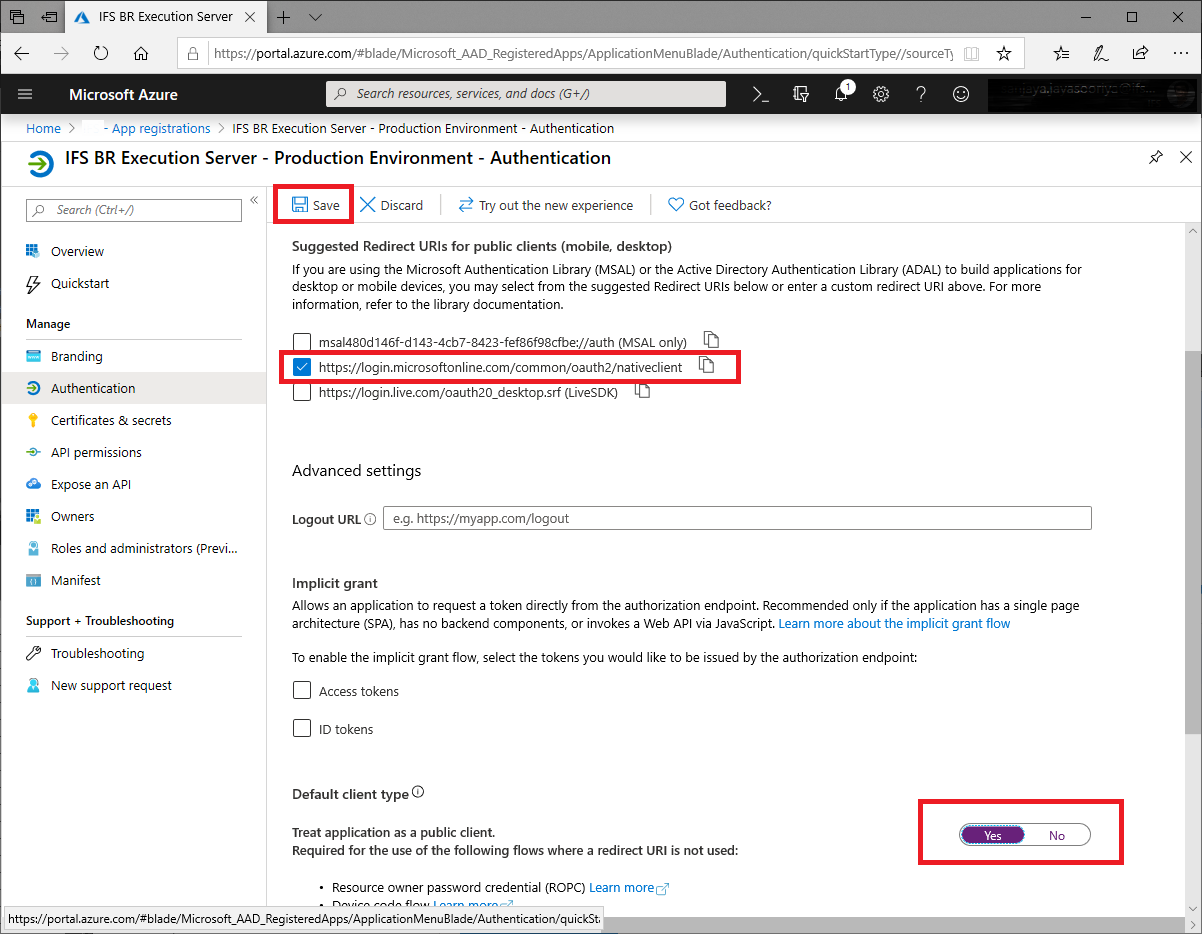
Figure 1-7: Microsoft Azure Portal - App Registration - Redirect URI and Client
type
- Click on API permissions and Click on Add a permission
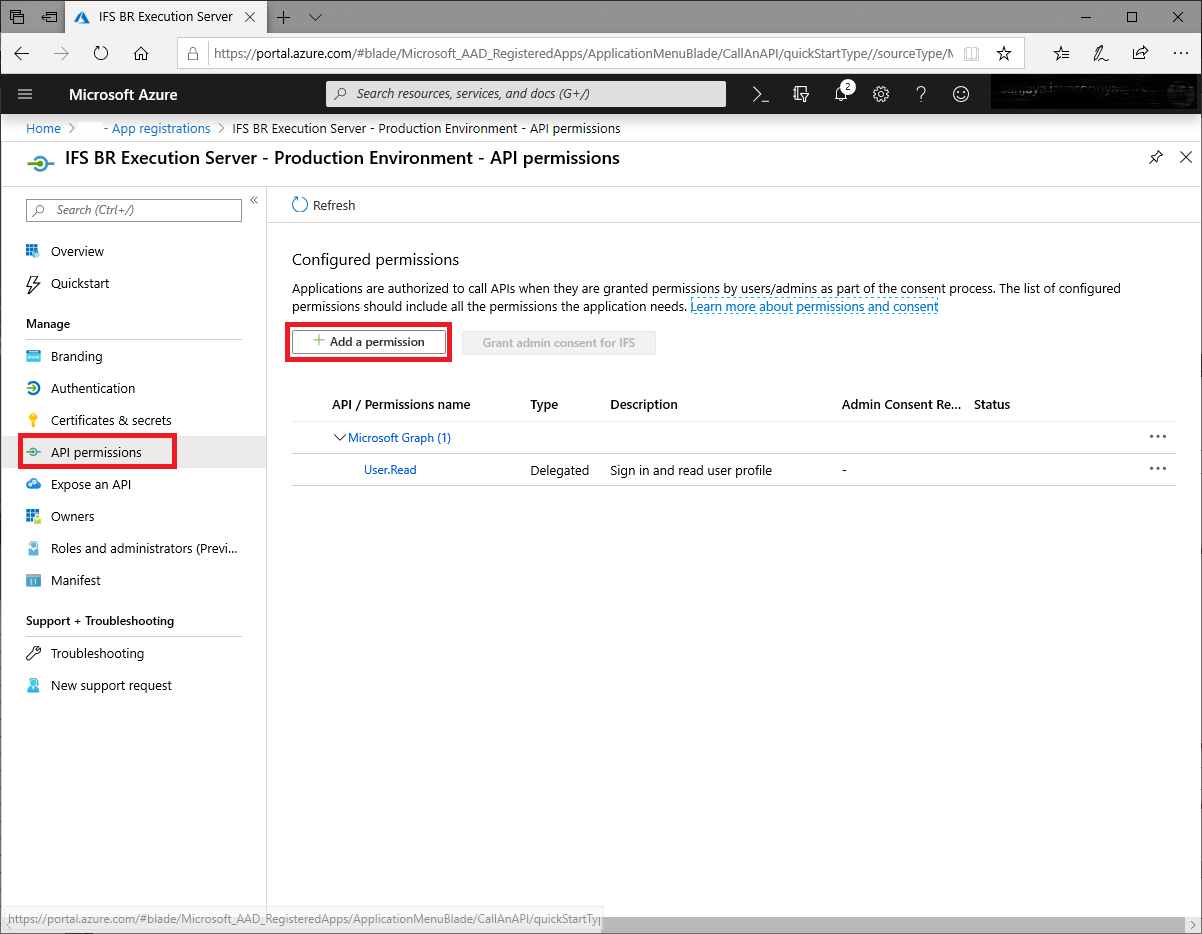
Figure 1-8: Microsoft Azure Portal - App Registration - API Permissions API
permission
- Select Microsoft Graph
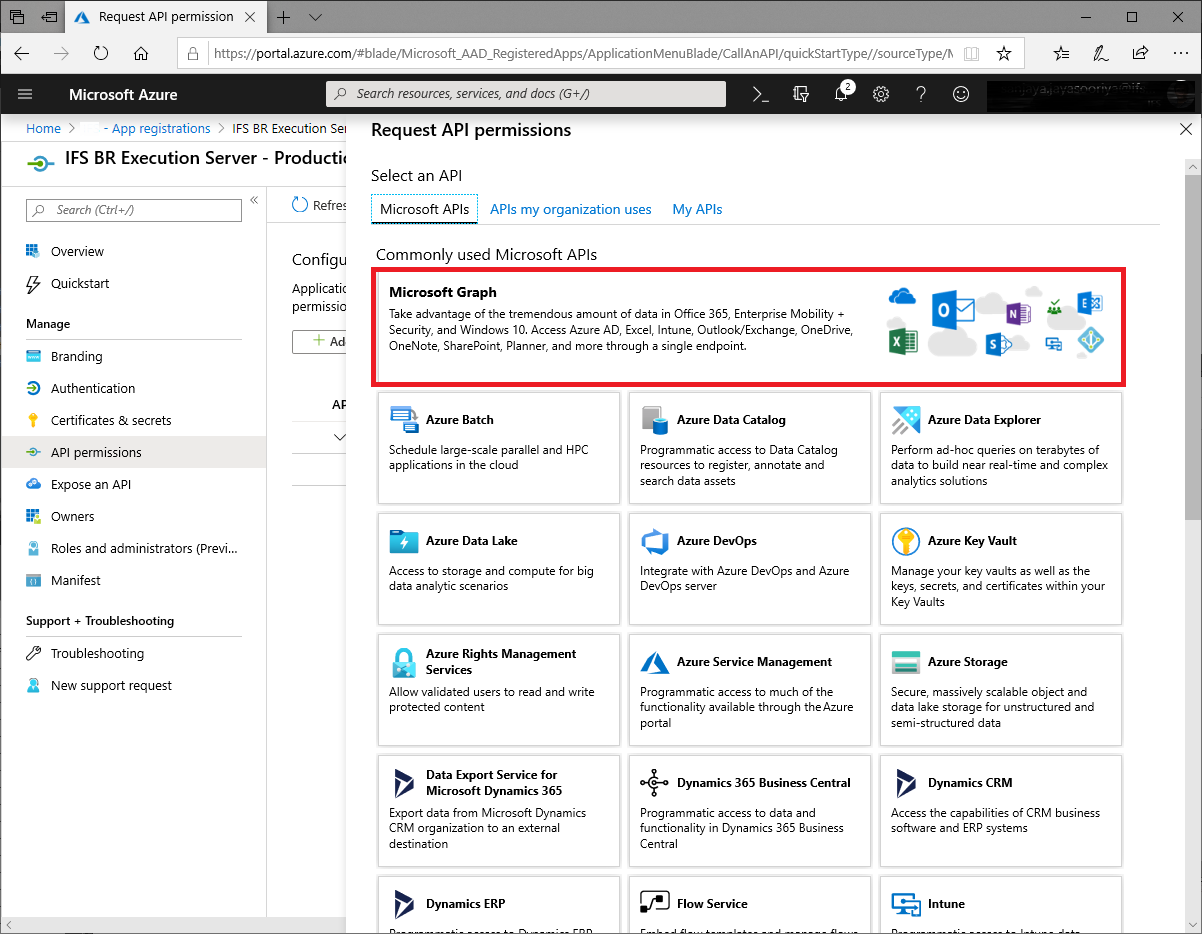
Figure 1-9: Microsoft Azure Portal - App Registration - API Permissions - Graph API
permission
- Select Delegated permissions, Filter for File and Select Files.ReadWrite.
Then click on Add Permissions.
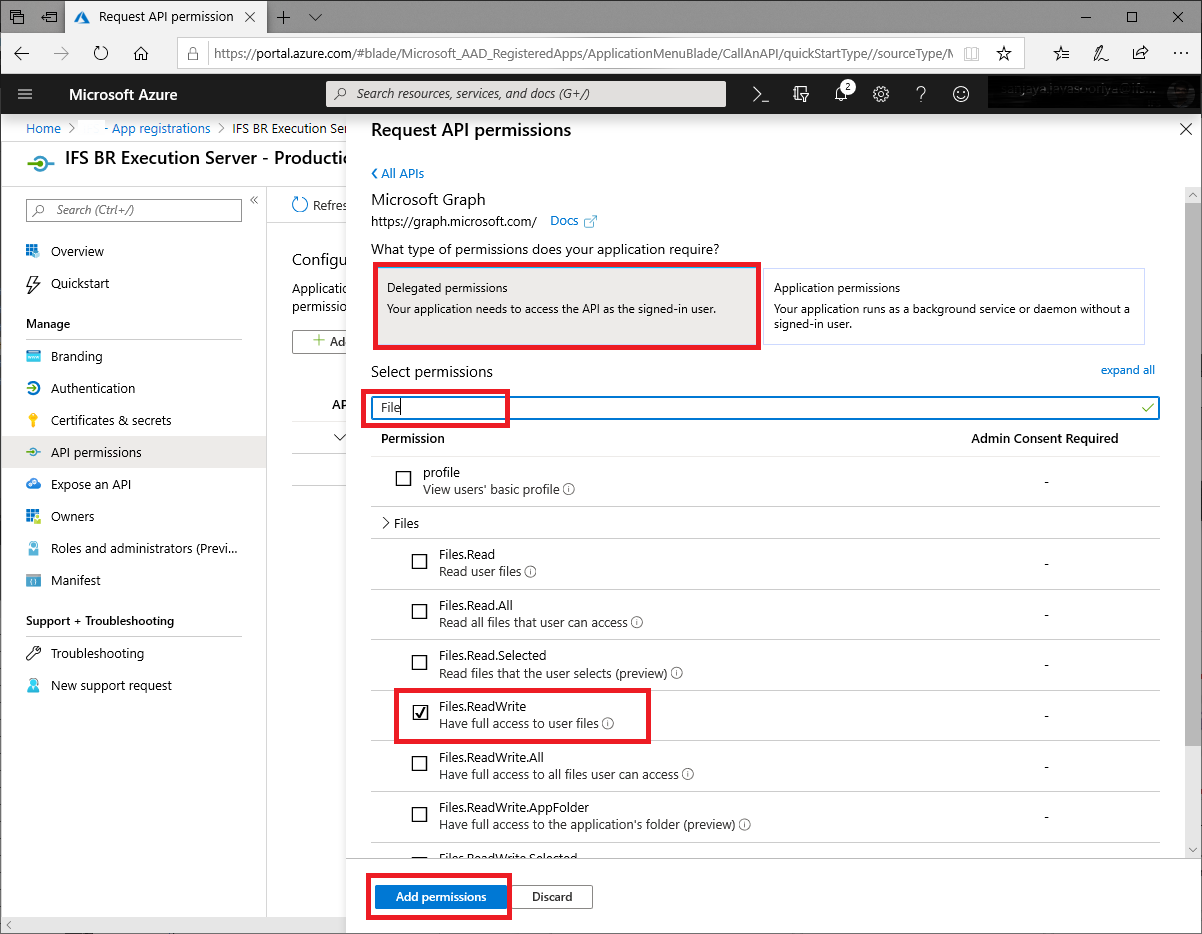
Figure 1-10: Microsoft Azure Portal - App Registration - API Permissions - One Drive
Below steps describes the necessary configurations to be done in IFS BR Execution Server.
- Go to the Installation Folder of IFS BR Execution Server and edit the BAExecutionServer.exe.config file. Make sure the parameter value of RenderingMode is set to OOXML.
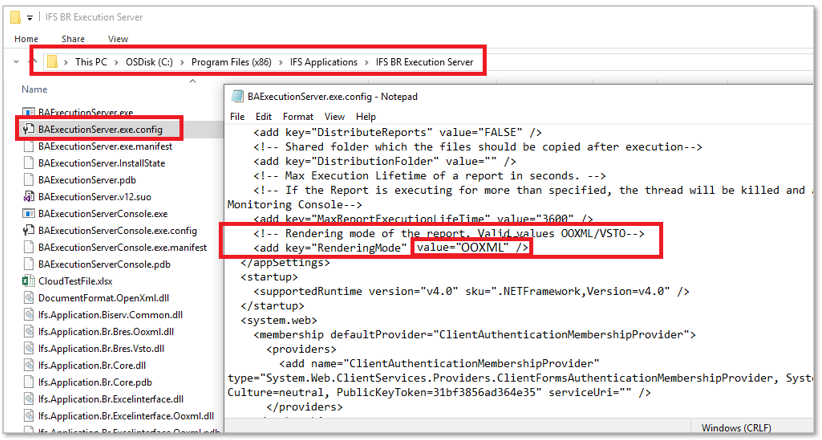
Figure 2-1: IFS BRES Config File
- Go to the Azure App Overview page and copy the Client ID.
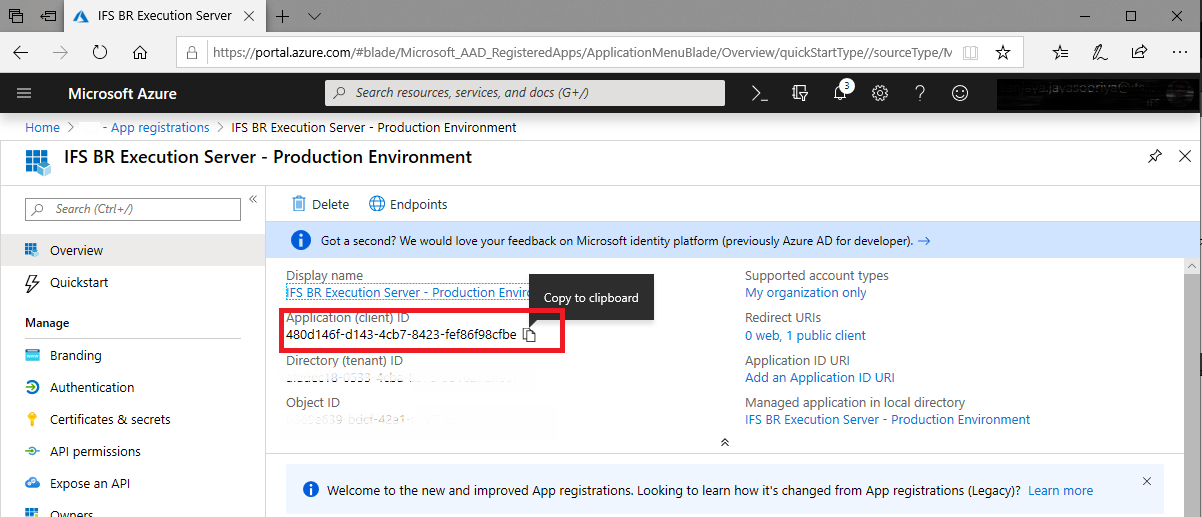
Figure 2-2: Azure Client ID
- Open the IFS Business Reporter Execution Server Console. Set the Client ID, Authority URI and (optional) Additional Folder. Click on Grant Cloud Access
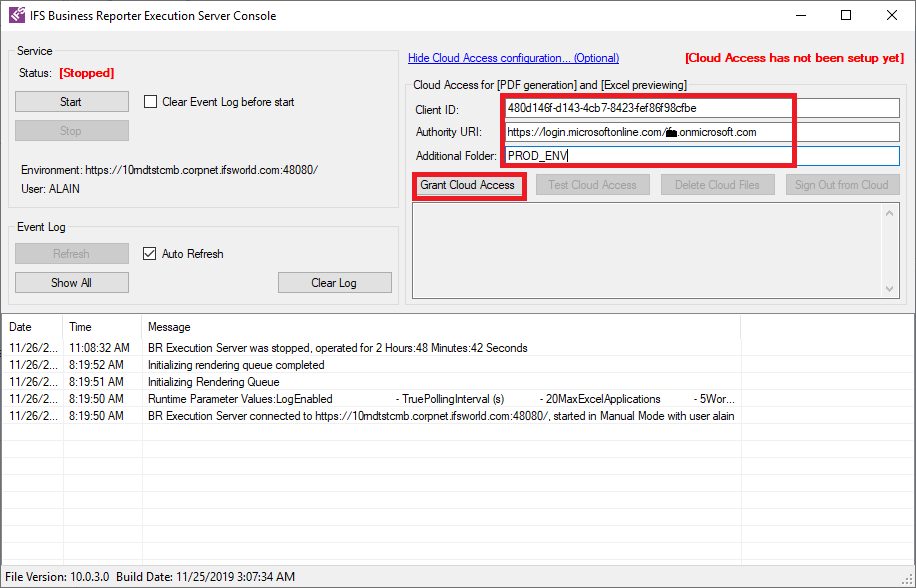
Figure 2-3: BRES - Granting Cloud Access
Note: The Authority URI should be provided by the Azure tenant Administrators. When the Additional folder is empty, the BRES files will be saved to a folder called IFS Business Reporter folder in OneDrive.
If this value is provided, a sub folder will be created inside IFS Business Reporter folder and the BRES will use this additional folder.
This is useful in cases where the same OneDrive account needs to be used for different environments.
- Now, a message will be displayed with a URL and a code. Copy these two values.
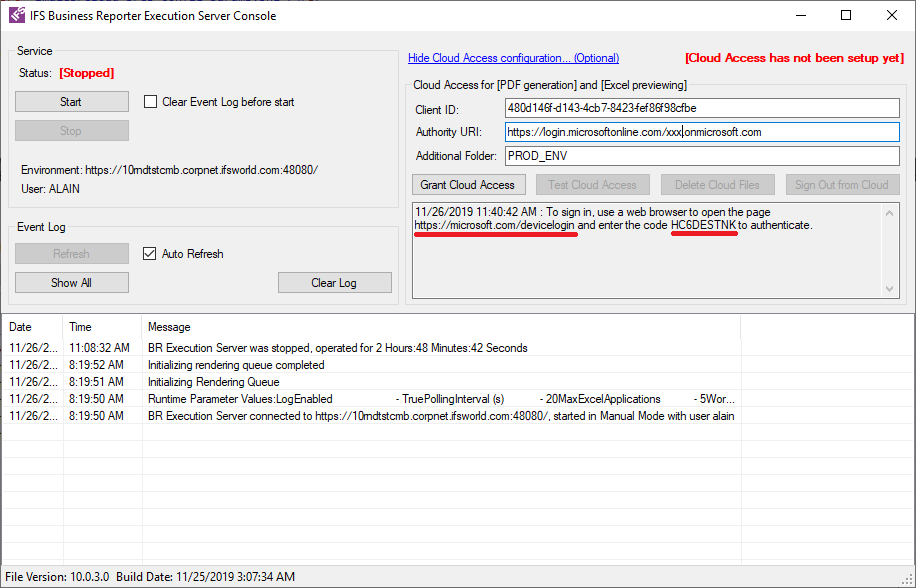
Figure 2-4: Login URL and code
- Open a web browser window and go to the URL copied during above step. When the below screen is displayed enter the copied code.
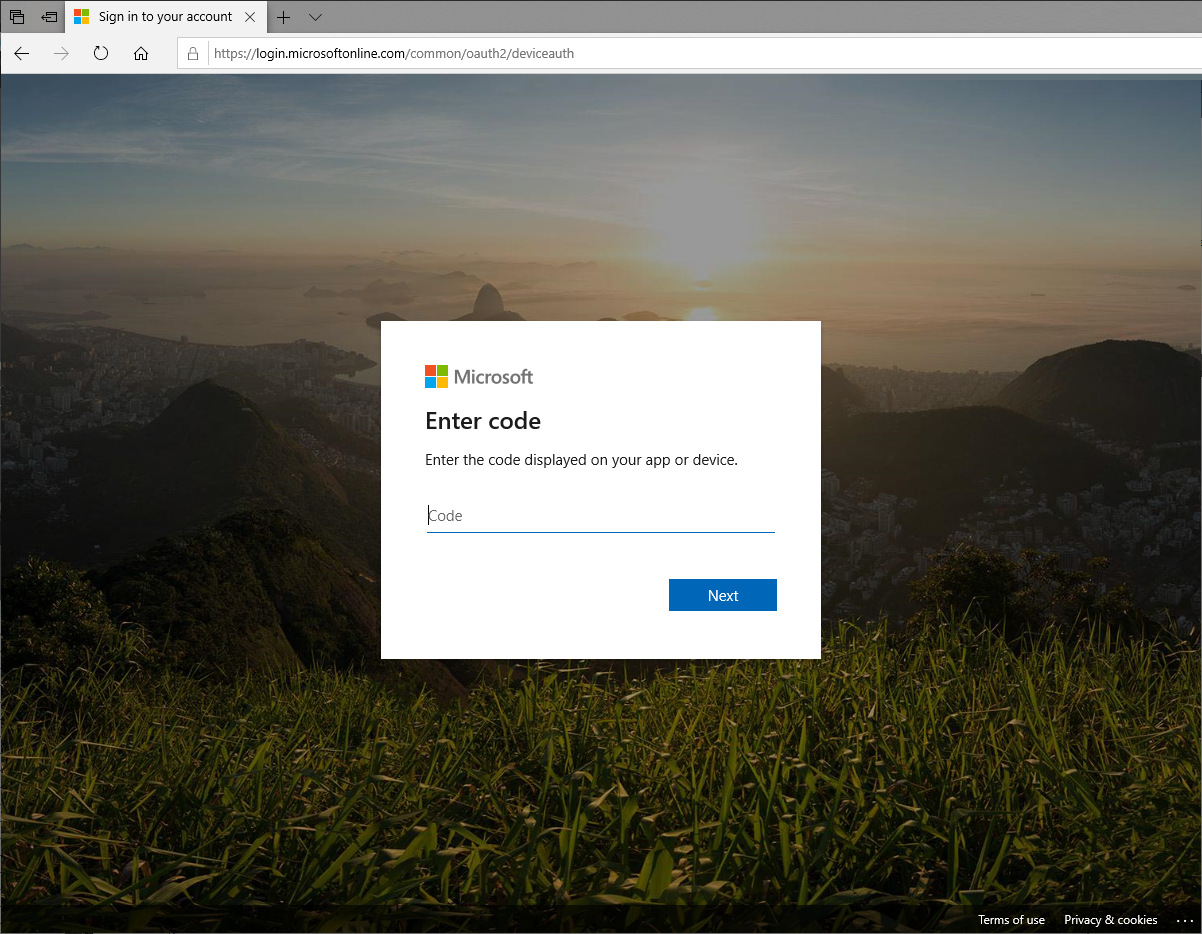
Figure 2-4-1: Login Screen
Now Proceed through the next windows.
NOTE: Additional screens may be displayed based on the permissions given to the user. Refer Microsoft documentation in such cases.
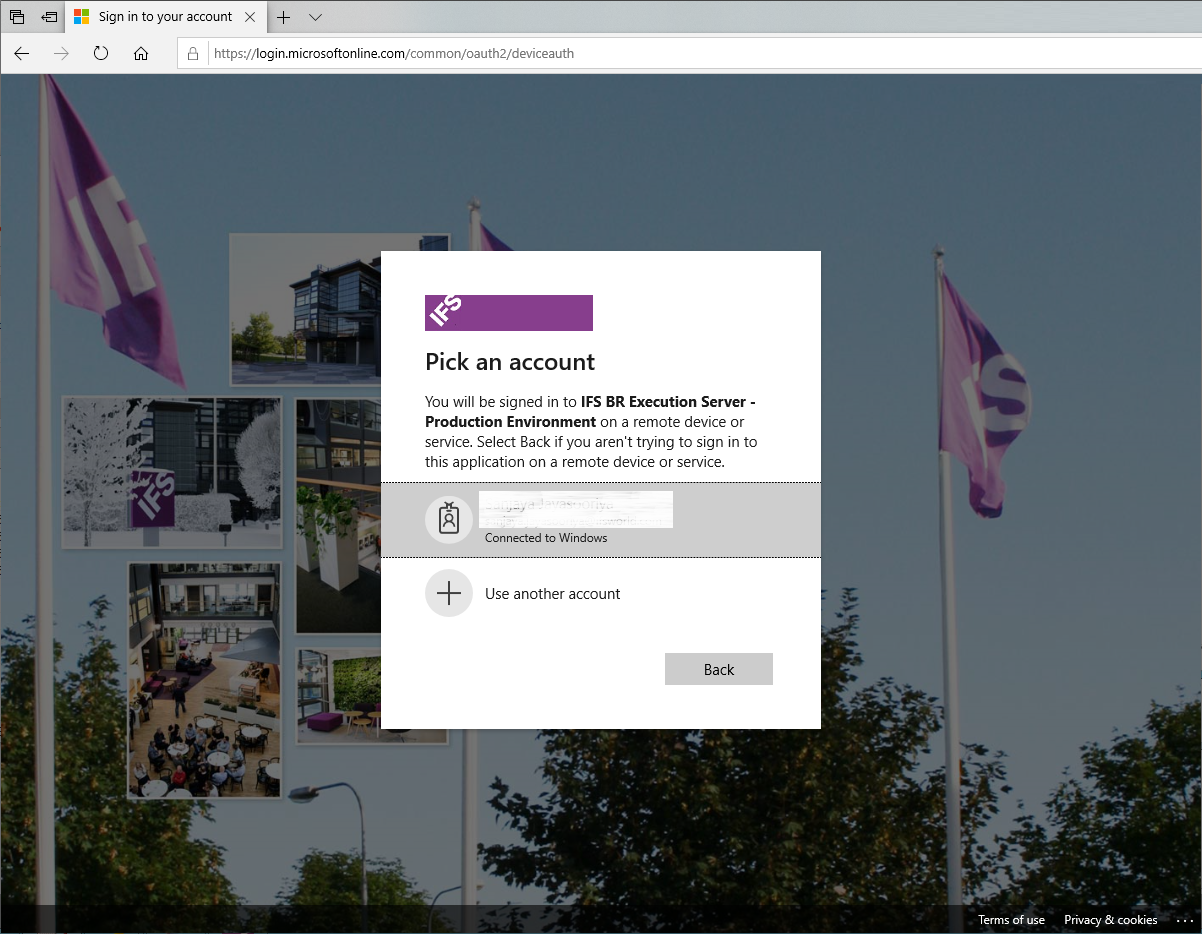
Figure 2-4-2: Login Screen - 1
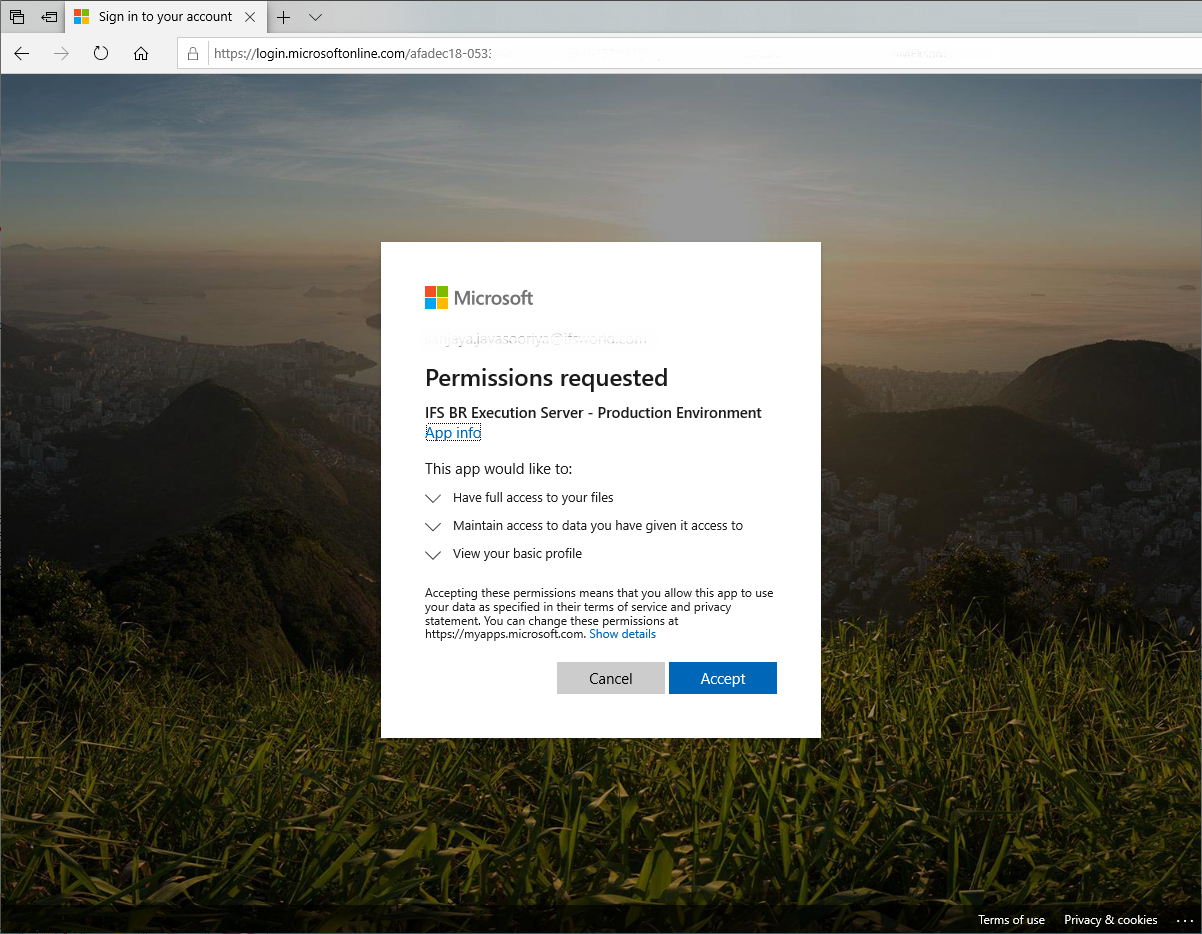
Figure 2-4-3: Login Screen - 2
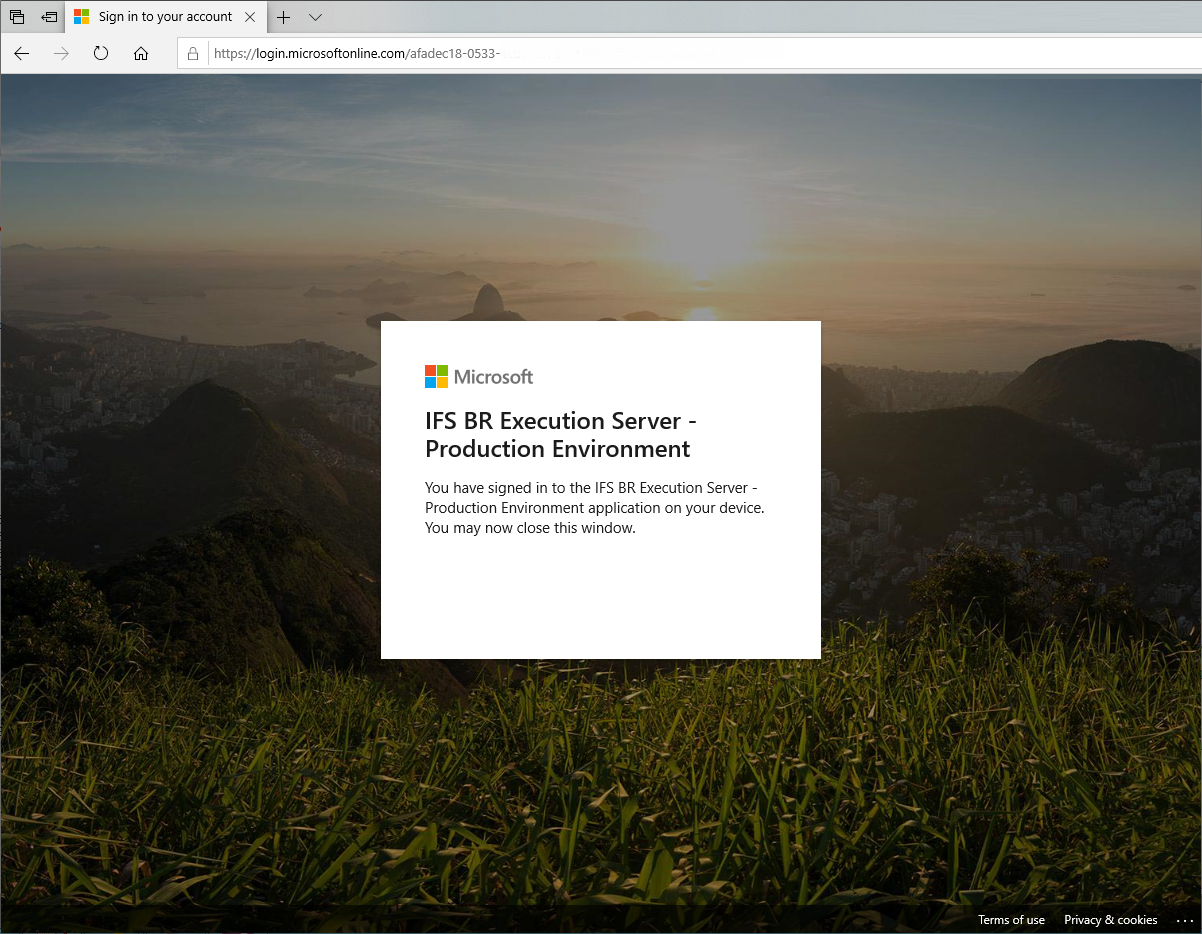
Figure 2-4-4: Login Screen - 3
- Now, BRES will contain a log entry stating the logged-in user id.
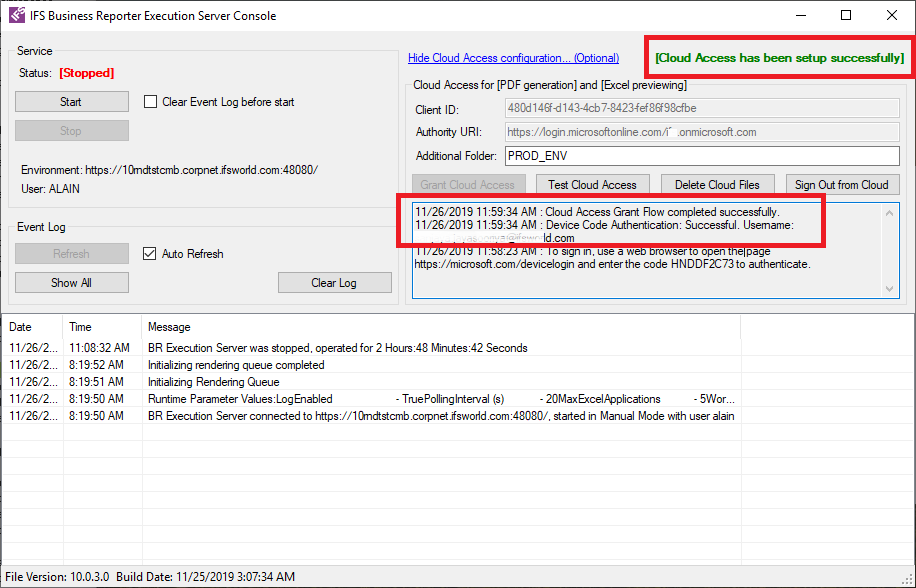
Figure 2-5: OneDrive successful login
- Click on Test Cloud Access to test the Cloud Access and then
click on Start to start the Service. Note that the log will contain the status of the test flow.
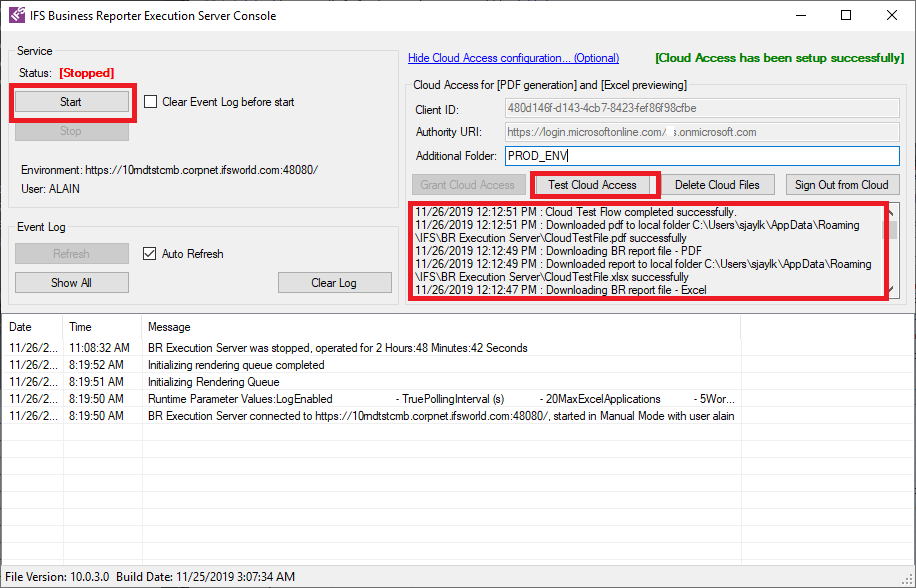
Figure 2-6: Testing the Cloud flow
- Now OneDrive account will contain a folder called IFS BR Execution Server/PROD_ENV.
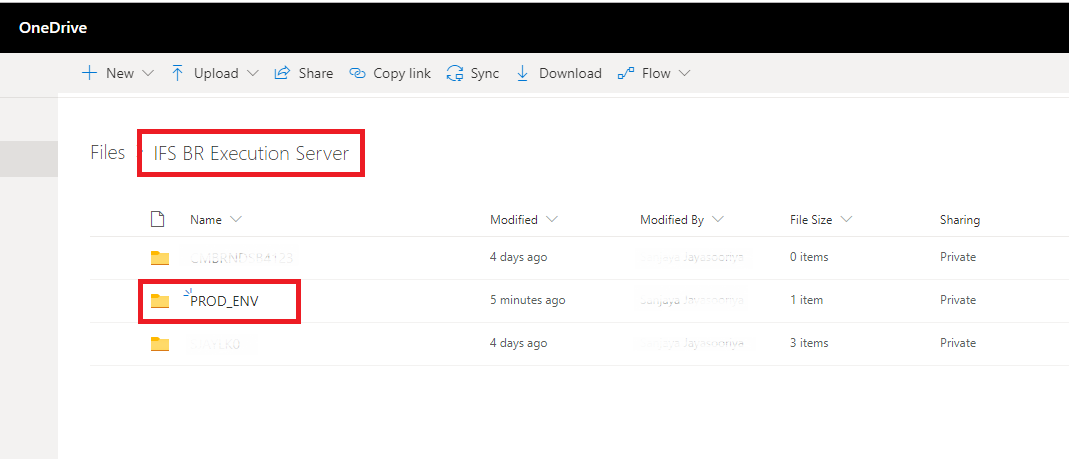
Figure 2-7: OneDrive folder