Aviation Maintenance Customizations
To support the ICAM customization process, the Build Place in the Lifecycle Experience Center(LEC) provides supportive environments (DEL, QA, DEV, TOPIC) and core artifacts to the customer. The process of environment ordering and delivery creation in a Build Place with ICAM customizations is similar to that in a standard Build Place with customizations.
Related Links:
ICAM for Build Place: Environment Creation
Prerequisites for ordering an environment/ ordering a delivery
The following are the prerequisites for ordering an environment/ ordering a delivery in an ICAM-enabled Build Place with ICAM customizations.
Update the Customer Solution Repository with ICAM information (manifest files).
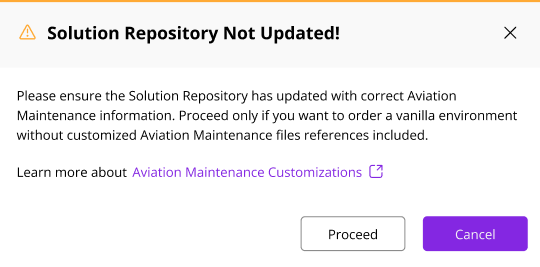
In a situation where the Customer Solution Repository is not updated with relevant information, you see a pop-up message when ordering a delivery or an environment.
 |
|---|
| Figure 1: Warning Message - Customer Solution Repo is Not Updated |
If you are an A&D-managed customer, make sure to have the relevant custom ICAM Artifacts in the ICAM customization repositories.
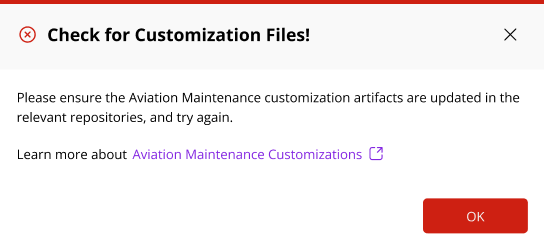
If the related artifacts are not present, a pop-up message appears, informing you to update the relevant repositories.
 |
|---|
| Figure 2: Error Message - Update the Repositories |
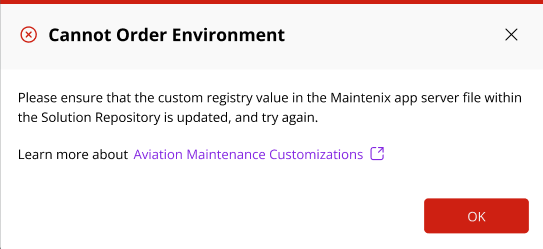
- Update the customRegistryEnabled value in the Customer Solution Repository (customRegistryEnabled: true). This is only applicable to customers with Build Places from 25R1 onwards. If the Custom Registry value is not set, an error pop-up message appears.
 |
|---|
| Figure 3: Error Message - Custom Registry Value Not Set |