Creating Build Home
Build Home and Delivery creation during Upgrade iterations for Customers Upgrading to IFS Cloud from Previous IFS Application Versions
 |
|---|
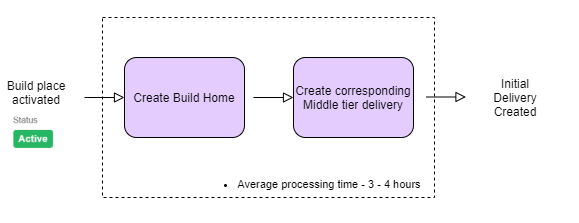
Build Home creation is handled using a tested Sanity Tag of the Customer Solution Repository. The Build Home thus created can be used as an input to the Upgrade Build Home creation required when upgrading to IFS Cloud from earlier releases of IFS Applications.
The Recreate Build Home feature is primarily used in IFS Cloud environments for managing Build Places during upgrades, transitions between releases, and specific installation or deployment scenarios.
Explained below are the steps required to recreate a Build Home.
- Log in to the Lifecycle Experience Center(LEC).
- Next, go to Build Studio.
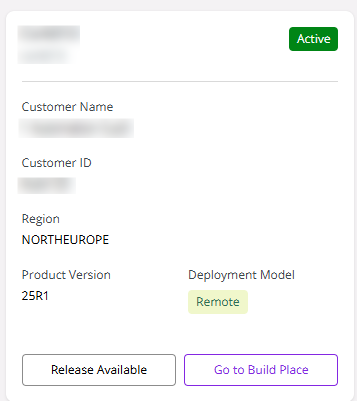
- Select the relevant Build Place and click Go to Build Place.
 |
|---|
| Figure 1: Select Go To Build Place |
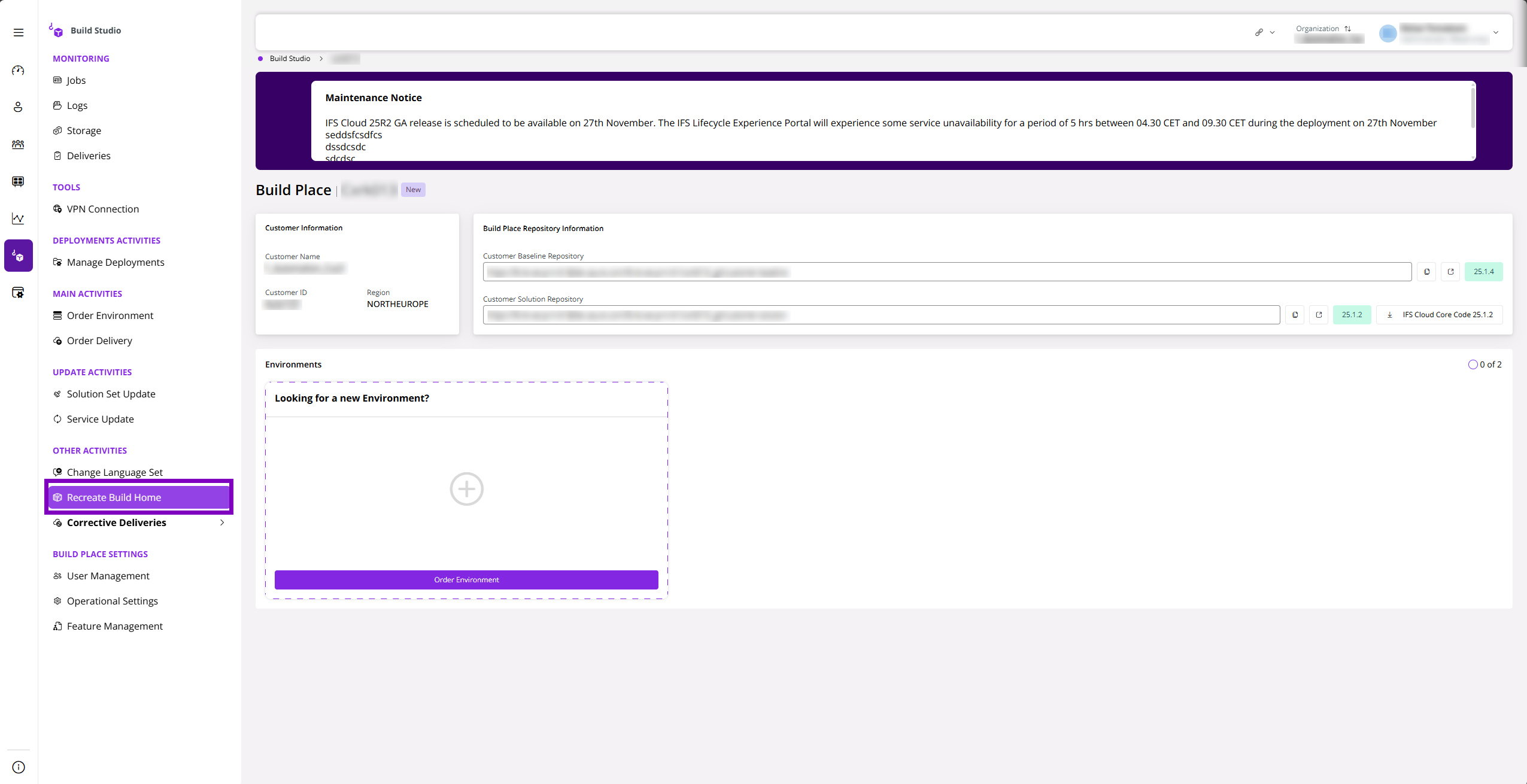
Once navigated into the Build Place, click Recreate Build Home to open the Recreate Build Home side panel.
 |
|---|
| Figure 2: Select Recreate Build Home |
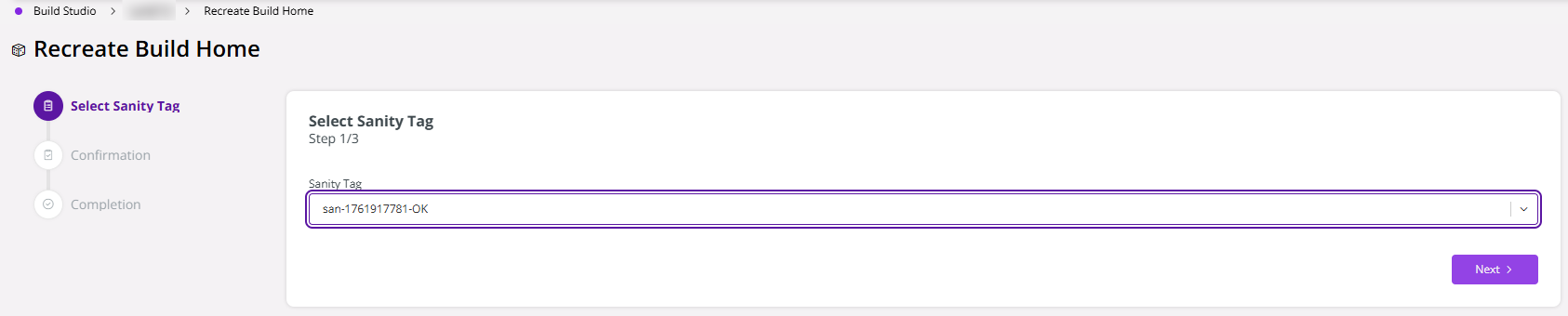
In the Recreate Build Home side panel, select the Sanity Tag corresponding to the code revision required to create the Build Home. Once the Sanity Tag is selected, click Next.
 |
|---|
| Figure 3: Select Sanity Tag |
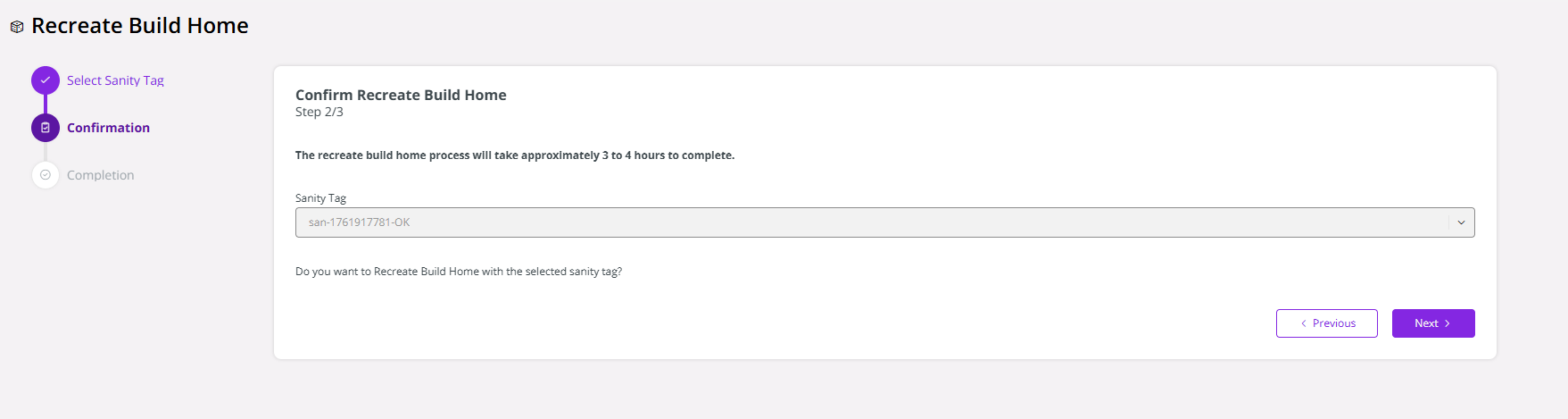
Then, click Next to confirm the Recreation of Build Home.
 |
|---|
| Figure 4: Confirmation |
Note
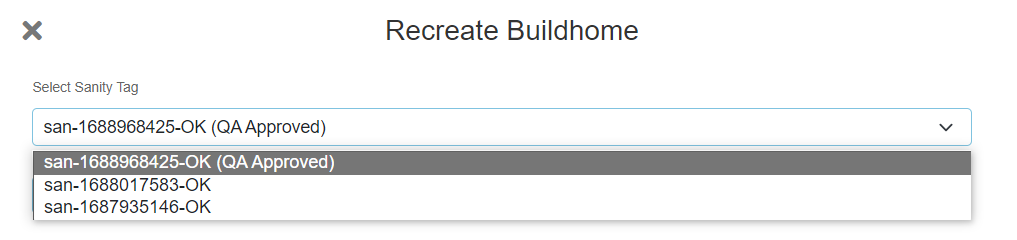
Customers who have purchased the Test Data Management (TDM) feature, will have the ability to view Sanity Tags which are QA approved. This means that the test data and customizations done up to the point of the relevant Sanity, are verified by a QA process. It is recommended to select a QA Approved Sanity Tag, thus the quality of the Build Home is ensured.
 |
|---|
Explained below are the steps required to access the created Build Homes.
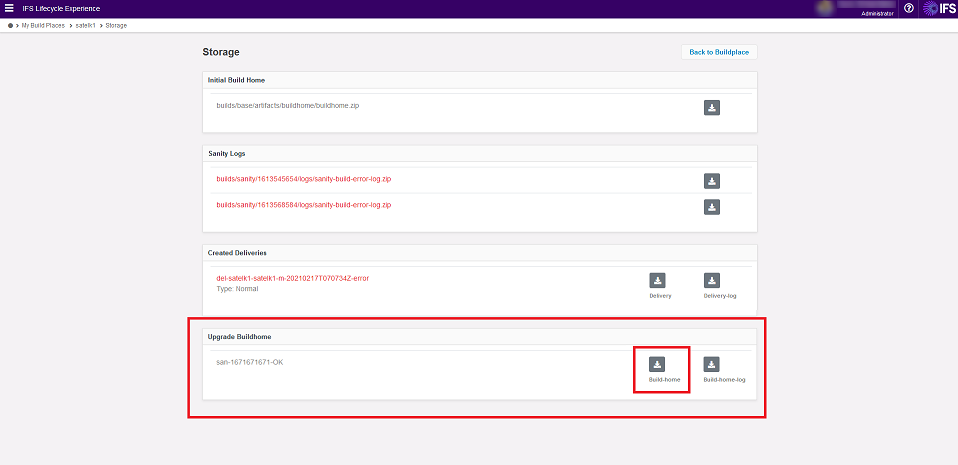
Click Storage in the Build Place. Under the Upgrade Build Home section, all upgraded Build Homes will be visible. By clicking on the download icon, the selected Build Home will be downloaded as a zip file.
 |
|---|
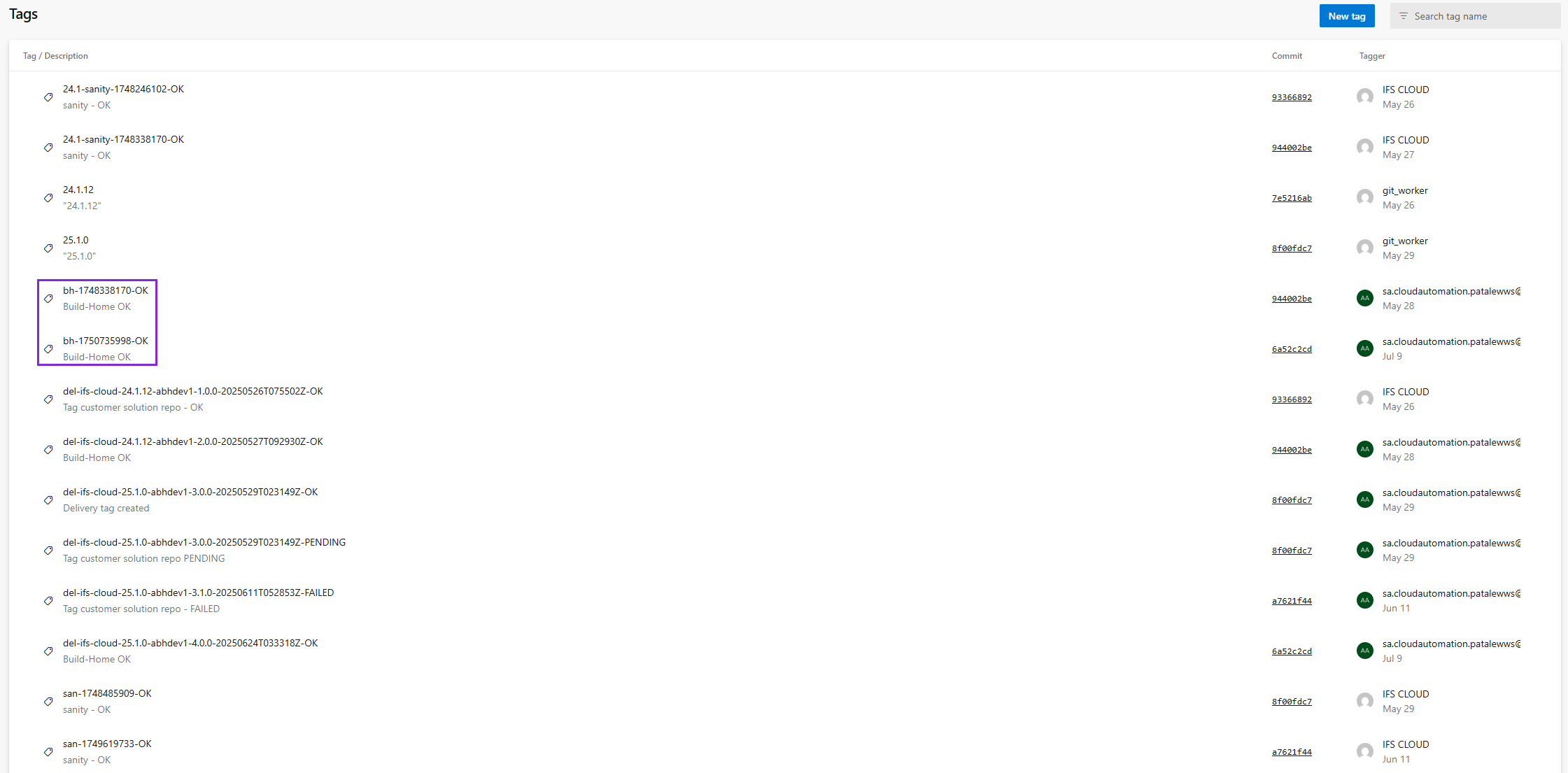
After the Recreate Build Home process, you see the Build Home Tags in Azure as follows.
Important
Please ensure that the BuildHome Tags are not removed, as doing so may disrupt or cause failures in subsequent Build Place or Release Update operations.
 |
|---|
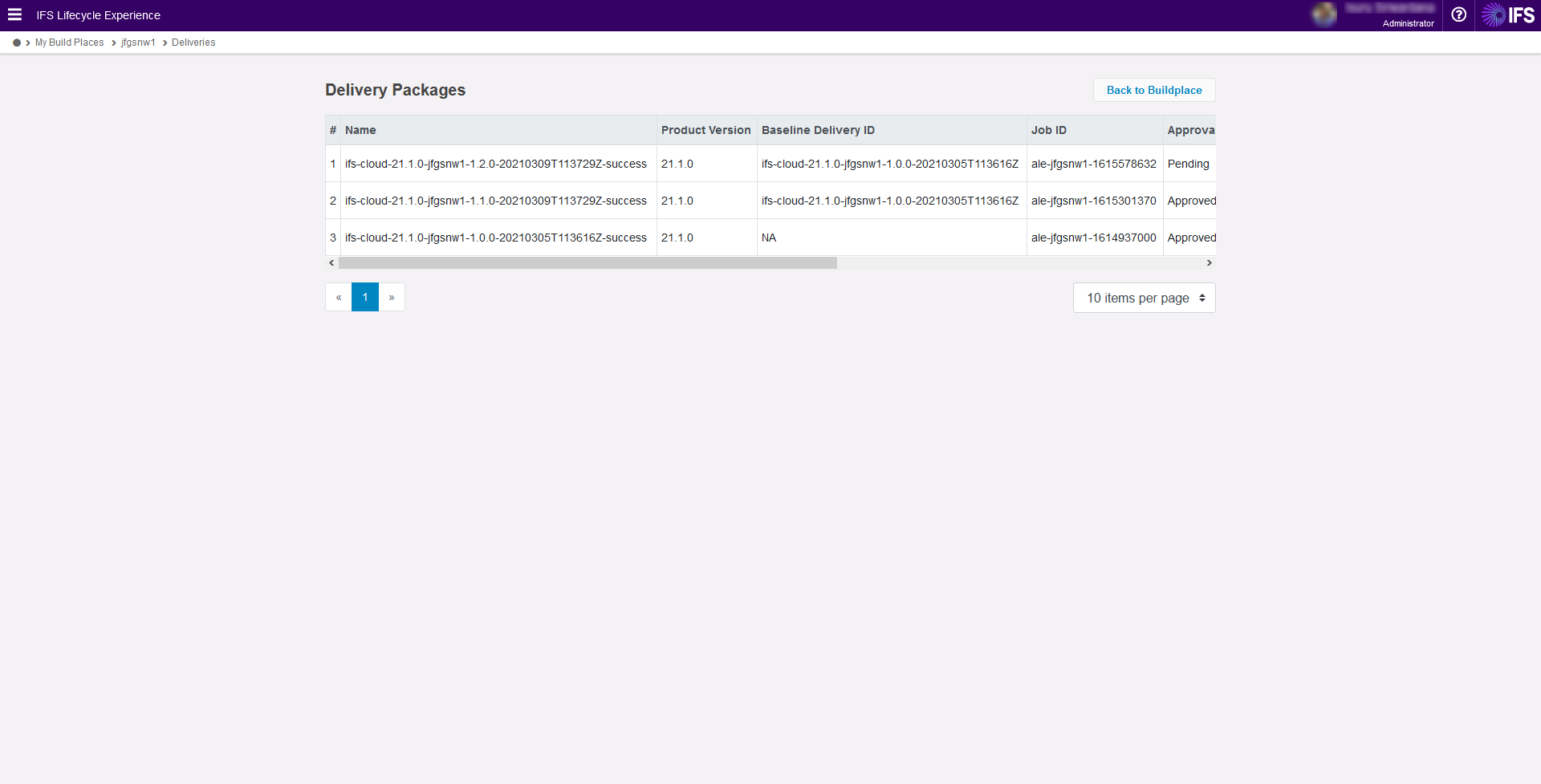
A lite version of Build Homes will also be created as a separate Delivery. This contains only the IFS Installer and the Solution Set File and can be used to deploy the Middle Tier in Upgrade deployments. Click Deliveries in the Build Place to view the Delivery packages related to the Build Home.
 |
|---|
For customers using the Cloud residency option:
- Prior to 25R2, deliveries are deployed through User Management Support.
- From 25R2 onwards, Deliveries can be deployed via LEC Environment Studio.
For customers on the residency option Remote, the Delivery has to be downloaded and deployed using the deployment procedures by the customer.
Note: The Build Home Recreation step does not include the translation files. If translation files are required in a freshly recreated Build Home, the Copy Translations job must be run after the Build Home Recreation. IFS Translation Downloader Tool - Technical Documentation For IFS Cloud