Using Records Page
In IFS Cloud Web, record pages serve as a way to show a detailed and organized view of information connected to a chosen record. These pages have different sections or tabs that hold details like contact info, transaction history, linked documents, and other important data. The term "record" can refer to various entities like a customer, vendor, employee, sales order, purchase order, or any other kind of data that the system handles. Users can interact with the record page to view, edit, or update information related to the specific record.
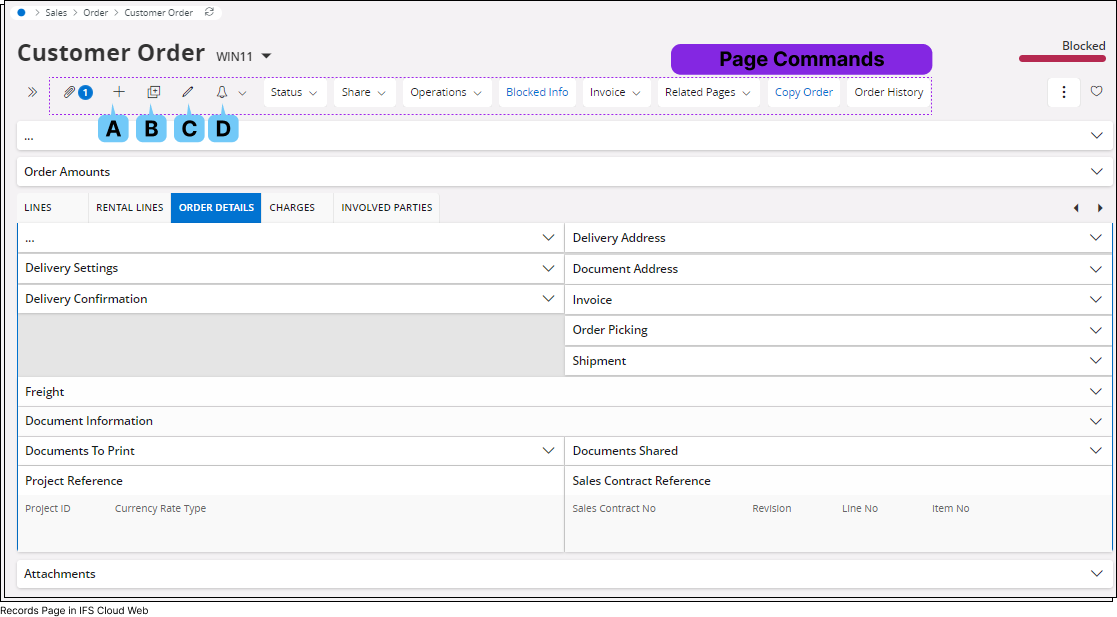
| Label | Name | Description |
| A | Add Record |
 Add a new record to the records page by clicking the Add Record(B)
button. Once you click the Add Record button it will
open up the record for you to fill up all the necessary details.
Add a new record to the records page by clicking the Add Record(B)
button. Once you click the Add Record button it will
open up the record for you to fill up all the necessary details. 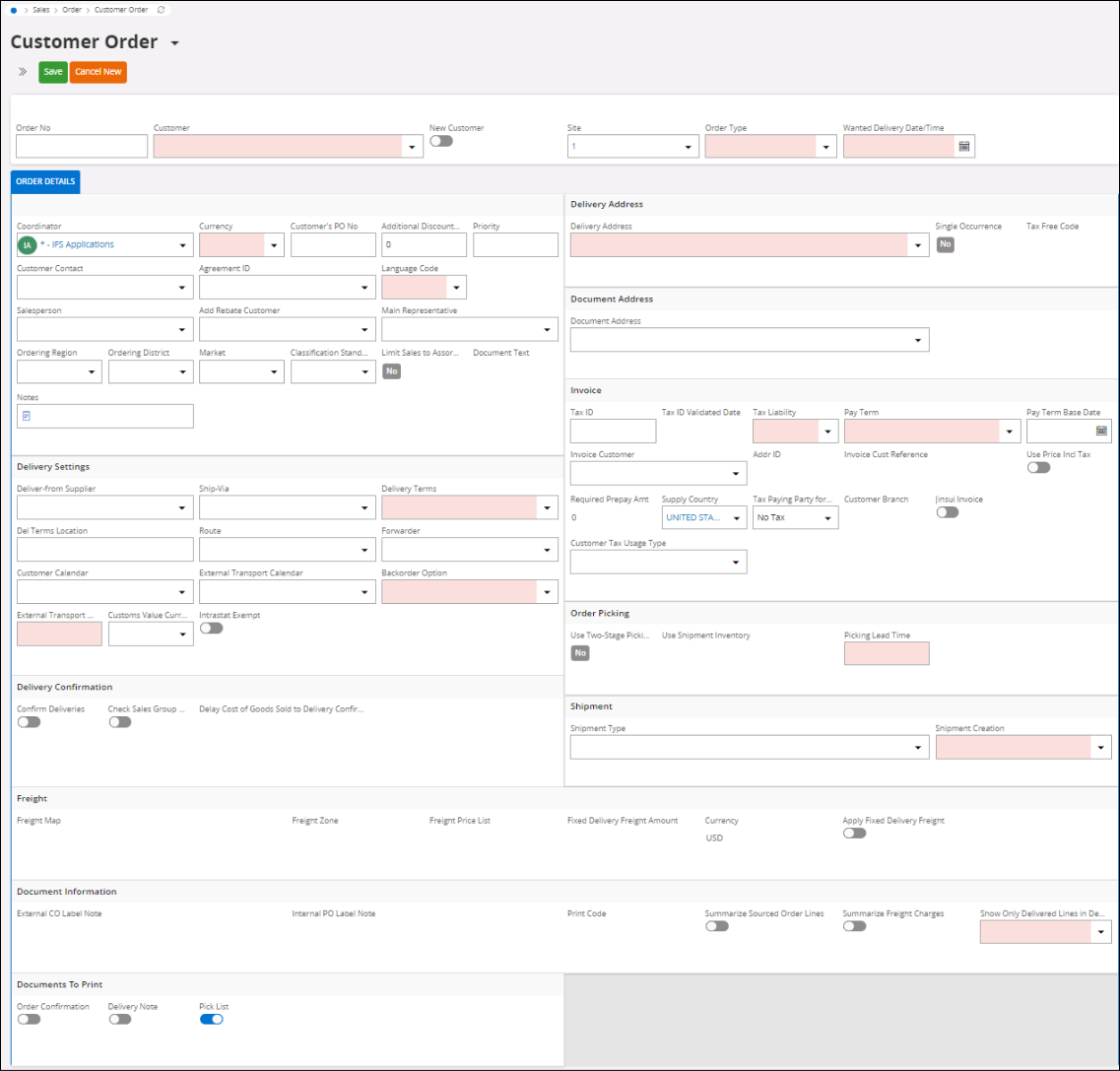
Once you open the record form:
|
| B | Duplicate Record |
 Duplicate one of your existing record by clicking the Duplicate
Record(C) button. Once you click the Duplicate Record
button it will open up an editable version of the record you wish to
duplicate.
Duplicate one of your existing record by clicking the Duplicate
Record(C) button. Once you click the Duplicate Record
button it will open up an editable version of the record you wish to
duplicate.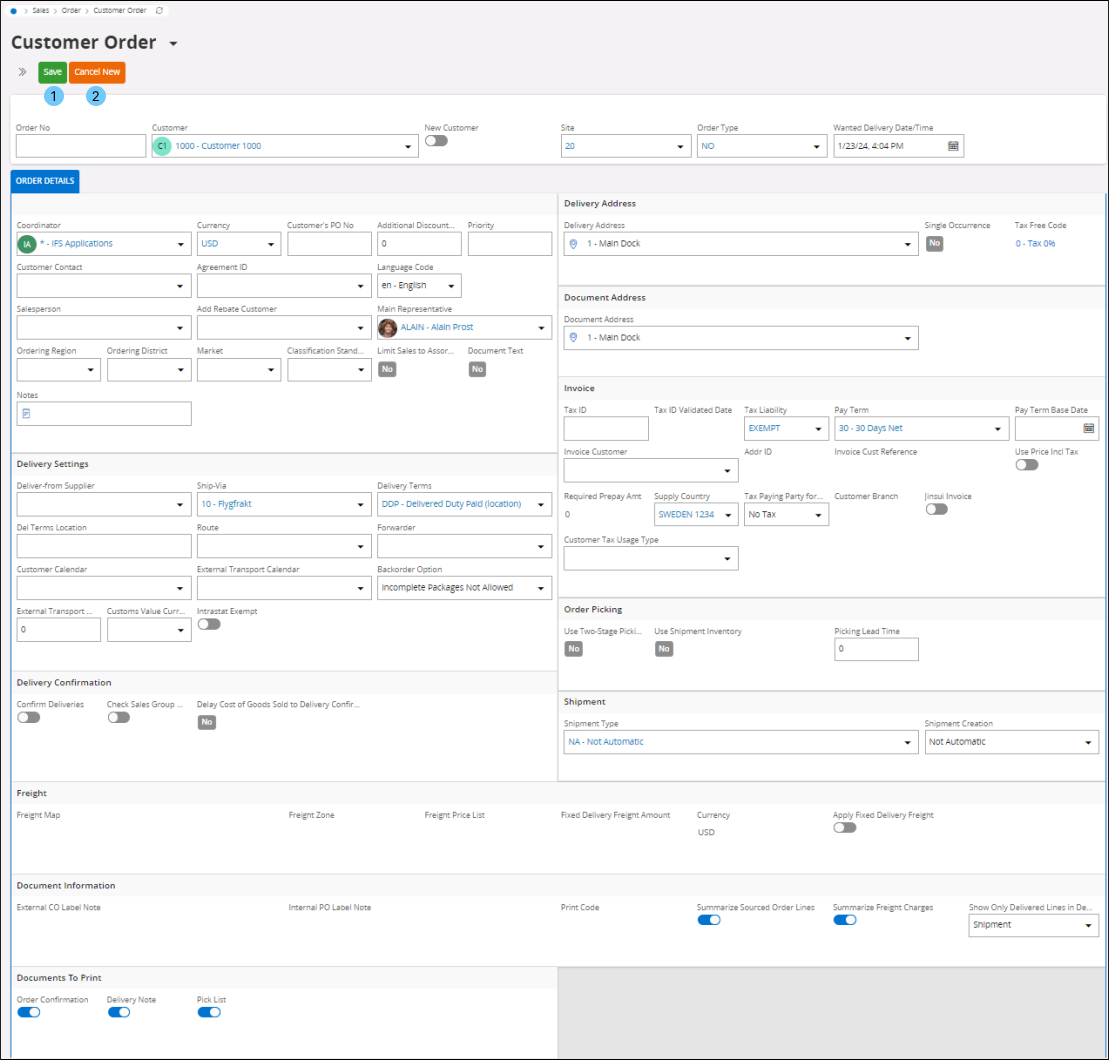 Once you open the duplicated record form:
|
| C | Edit Record |
 Edit your existing record by clicking Edit Record(D)
button. Once you click the Edit Record button it will
open up the record form in editable format. You will only be able to
edit the fields that are editable.
Edit your existing record by clicking Edit Record(D)
button. Once you click the Edit Record button it will
open up the record form in editable format. You will only be able to
edit the fields that are editable.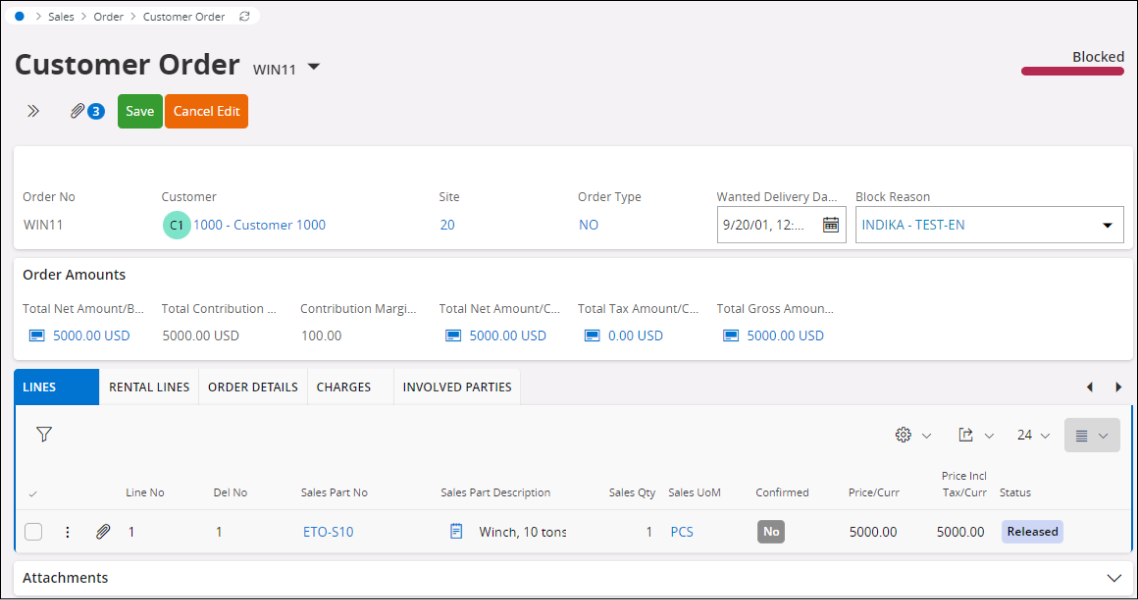
Once you open the record form in the editable format:
|
| D | Subscribe / Create Task |  Please refer to Subscriptions and Task sections for more details.
 |

Record pages has a Page Toolbar which gives you the ability to take specific actions like editing, updating, or duplicating information connected to that particular record. Additionally, you can manage attachments associated with the record. This means you can easily interact and control various aspects of the information linked to the record for effective data management.