Event Log Development
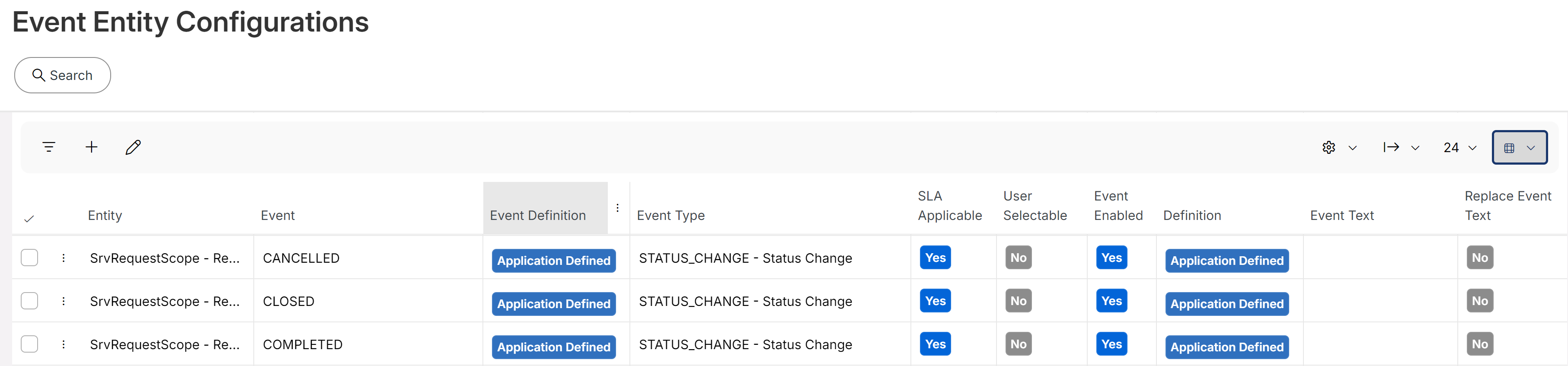
This document addresses technical aspects of the new Event Log and its role in tracking IFS Cloud application transactions. Its primary purpose is to serve as a generic log, capturing a predefined range of entities and events. The specific relationships between events and entities can be found in the Event Entity Configurations in application, those are set with Application Defined in Definition.
Additionally, it is possible to define Custom Defined events and establish personalized event-entity relationships, allowing to create log entries manually or via configuration of IFS Workflows.
Contents
Visualization of Event Log
Event Log functions an Object Connection service, making it simple to activate within the attachment panel via Object Connections. The Service Name is EventLog. For comprehensive instructions on configuring the Event Log, refer to the functional end-user documentation located in IFS Business Models /Customer Relationship Management/ Event Generation.
Note:
Since Event Log automatically records user interactions in the application, the count of the events are excluded from the attachment count. However, a future enhancement is planned to give users the flexibility to include or exclude the events from the count according to their choice.
Event Text Configuration
The Event Text field allows users to define a custom text for any event. The Replace Event Text flag offers administrative control to override Event Text that are programmatically supplied by the system. When this flag is enabled, the user-defined text in the Event Text field takes precedence over any Event Text generated by application logic.
Parameterized Event Texts
Event Texts support parameterized values, enabling dynamic content that is resolved at runtime based on the current record's data. The following two substitution formats are available for configuring parameterized texts.
1. Simple Column Reference
Use the format :COLUMN_NAME to insert the value of a database column directly into the Event Text while the log entry is being generated.
Example:
Resolved Output:
2. API Function Call
Use the format :PACKAGE_API.FUNCTION_NAME(COLUMN1, COLUMN2) to invoke a PL/SQL function and substitute its return value into the Event Text.
Example:
Behavior:
At runtime, the system invokes STATUS_API.Get_Status_Description with the current record's STATUS_CODE value and substitutes the returned description into the Event Text.
Test Event Text
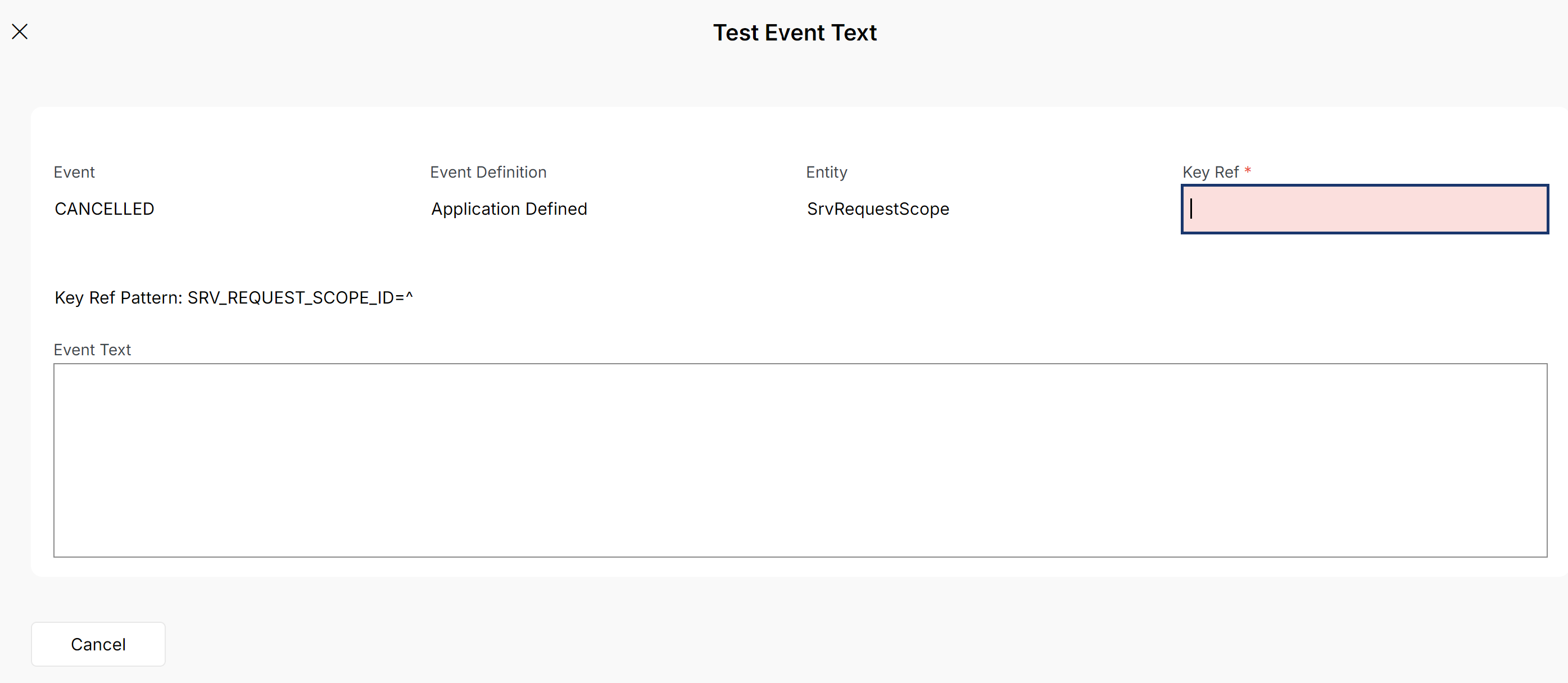
The Test Event Text functionality allows users to validate the final appearance of the event message by providing a key reference and the event text format. This allows users to preview how the parameterized message will be resolved with actual data before applying it to an event configuration.
Object Connection Transformation (OCT) for Event Log
Given that the Event Log serves as an Object Connection Service, it's possible to establish Object Connection Transformation (OCT) rules for enhanced visualization. For an in-depth understanding and comprehensive background about OCT, refer the functional end-user documentation located in IFS Cloud / Define System Basic / Object Connection Transformations. For example rules, populate the contents of the Object Connection Transformation screen. If you need to write a custom transformation method (with PL/SQL code) you can look at the source code of any of the existing rules that has an API and a method name in the Transformation Method field.
Limitation :
Due to the inherent design of the Event Log, it exclusively supports OCT rules with the Editable property configured as Target only. Other Editable properties, namely Source and None are not supported.