Background Jobs
Database Background Jobs are operations which are not executed immediately when the user invokes the operation. This is common for operations that will take some time to execute. By executing an operation as a background job, the user can continue their work without having to wait for the operation to finish.
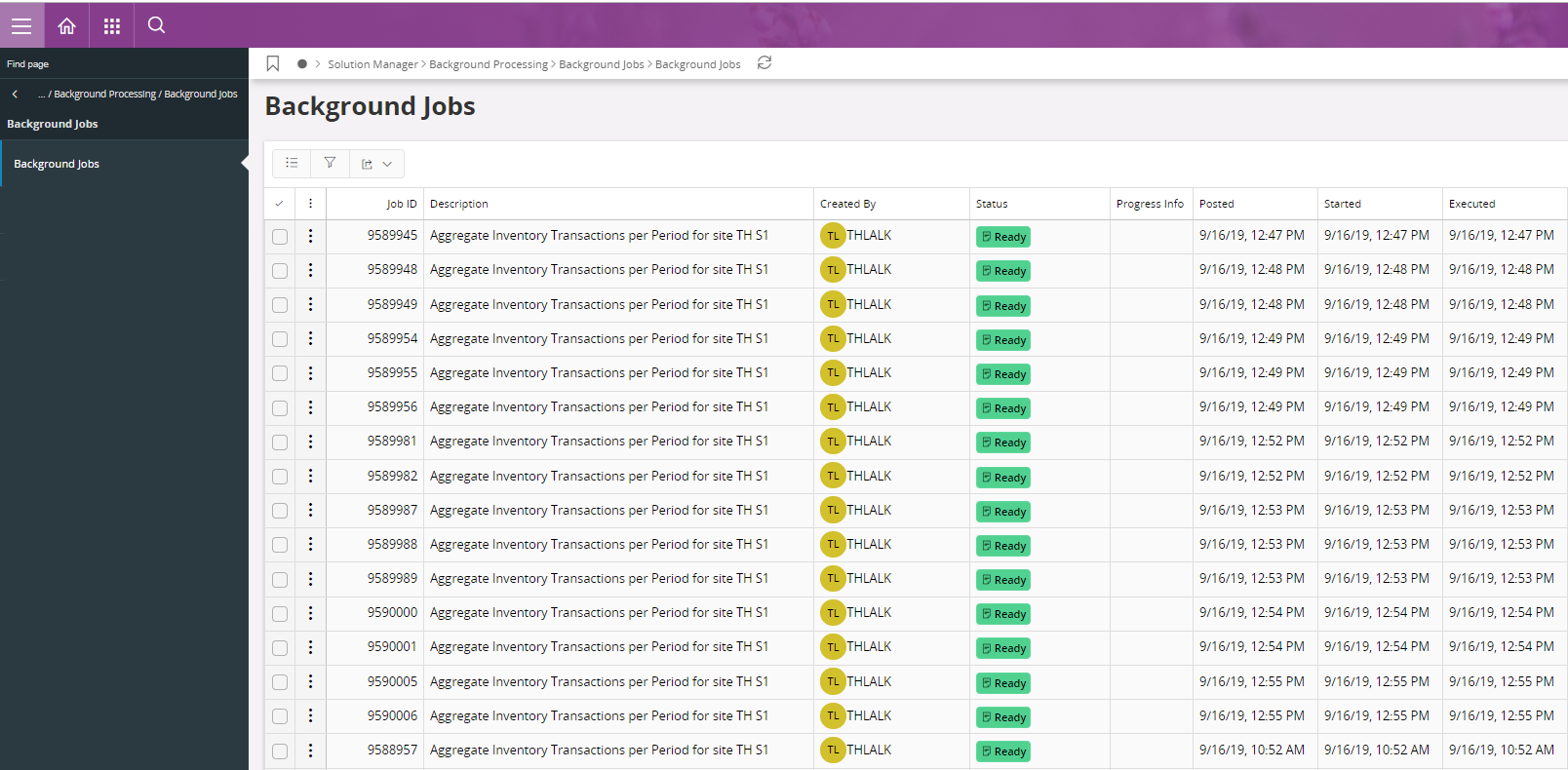
The overview page for Background Jobs is located under Solution Manager/Background Processing/Background Jobs in the navigator. This will show a list of all Background Jobs.
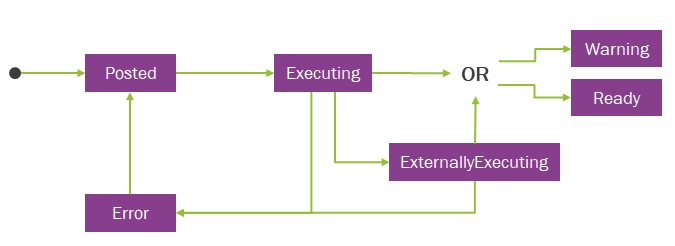
The jobs may have these different states:
- Posted - A Background Job is requested but not yet processed by the server. Jobs in state Posted can be modified by changing queue and parameters and may also be removed. Once the Background Job is initialed by the server it will change state to Executing..
- Executing - A Background Job that is currently being executed. See Execution and Status section on the detail page for more information on the Background Job while it’s executing. This information is both shown in the overview and detail page. A Background Job that is being executed can be stopped. The Background Job will then change to Error state
- Externally Executing - A Background Job that is currently being executed in the BR Execution Server. A Background Job for a Business Report that has been configured to be rendered by the BR Execution Server. See Execution and Status section on the detail page for more information on the Background Job while it’s executing. This information is both shown in the overview and detail page. A Background Job that is being executed can be stopped. The Background Job will then change to Error state.
- Ready - A Background Job has been successfully executed without any errors or warnings. Background Jobs in state Ready cannot be modified. The Background Job can be manually removed, or it will be removed by the Light Cleanup.
- Warning - A Background Job has been executed but finished with warnings. See Execution and Status section on the detail page for more information about the warnings for the Background Job. Background Jobs in state Warning cannot be modified as it’s considered to be finished. The Background Job can be manually removed, or it will be removed by the Light Cleanup.
- Error - A Background Job that has been executed but stopped has stopped. See the Error Information section for more details about why the Background Job stopped. Background Jobs in state Error can be modified by changing queue and parameters and may also be removed. It is possible to re-execute the Background Job.
- Postponed - During an online delivery installation, background jobs may enter the Postponed state. When delayed execution is allowed, any background jobs that are posted during the Pre-Cutover period, as well as jobs already in the Posted state, will transition to the Postponed state. These jobs will automatically resume execution once the delivery installation is completed.
The Light Cleanup process will remove Background Jobs in state Ready, Warning and Error unless they are marked to be excluded from cleanup. Each state has their own time limit for how long they should be kept before cleaned. This is set by the system parameters. To change the cleanup interval, change the interval for the " Cleanup age limit in days for completed background jobs ", " Cleanup age limit in days for background jobs with warning " and " Cleanup age limit in days for background jobs with errors ". The only way to remove a job marked to be excluded from cleanup, is to remove it manually.
Note: The Background Jobs form does not show Oracle DBMS_SCHEDULER jobs like IFS/Info Services. Only deferred jobs created by using system service Transaction_SYS or jobs created by scheduled tasks are shown.
For Background Jobs that takes a long time to execute, the job may also update the Progress Information. For instance, when several objects are processed one by one by the Background Job, it often updates the progress information about what object that is currently being processed, how many objects that are to be processed in total ( Total Work ) and how many objects that have been processed so far ( So Far ).
Background Jobs During Delivery Installation
With online delivery installation support, the background job handling mechanism is enhanced to maintain system stability and data integrity throughout the installation process. Depending on the operational phase, background jobs may continue to execute normally, be postponed for later execution, or be stopped temporarily until the installation is completed.
When the Soft Degraded Period begins, all background jobs that allow delayed processing, including those posting and currently in the Posted state, transition to the Postponed state. These jobs remain postponed until the delivery installation is complete, after which they automatically resume execution. Background jobs that do not allow delayed processing continue to execute as they normally do during this period.
When the Hard Degraded Period begins, all background jobs that allow delayed processing and are posting during this period, transition to the Postponed state. During this phase, any attempt to post a background job that does not allow delayed processing will result in an error, indicating that job posting is not allowed while the system is in this state.
When the Cutover Period begins, all background jobs that are in the Executing state are stopped. If the Restartable parameter is set to TRUE, the installer automatically restarts these jobs once the delivery installation has been completed. If the Restartable parameter is set to FALSE, the jobs must be restarted manually by an administrator after the installation process. For more information about non-restartable background jobs, refer Non Restartable Background Jobs page.
Certain background jobs related to the Mobile Framework are configured with Force Delayed Execution. These jobs automatically transition to the Postponed state whenever a delivery installation is in progress, regardless of the current installer phase. Execution of these jobs resumes only after the installation is successfully complete.
The Postponed state ensures that background job execution does not interfere with critical operations during delivery installation. Once the installation is complete, all postponed jobs are automatically reactivated in the order they were queued prior to postponement. Administrators can monitor and verify the status of postponed or resumed jobs through the Background Jobs page.