Prerequisites
Note: This is a list of prerequisites that apply to the XD Integration of IFS.
A. Required Permission Sets
1. XD_ADMIN
To enable the pages for Xd Integration and Visualization, the XD_ADMIN permission set must be granted to the user
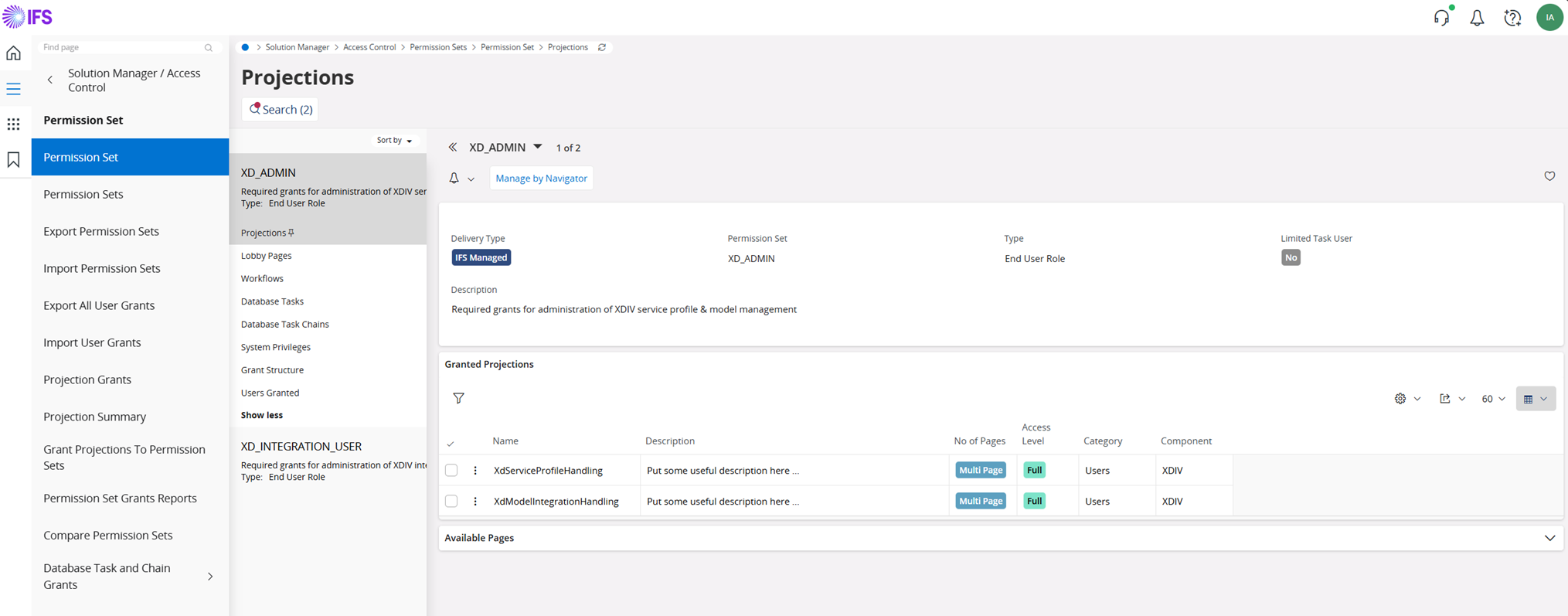 

Steps for Granting
XD_ADMINPermission Set to Users:
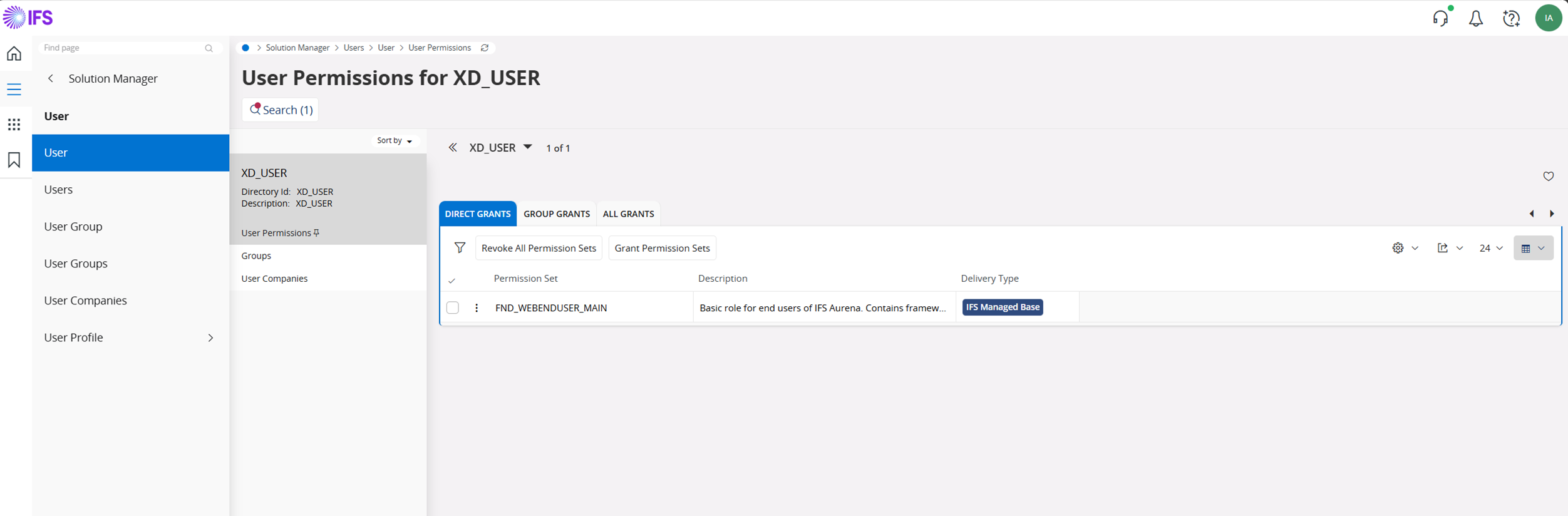 

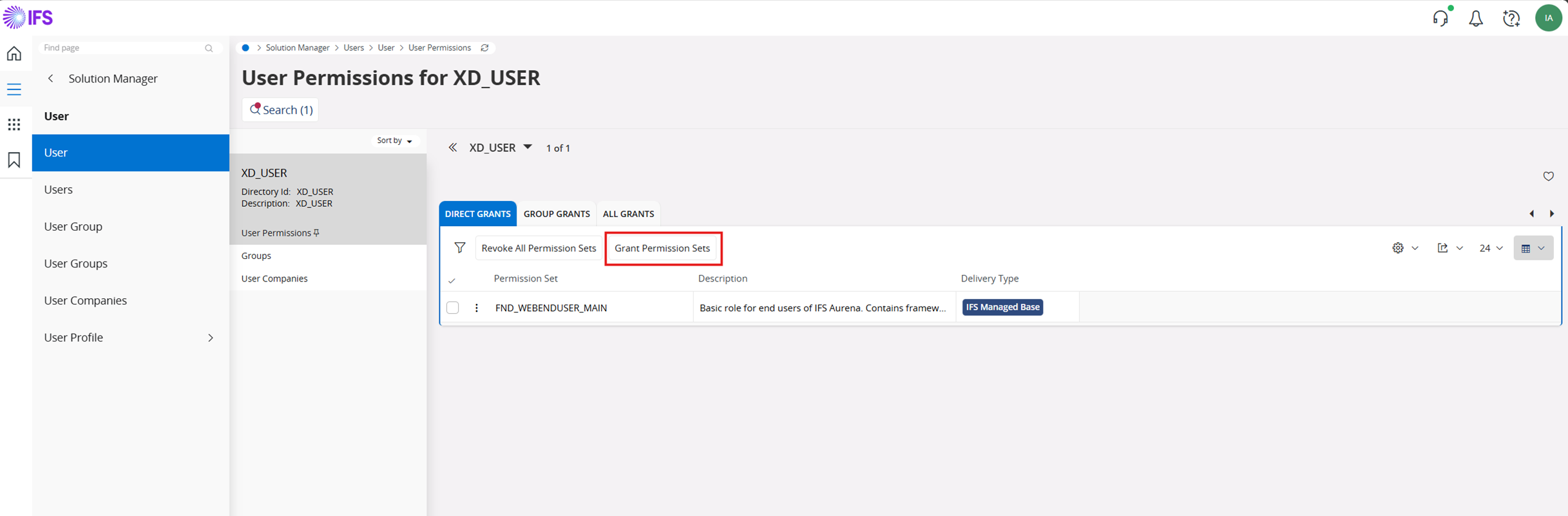 

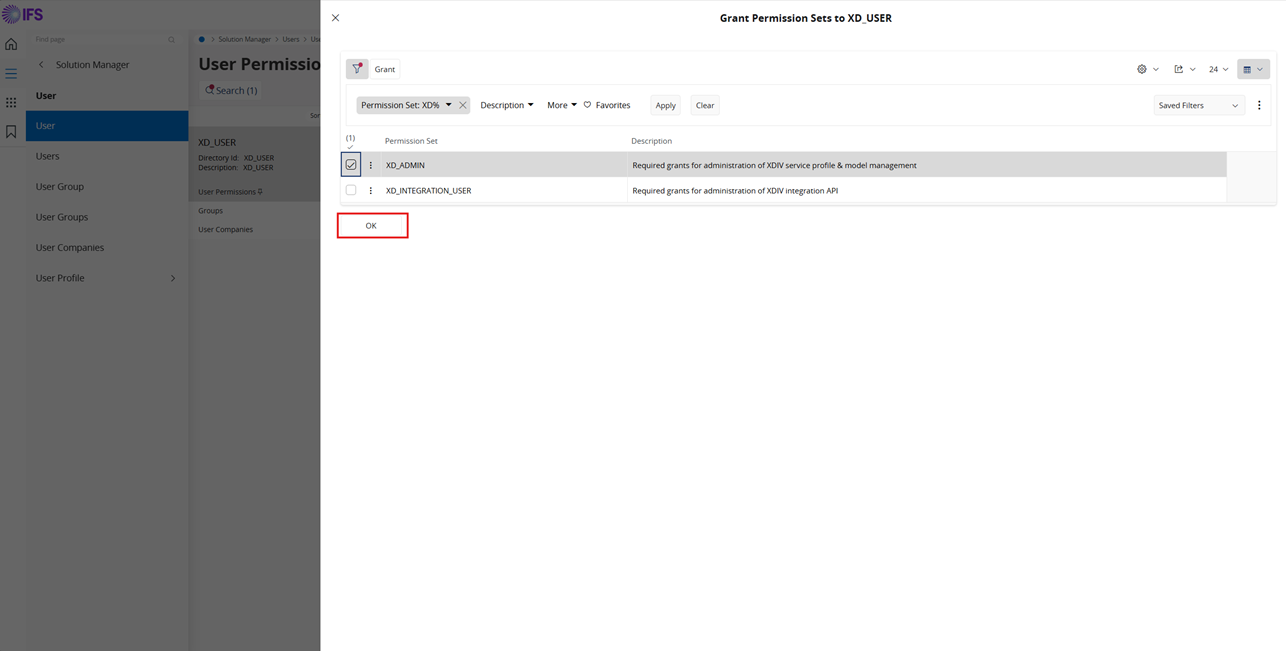 

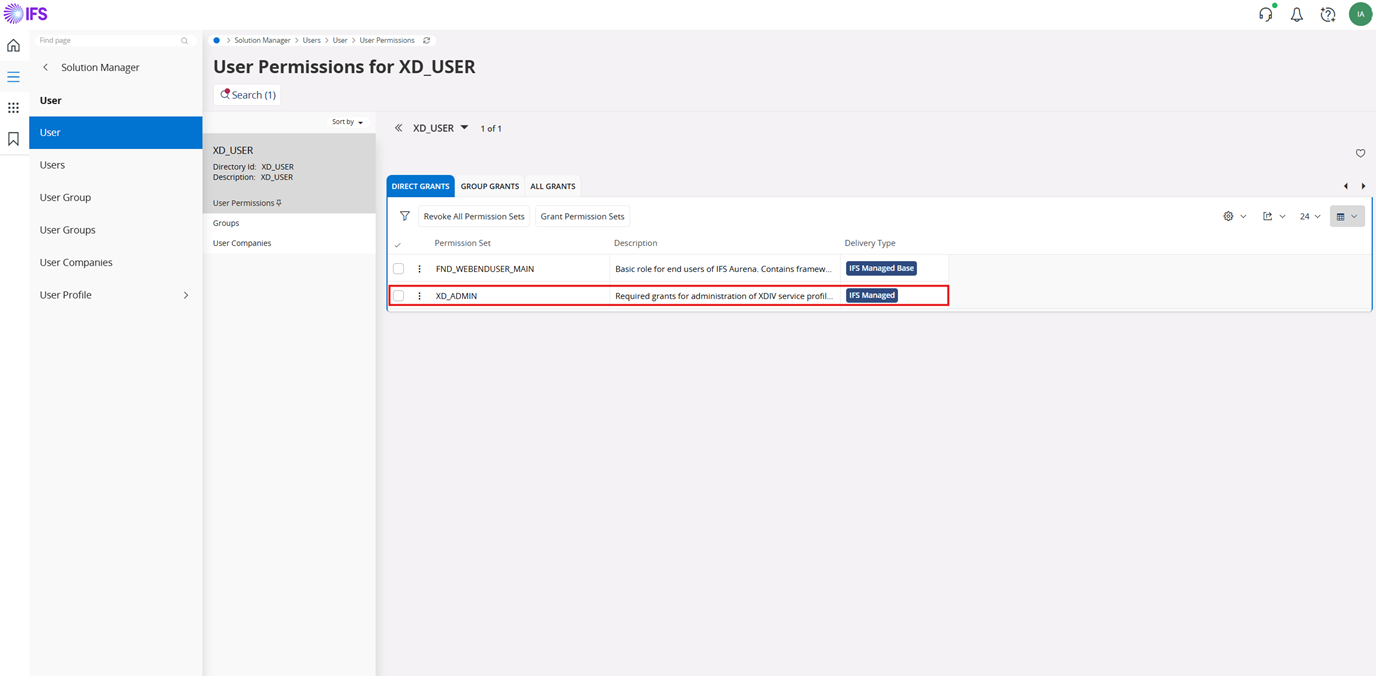 

Refresh your browser page and verify if the pages are accessible
2. XD_INTEGRATION_USER
To enable visualization capability, the XD_INTEGRATION_USER permission set must be granted to the user.
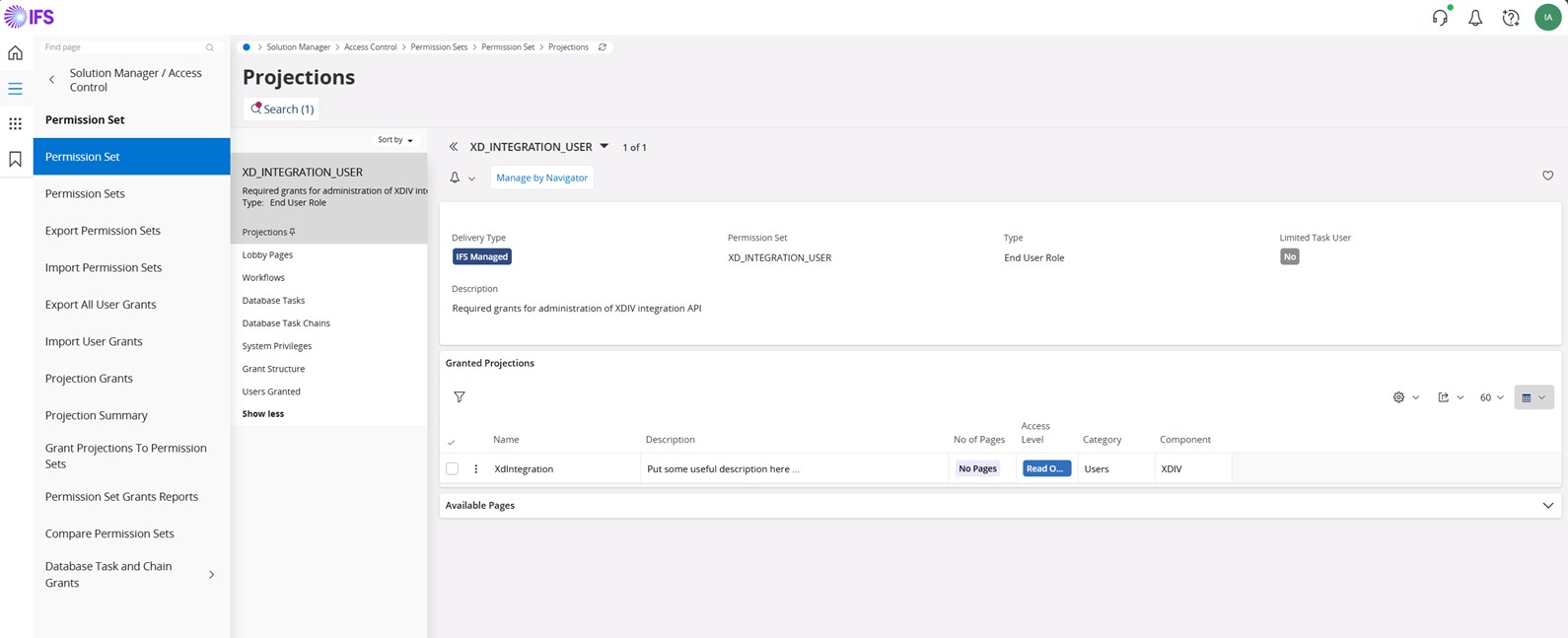 

(Use the same approach as before to grant the permission set to the user)
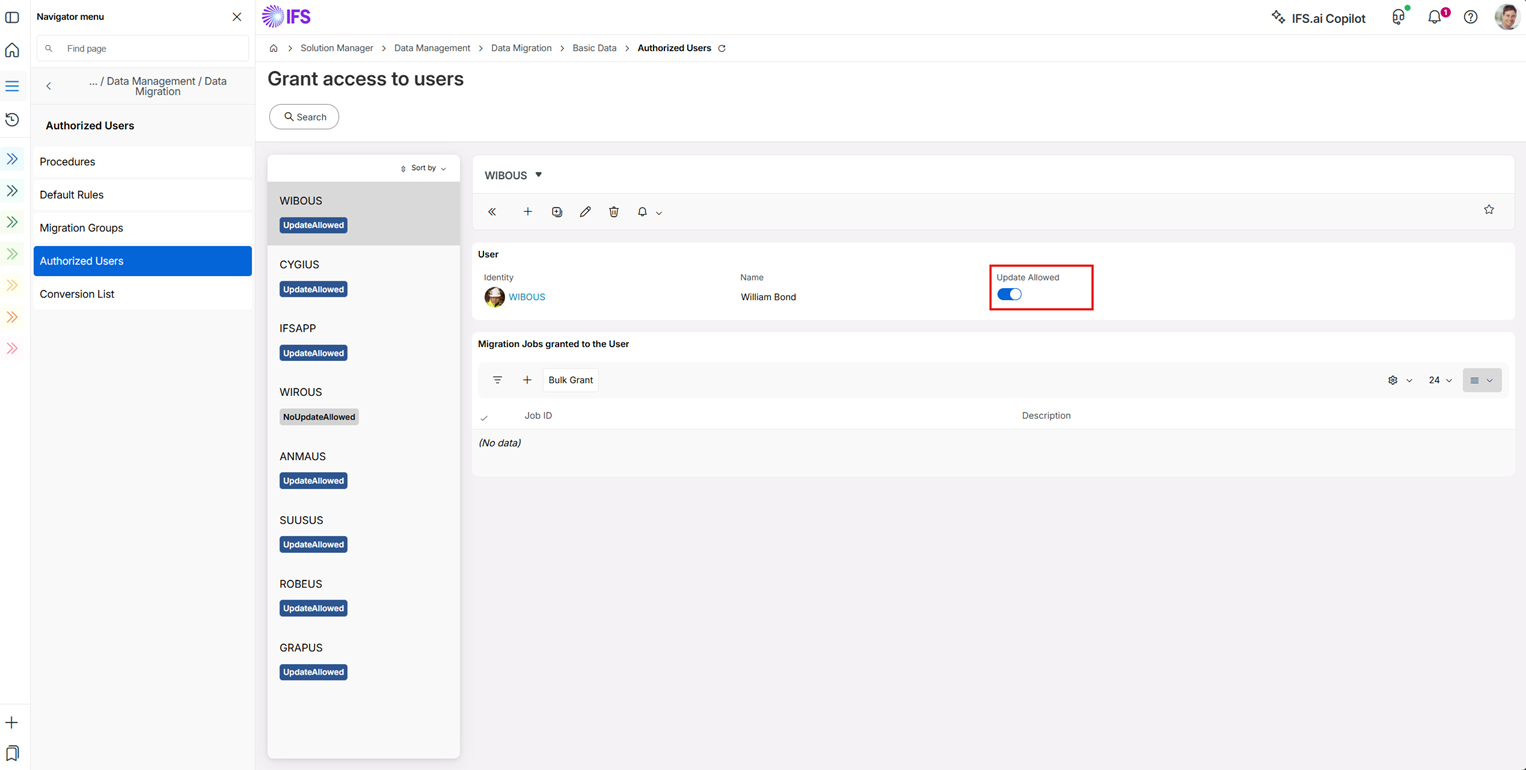
B. Grant user previlidges to create new migration jobs
To ensure successful data import and avoid failures due to insufficient permissions, verify that the appropriate access rights have been granted to users performing migration jobs.
Follow these steps to review and modify user privileges:
- Navigate to the Grant Access to Users Page:
- From the main menu, go to Solution Manager.
- Select Data Management.
- Choose Data Migration.
- Click on Basic Data.
- Open the Authorized Users section.
- Verify User Privileges:
- Check if the current user has the Update Allowed privilege enabled for migration jobs.
- Grant Update Privilege (If needed):
- If the current user does not have the Update Allowed privilege, add the user via the Grant Access to Users page.
- When adding the user, be sure to enable the Update Allowed option.