Non-Restartable Scheduled Tasks and Background Jobs in Sales
ORDER 1. Release Customer Order 2. Reserve Customer Orders 3. Print Order Confirmation 4. Create Pick List for Customer Order 5. Create Consolidated Pick List 6. Report Consolidated Pick List 7. Print Pick List for Customer Order 8. Report Picking for Customer Order 9. Deliver 10. Create Delivery Note for Customer Order 11. Print Delivery Note for Customer Order 12. Create Invoice for Customer Order 13. Batch Release Customer Orders 14. Batch Reserve Orders
CUSSCH 1. Approve of Customer Schedules 2. Reconcile Customer Schedule 3. Tolerance Check Customer Schedule 4. Release Customer Schedule
When a non-restartable scheduled task or background job is executed, it will start to log success points in the Trace field on the Background Job page.
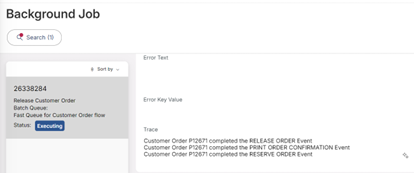
When the background job is ready, this trace will be cleared.
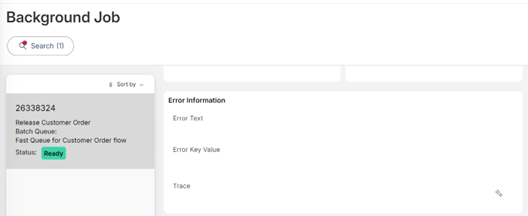
If the background job is stopped by the installer in the middle of the execution, Trace still has the success points, and the user can manually continue the process from the last success point.