Data Sync-CDC Enabled Tables
Introduction
Data Sync capability in Data Services Platform (DSP) enables you to sync selected data from the per-tenant IFS.ai Data Lake to your organization’s own data lake environment (Amazon Simple Storage Service - AWS S3, Azure Data Lake Storage - ADLS Gen2).
DSP supports the following three synchronization sources:
- Data Products -Syncs every table linked to a chosen Data Product automatically, without the need to select tables individually.
- Tables -Lets users select and sync individual tables, whether or not they belong to a Data Product.
- Data Lake Folders — Syncs file-based and document contents at the folder level (Gold, Silver, Bronze, and Bronze's Sub folders;External and Batch folders are enabled to select).
To facilitate Data Sync in DSP, a mechanism is required to identify which tables need to be synchronized and whether their data has changed in the source. Change Data Capture (CDC) is the mechanism used here to identify changes made to selected tables. CDC captures data changes and transfers the updated data from the IFS Cloud Oracle database to the tenant's dedicated data lake within the IFS.ai platform.
Once the data is available in the tenant's data lake on the IFS.ai platform, you can sync the selected data to your organization's own data lake environment.
Note
Sync frequency for any synchronization source type can be set from 30 minutes up to several hours in DSP. This minimum duration comes from the internal benchmarking IFS carried out. In practice, you should expect data to reach your organization’s own data lake environment roughly 30 minutes after the source change. Actual delivery can take 30 minutes or more, due to public network conditions and other factors outside IFS's control.
Note
Data Sync capability in DSP is supported only for IFS Cloud Service/IFS Managed Customers. Support for Remote Customers will be addressed in the future.
IFS Cloud Web Interface for CDC Enabled Tables
To view tables that have enabled for CDC, or to select additional tables, navigate to the CDC Enabled Tables page in IFS Cloud.
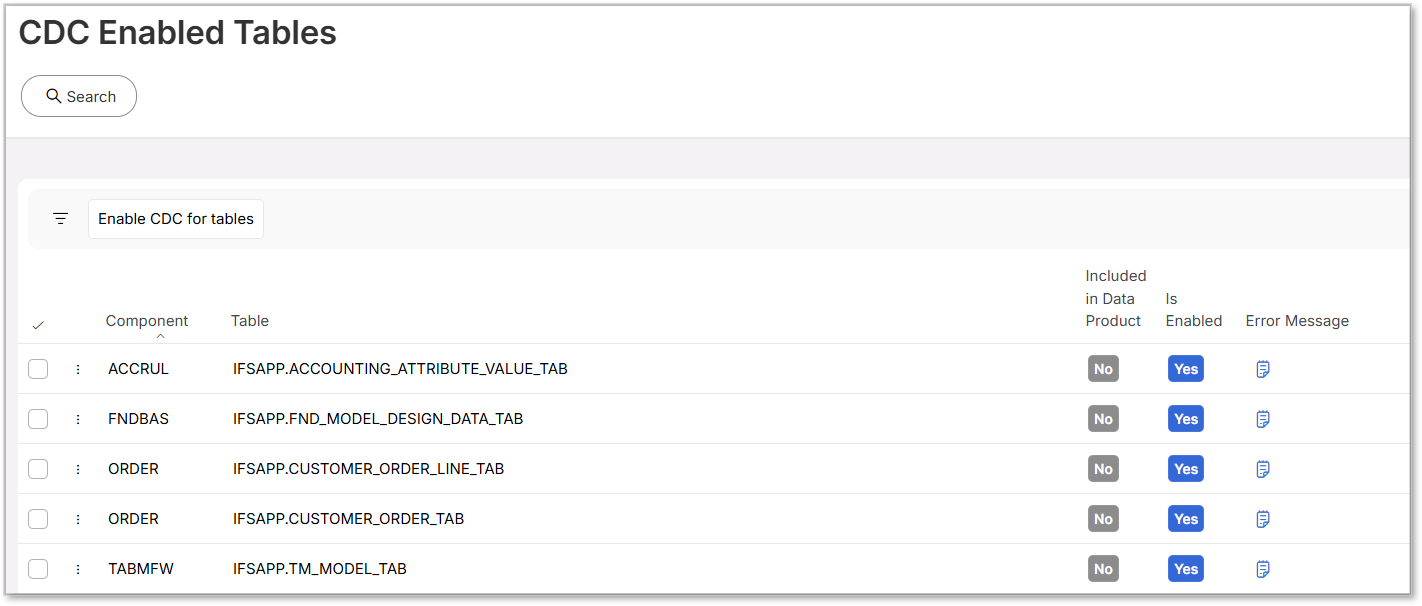
The fields displayed on this page are explained in the table below.
| Field | Explanation |
|---|---|
| Component | A component in IFS Cloud is a modular business unit that encapsulates related functionality, data, and APIs for a specific business domain. |
| Table | A table in IFS Cloud is a component-owned database structure used to store business data and accessed exclusively through validated business logic. |
| Included in a Data Product | This indicates whether the selected table is included in a Data Product or not. |
| Is enabled | This indicates whether CDC is currently enabled for the selected table or not. |
| Error Message | Displays the error message associated with any issues that occur during the CDC enablement process. |
Note
To access this page in IFS Cloud, users need to have the CDC_ADMINISTRATOR permission set assigned to them.
Adding New Tables to Enable CDC
As mentioned above, in addition to tables included in Data Products, users can select tables to enable Data CDC from IFS Cloud.
Note
A maximum of 100 tables are allowed to be selected. Therefore, ensure only the required tables are selected.
To use this feature, the tenant must be entitled to the corresponding capability. When this entitlement is available, authorized users can add new tables to enable CDC.
Follow the steps below to select additional tables.
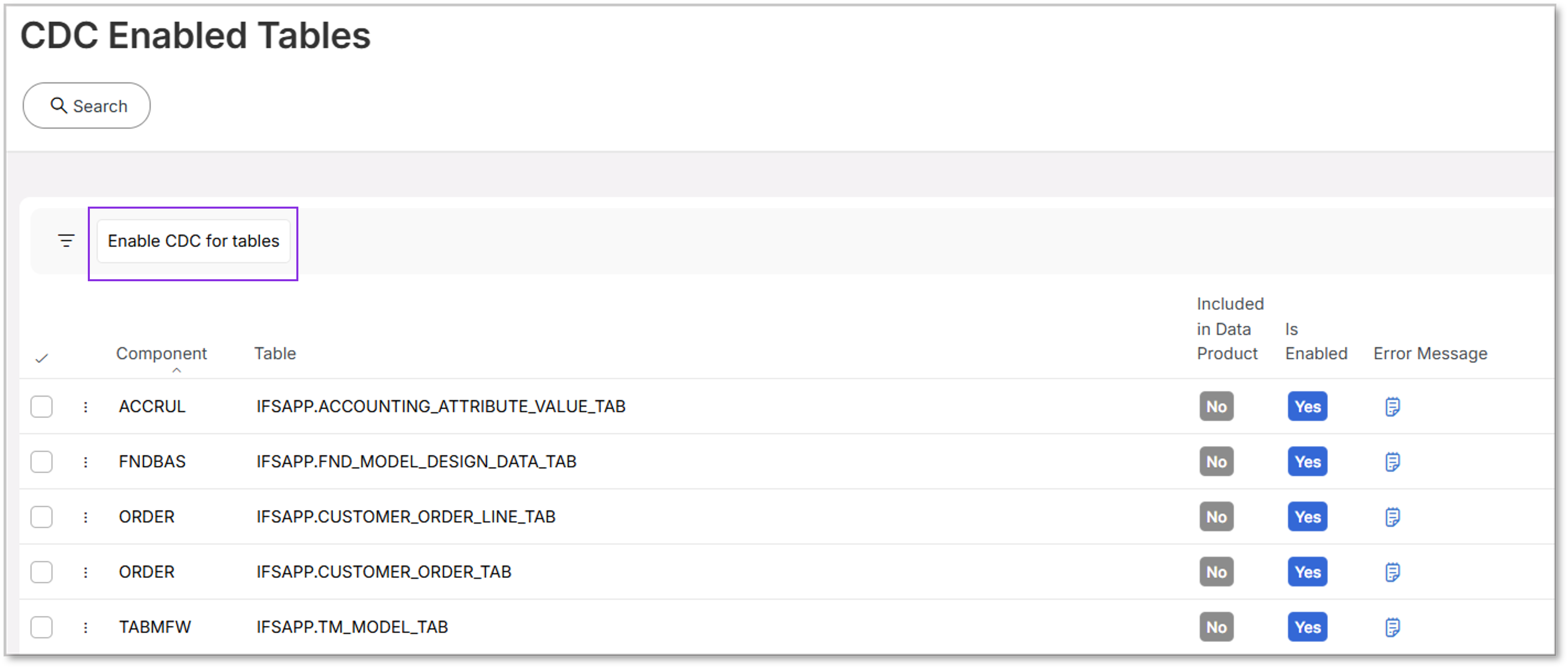
Step 1: Launch the Table Selection Assistant
Click Enable CDC for Tables to open the Table Selection for Change Data Capture assistant.
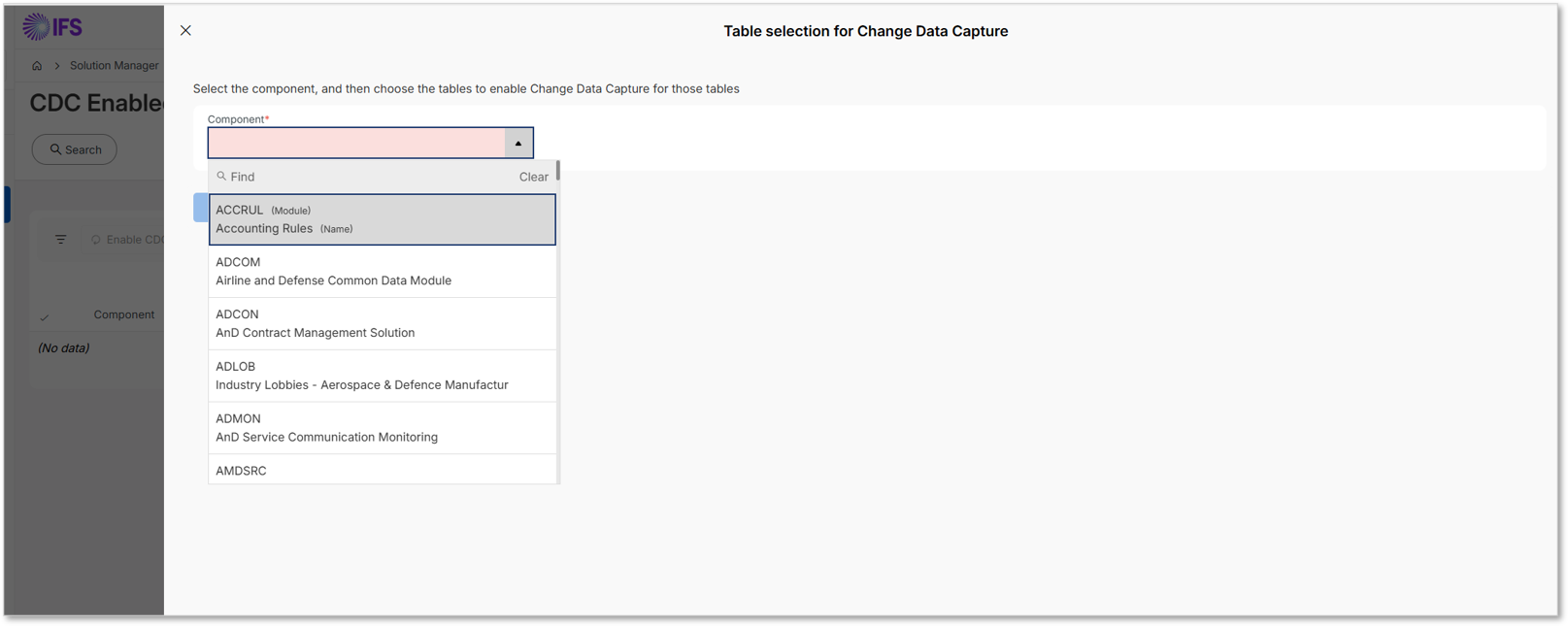
Step 2: Select a Component
Within the assistant, select the required Component from the list of values.
Step 3: Select Tables
Once a component is selected, the tables associated with it are displayed. You can select one or more tables.
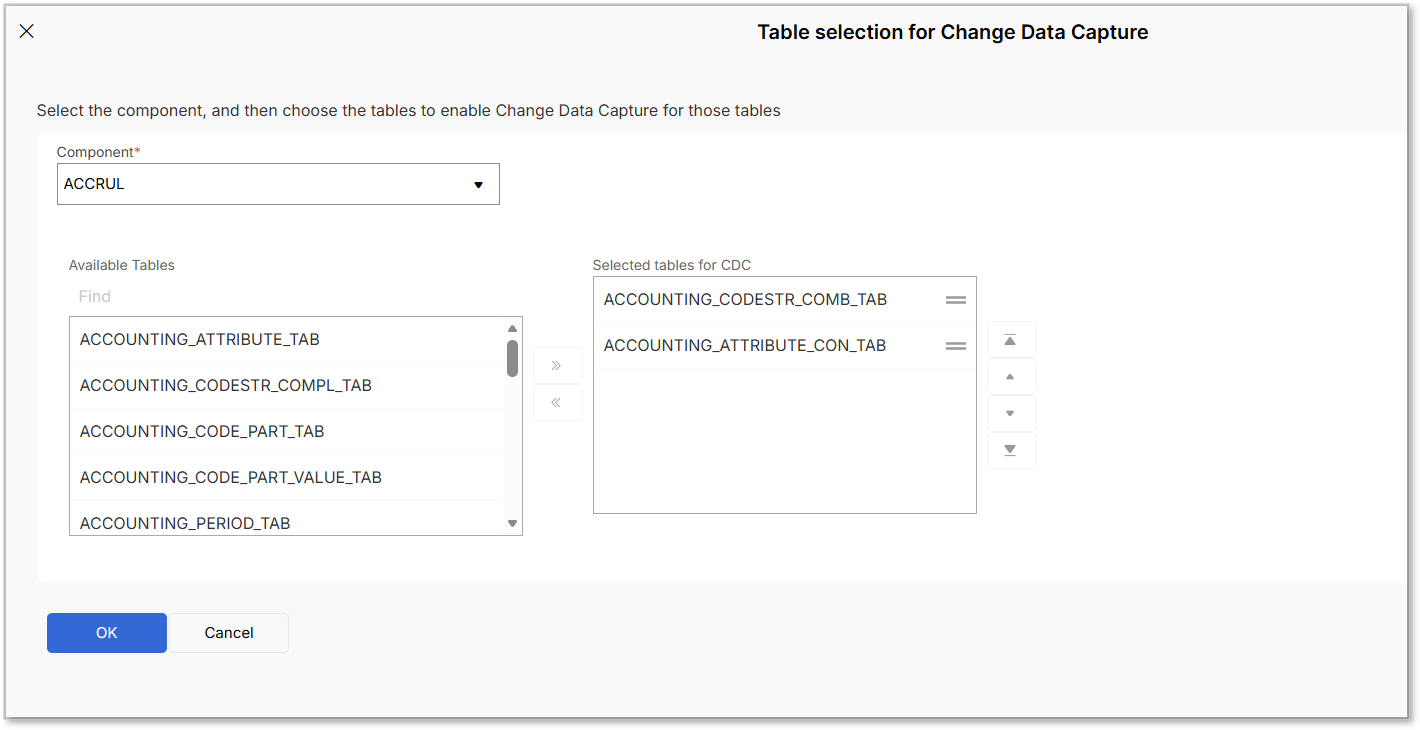
Step 4: Confirm the Selection
Click OK to complete the table selection process and enable CDC for the selected tables.
Additional Options Available for User-Selected Tables
There are several additional configuration options available for tables that are selected by an authorized user. These options allow users to manage CDC behavior and perform specific actions on the selected tables.
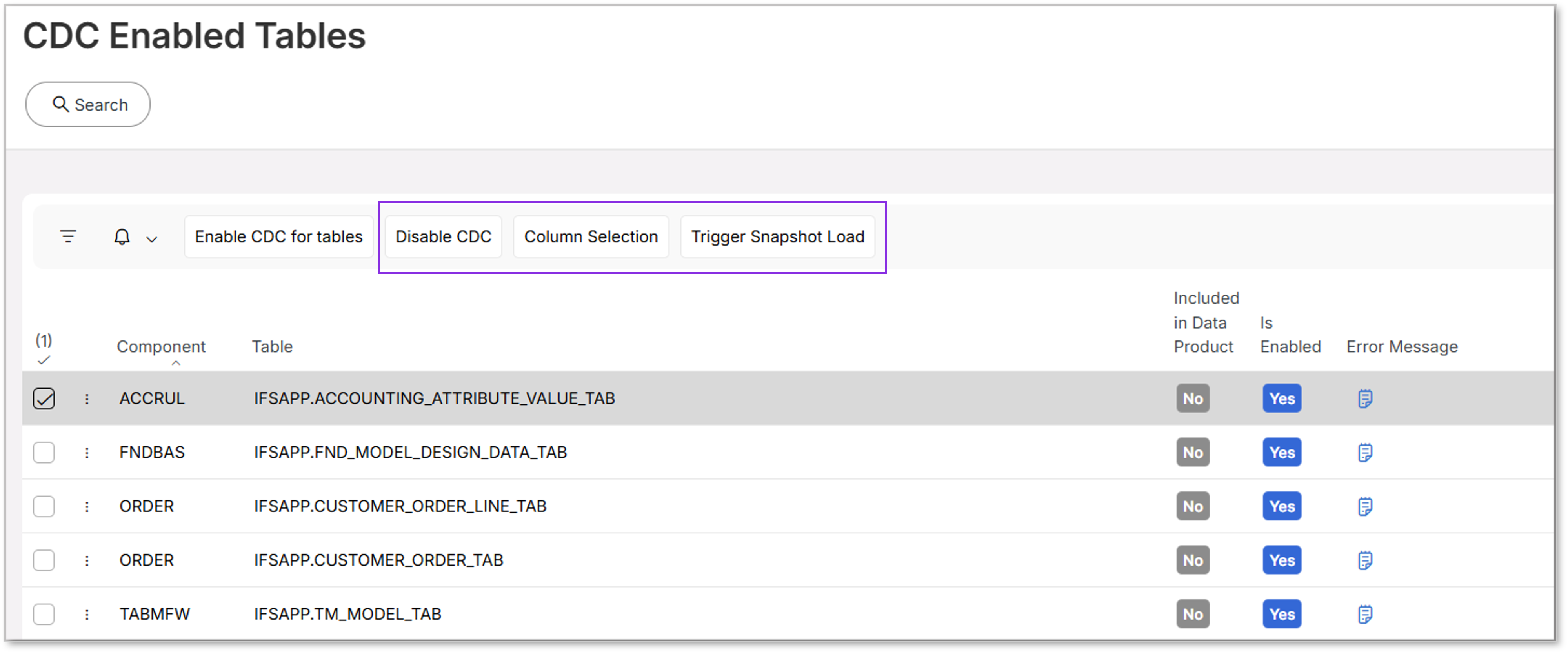
1. Disabling CDC
CDC can be disabled only for tables that were explicitly selected by the user. CDC cannot be disabled for tables that are included in Data Products defined by Internal Data Product Developers (currently, IFS R&D).
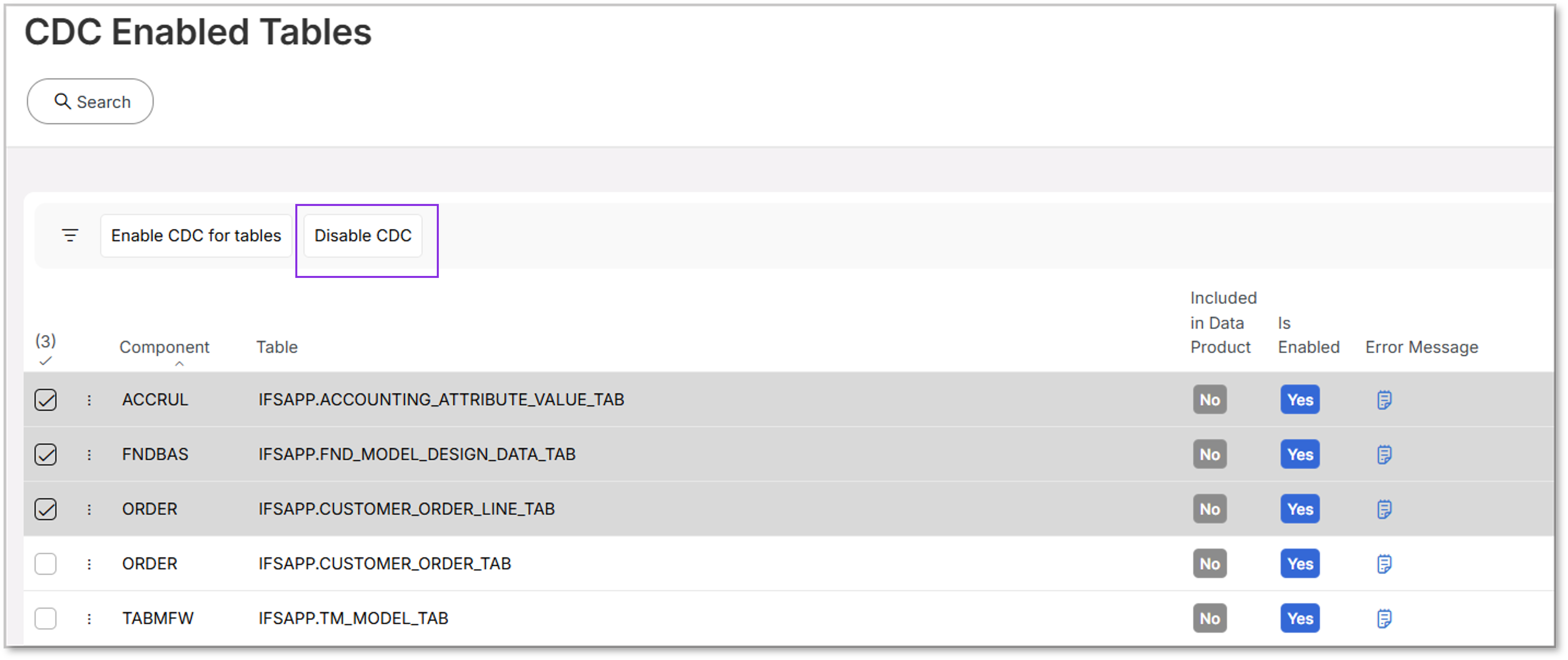
To disable CDC, select the table and click Disable.
When this action is performed:
- The selected table is removed from Change Data Capture tracking.
- Supplementary logging for the table is revoked at the database level.
The Disable CDC action can be applied to one or multiple tables at the same time. Once disabled, the tables will be removed from the CDC Enabled Tables list.
Note
If your entitlement associated with the Data Product capability is removed or no longer exists, the tables linked to that Data Product will automatically be removed from the CDC Enabled Table list.
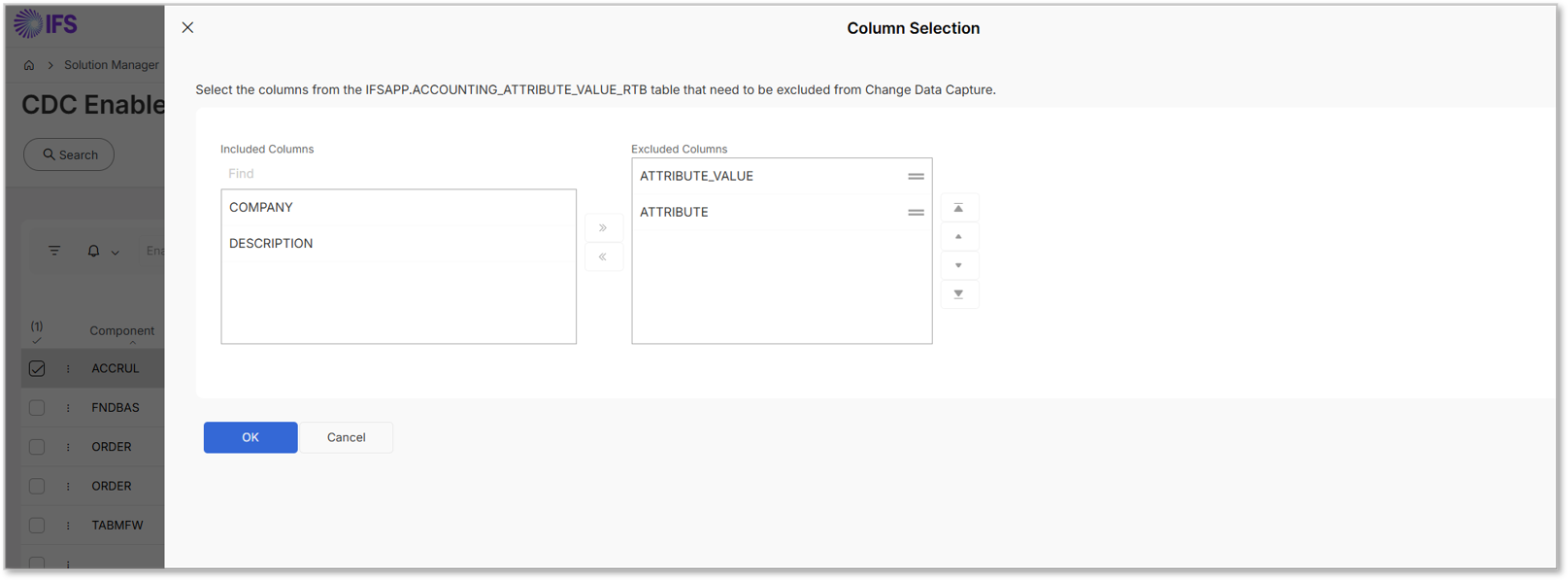
2. Column Selection
The Column Selection assistant displays columns included for the selected table. By default, CLOB and BLOB type columns are excluded.
From this interface, users can optionally exclude additional columns from the CDC process.
3. Trigger Snapshot Load
When a table is enabled for CDC, the initial synchronization always performs a full load of the table. After the initial load, subsequent data changes are captured through CDC according to the configured synchronization settings.
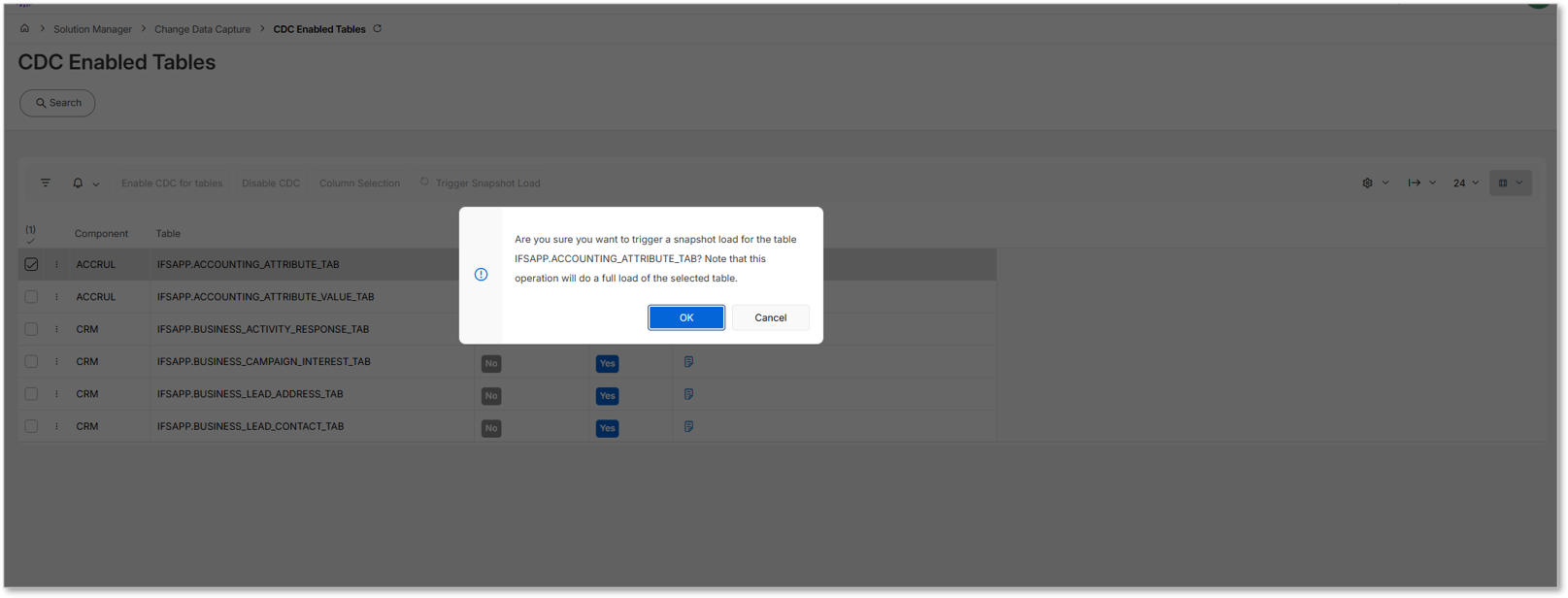
If a new full snapshot of the table is required at a later stage, it can be triggered using the Trigger Snapshot Load option.
When this option is selected:
- A confirmation prompt will appear.
- Selecting OK initiates a full snapshot load for the selected table.
Note
Currently, you can only select one table at a time to initiate a snapshot load.
Background Services for CDC Configuration
CDC configuration is performed automatically by background services in DSP. These services determine which tables should have CDC enabled and configure the required components to capture data changes.
The Table Management Service first retrieves the tenant's entitlement information from LEC using the Tenant ID. Based on these entitlements, it identifies:
- The tables associated with the tenant's entitled Data Products.
- Any tables manually selected through the CDC Enabled Tables page in IFS Cloud.
Once the list of eligible tables is prepared, the CDC Watcher Service configures CDC for those tables by:
- Updating the required system tables such as:
CDC_SUP_LOG_ENABLED_TABLE_RTB,CDC_EXCLUDED_COLUMN_RTB, and snapshot load configuration tables. - Enabling Supplementary Logging on the selected tables.
- Configuring the CDC service to monitor the tables and capture database changes.
After the configuration is complete, changes made to the configured tables are automatically captured and transferred to the tenant's dedicated IFS.ai Data Lake, making them available for Data Sync in DSP.
The primary product component responsible for enabling CDC in IFS Cloud is the CDCFW component.
Note
The CDC service restarts to detect changes to the CDC configuration. These restarts must be at least 30 minutes apart.As a result, when a new table is enabled for CDC, data capture may not begin immediately.
If the last restart happened more than 30 minutes ago, the CDC service will detect the new table and restart within a few minutes. However, if the last restart was less than 30 minutes ago, the service waits until 30 minutes have elapsed since that restart before restarting again.
So capture can begin anywhere from a few minutes to 30 minutes after a table is enabled, depending on the last restart time.
This 30-minute detection delay is a separate mechanism from the 30-minute sync interval described earlier in this document. The detection delay applies only once, when a table is newly added for CDC.
Known Limitations of the CDC Service
Enabling CDC requires Supplemental Logging to be turned on at the Oracle container level; this is what allows Oracle to record sufficient detail about each row change for CDC to capture.
However, this comes with a trade-off: Oracle does not support Online DDL operations on tables that have Supplemental Logging enabled, unless Oracle GoldenGate is being used. This directly conflicts with IFS Cloud's online upgrade mechanism, which relies on Oracle's Edition-Based Redefinition (EBR) to apply certain DDL changes and to achieve near-zero-downtime upgrades.
As a result, enabling CDC, which requires Supplemental Logging, interferes with online upgrading. Therefore, a tenant using CDC needs to account for this limitation and consider the unavailability of CDC when planning an online upgrade.
Workload Jobs Related to the CDC Configuration
The following workload jobs are directly or indirectly related to the CDC flow in DSP. These jobs process CDC-generated data, maintain supporting datasets, and refresh analytical structures used by downstream services such as dashboards and transformations.
| Workload Job | Description | When to Run |
|---|---|---|
| RAW_TO_MIRROR_WORKLOAD | Once the CDC-enabled tables are available in the per-tenant Data Lake in the IFS.ai platform, this workload transforms the Raw tables generated by the CDC ingestion pipeline into Mirror tables in the Data Lake. Raw tables contain row-level change events captured from the Oracle source database. The Mirror layer processes these change events and reconstructs the latest state of each table, making the data easier to consume for analytics and downstream workloads. The job uses metadata about CDC-enabled tables, primary keys, and table structures to correctly merge and update records in the Mirror tables. | Run this workload after enabling CDC for new tables, especially when tables are added manually, so the newly enabled tables are included in the Raw-to-Mirror transformation pipeline. The scheduled time for this workload job can be adjusted according to your requirements. |
| ENUMERATION_WORKLOAD | This workload job loads and maintains the enumeration value dataset used in DSP. Enumeration datasets contain code and display value pairs defined in IFS Cloud. The workload processes enumeration metadata and creates a dataset in the Data Lake so that these mappings can be used by analytics, data transformations, and queries that require human-readable values instead of internal codes. | This workload is delivered as part of the solution package and does not normally need to be executed during initial setup. It should be triggered after a Service Update or when enumeration values are updated to refresh the enumeration dataset. |
Read more about workload jobs->Workload Job Definitions