Best Practices
Selecting the Appropriate Workflow Configuration
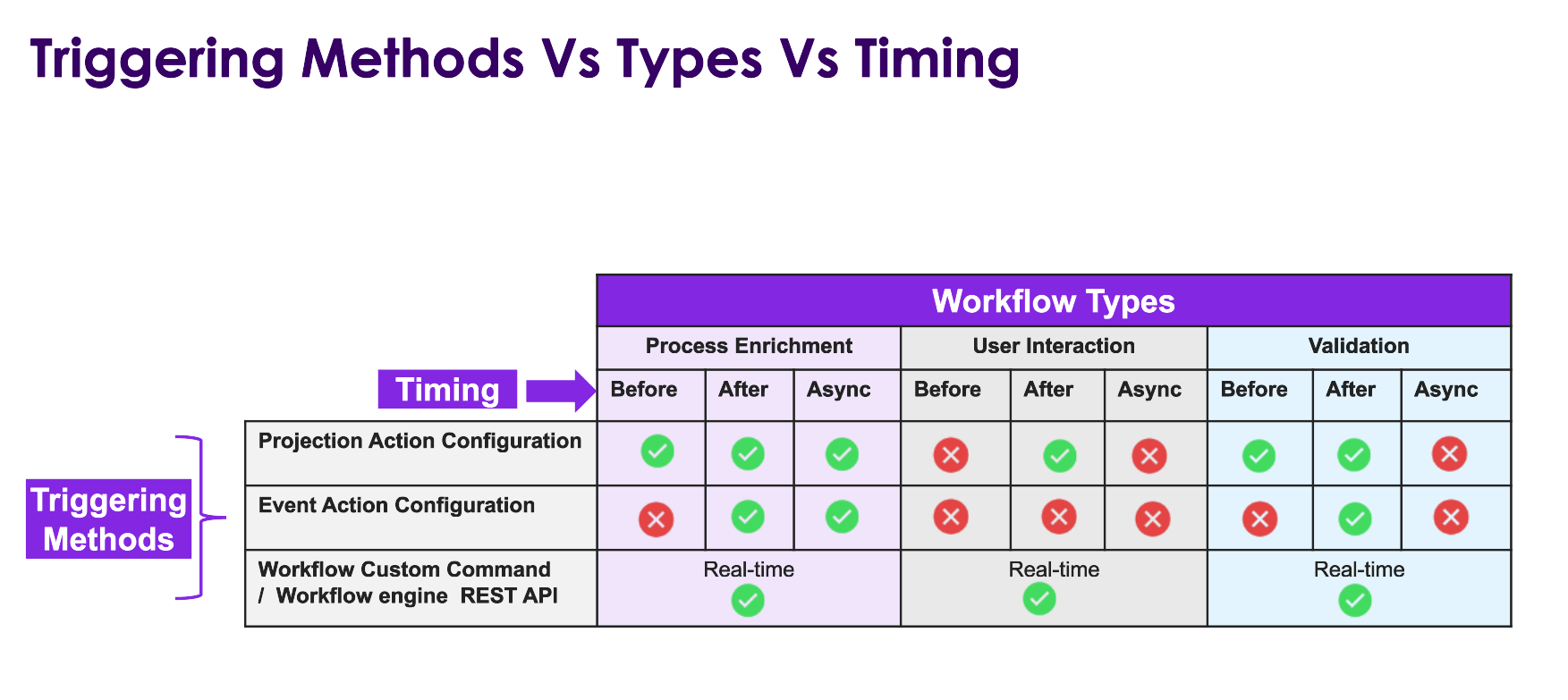
It is important to select the correct combination of Workflow type, timing, and triggering method to suit the specific business requirements. Refer to the diagram below for an overview of the supported timing options available for each Workflow type.
Delivery and Version Control Best Practices
As a recommended practice, ensure that all elements associated with the Workflow (including custom events and actions, as well as projection actions where applicable) are included within an Application Configuration Package (ACP). This ACP can then be exported and maintained in the customer's solution repository under version control. Maintaining the ACP in the solution repository provides a single source of truth, enables traceability of changes, and supports controlled promotion of configurations across environments. The version-controlled ACP can then be used for streamlined installation into customer environments, either automatically or manually, during the delivery process.
Event Action Configuration
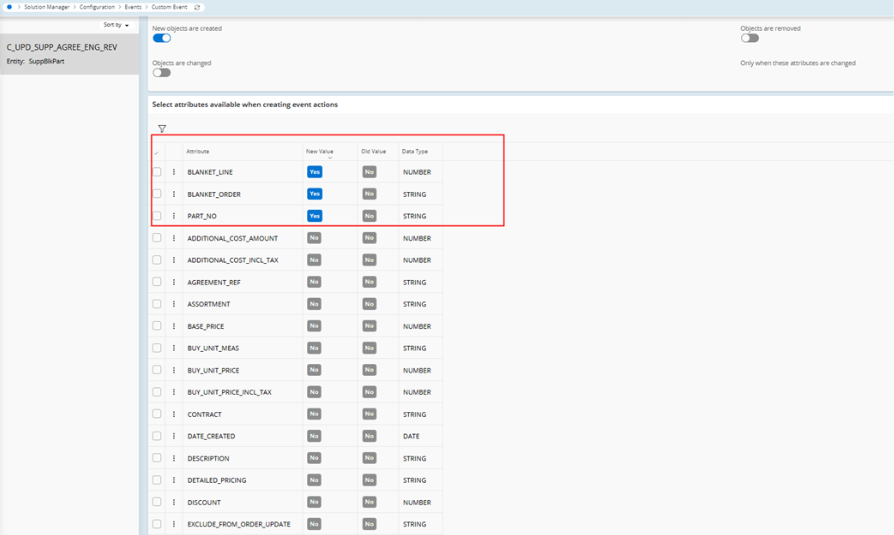
If the workflow is triggered from an event action, then always select the attributes that need to be used inside the workflow as YES. The reason for this is because at times when the workflow is triggered indirectly due to changes from an API call and if the attributes have not been marked as YES then NULL values will be passed to the workflow which can cause problems.
Construct the Workflow step-by-step
Start by capturing Workflow Observations before building out the Workflow in detail. Begin with a simple Workflow containing only the start and end points and configure the appropriate trigger. Execute this basic Workflow to collect observation data, allowing you to monitor and verify the input values being passed in.
By analysing the observation data collected at this stage, you will gain a clear understanding of all inputs entering the Workflow. This insight provides a solid foundation, enabling you to confidently develop and refine each subsequent step of the Workflow with assurance that the correct input values are being utilised throughout the process.